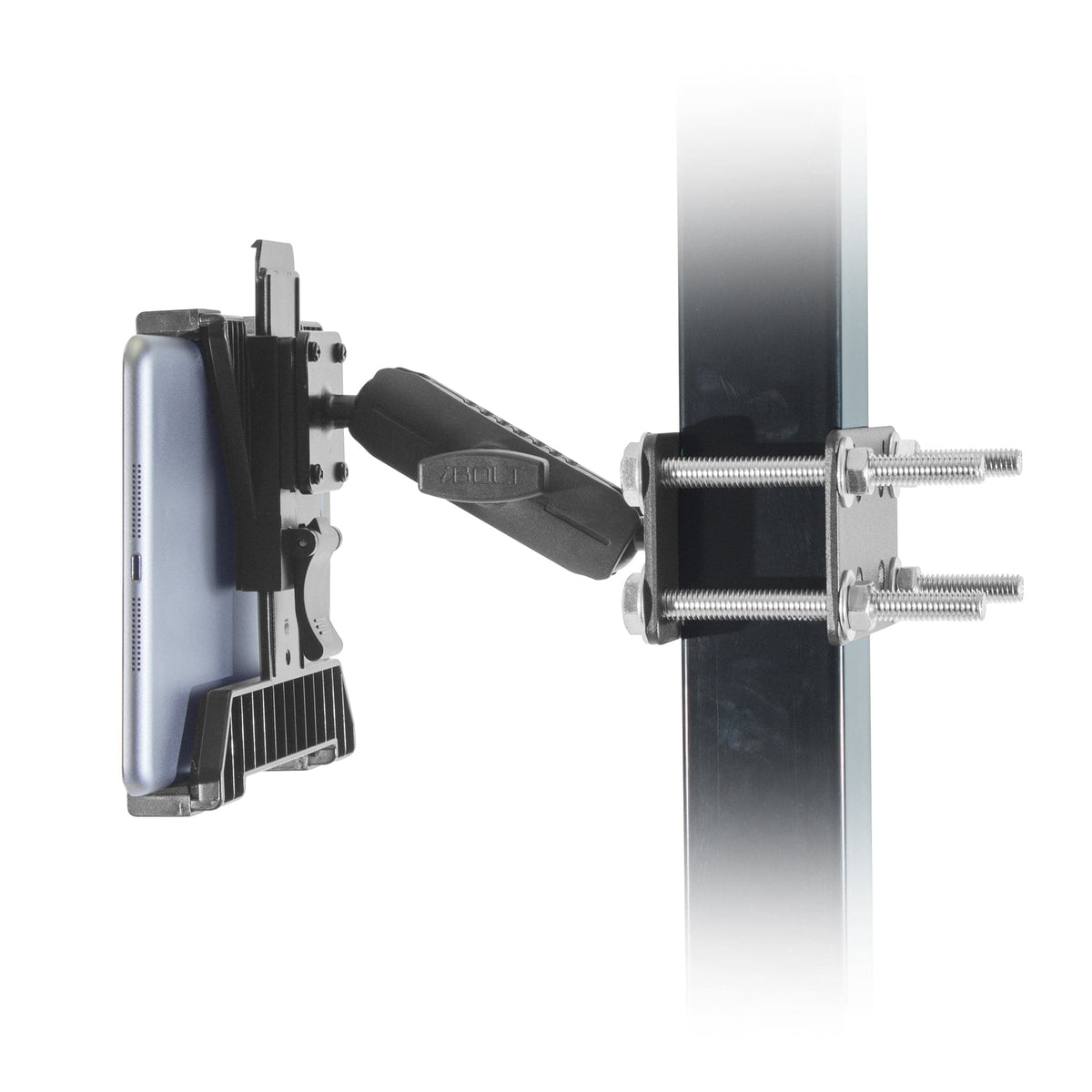
A picker checks the next location on a tablet, scans the load, then needs somewhere convenient to return the scanner. On another truck, a shared tablet stays with the vehicle through several shifts. Those jobs call for different forklift mounting setups.
Start by deciding whether you need an open tablet holder, a keyed holder or a combined tablet-and-scanner station. The three iBOLT kits below cover those choices with their mounting components included. Match the kit to the device, case and permitted attachment point, then plan power and cable routing.
Match the kit to the warehouse workflow
Choose TabDock Bizmount Pillar for an open tablet holder, Dock’n Lock 38mm for keyed tablet retention, or TabDock Dual XL for a tablet and scanner together. Each serves a different handling process. An open cradle suits a device staff routinely remove; a keyed holder supports a device-custody process that keeps the tablet with the truck.
For the Dual XL kit, check both device choices. XL in the product title refers to the scanner-holder system, while TabDock and TabDockXL are separate tablet-holder variants. Selecting a kit with an XL scanner holster does not automatically select the larger tablet holder.
| Workflow | Kit and standard SKU | Published device fit | Included mechanical system |
|---|---|---|---|
| Open tablet holder |
TabDock Bizmount Pillar IBFL-34514 · $74.95 |
Listed for many 7 to 10 inch tablets. Confirm the exact holder and case envelope. | Two steel plates, bolts, 3.75 in arm, two 25mm AMPS plates and TabDock holder. No keyed lock or powered dock listed. |
| Keyed tablet retention |
Dock’n Lock Forklift 38mm IBFL-34591 · $110.00 |
Width 4.2 to 7.9 in; height 7.2 to 11.7 in; depth 0.2 to 0.75 in. Measure with the case. | Pillar plates and hardware, 3.75 in arm with 38mm system, AMPS plates, locking holder and keys. |
| Tablet plus scanner |
TabDock Dual XL Scanner Pillar IBFL-34544 · $119.95 |
Standard tablet opening 4 to 8 in; depth 0.2 to 0.9 in. Listed scanner-holder dimensions 6.75 × 5.5 × 4.25 in. | Pillar bracket, listed arms, triple-ball joint, AMPS plates, tablet holder and XL scanner holder. Devices and powered docks are separate. |

Catalog product image. Devices shown are not included.

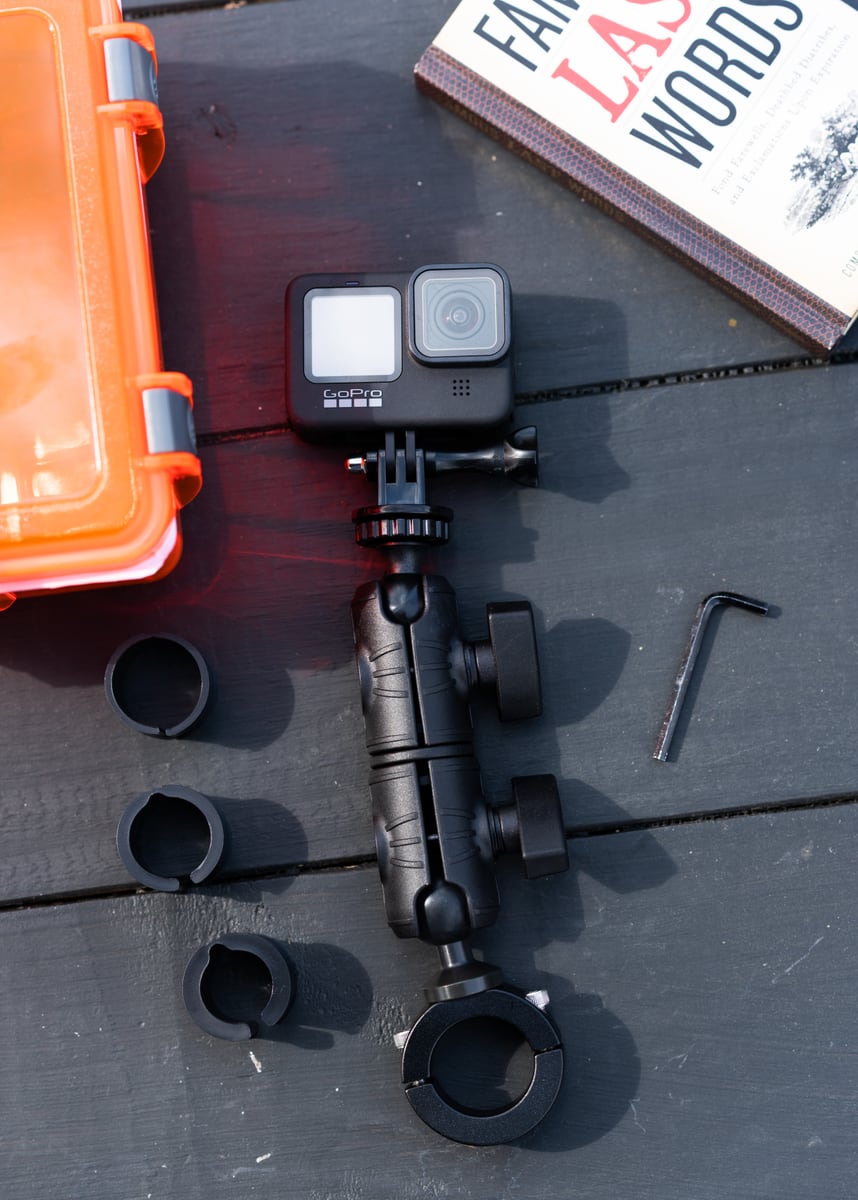
Catalog product image. Devices shown are not included.

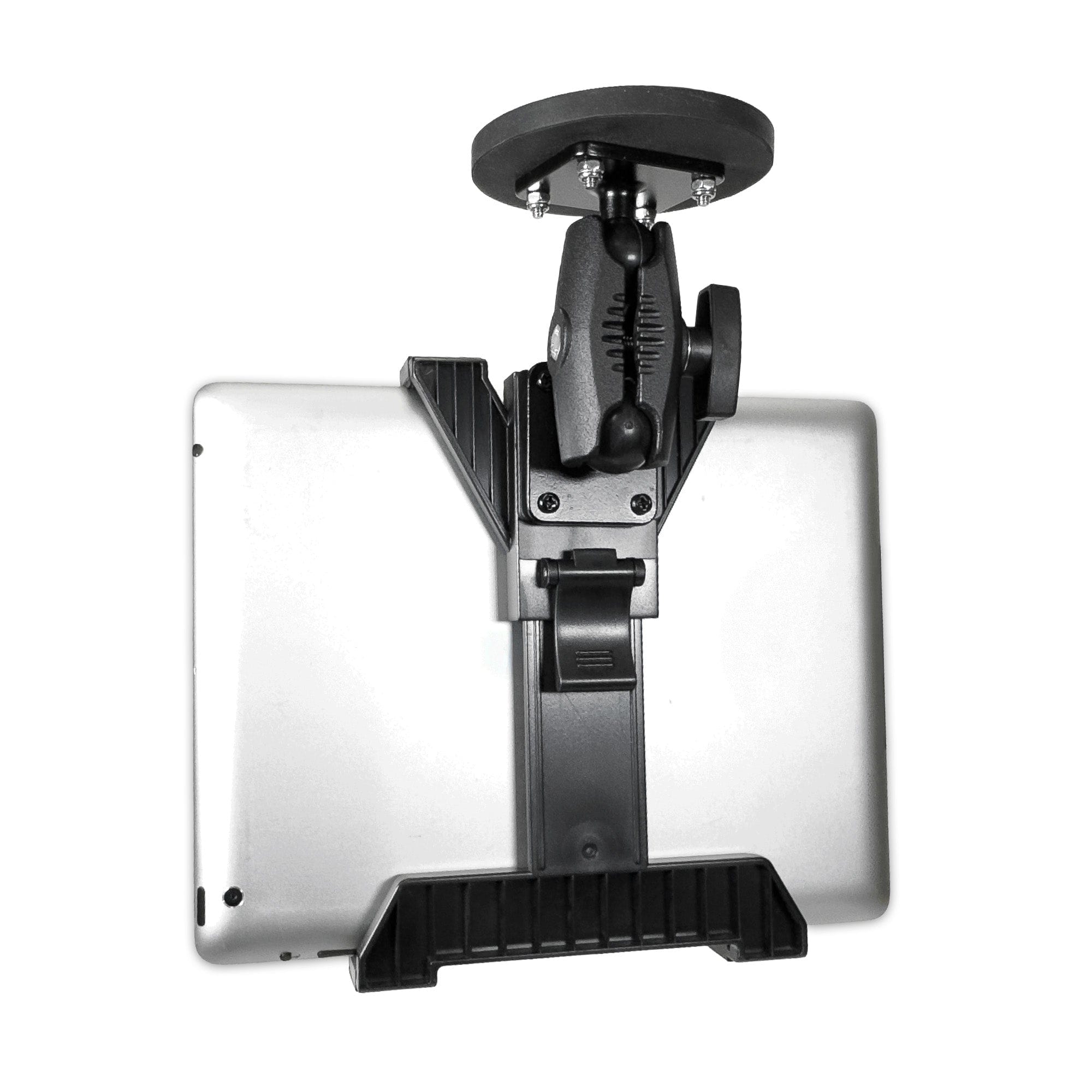
Catalog product image. Devices shown are not included.
Check the pillar and the devices together
Start at the truck's permitted mounting point. The selected pillar kits describe steel plates measuring 4 by 2.75 by 0.125 inches, with hardware including 3/8-16 by 4 inch bolts. Those are component measurements, not a maximum pillar-fit rating. Check plate contact, usable bolt span and the shape of the attachment surface with the forklift manufacturer or site installer.
Next, measure the tablet with its usual case. Include the raised corners, hand strap, battery pack or connector that stays attached. For the Dock’n Lock 38mm holder, compare all three dimensions with the published width, height and depth ranges in the table. Make sure the gripping points leave buttons, cameras and connectors usable.
With a Dual XL station, also check how the scanner enters and leaves its holster. The listed 6.75 by 5.5 by 4.25 inch dimensions are not identified as a certified internal opening. Check the actual scanner body, trigger and tether against the usable space, and leave a clear removal path that does not cross the controls.
Keep interface dimensions separate from fit dimensions. A 25mm or 38mm ball identifies mounting components; it does not describe the forklift pillar or establish the assembly's load rating. If a heavy device, long arm reach or uneven working surface is involved, obtain application guidance for that complete arrangement.
Make power and shift handoff part of the plan
The three kits are mechanical holders, with no powered tablet dock or scanner charging cradle listed. For devices that need charging on the truck, identify the correct power source, connector and cable route alongside the mounting kit. Check that an arm adjustment or scanner removal will not pull on a plug.
A warehouse already using device-specific powered docks may need a different bracket or workstation arrangement. Include those docks, their brackets and required cables in the parts list before comparing complete installation costs. A tablet holder and a charging dock have different jobs.
For keyed retention, decide who keeps the key and how devices come out for service. Include the holder in the shift handoff so staff know whether the tablet stays with the truck or returns to a charging area. That choice can make an open holder or a locking holder more useful for a particular team.
Review the final position with a qualified operator while the equipment is secured. Keep the device, bracket and cables clear of controls, restraints, access and sightlines. Follow the truck manufacturer's instructions and the site's installation procedure when choosing the attachment point.
Make the first installation easy to repeat
Before ordering for the full fleet, fit the first kit with the actual tablet, case and scanner. Check screen readability from the normal operating position and make sure staff can return the scanner without leaning across the controls. Leave access for cleaning, charging and device service.
Record the exact kit SKU, tablet-holder variant, device and case models, scanner model, pillar measurements and final arm position. Photograph the base attachment, gripping points and cable route. Keep the parts list with the truck's installation record so replacement components can be matched.
A second truck may have different pillar geometry or working clearance even when its tasks are similar. Recheck those details instead of copying only the arm position. Where the workstation also needs a keyboard, printer or enterprise dock, review the whole assembly with the device and truck suppliers.
The practical goal is straightforward: give the tablet and scanner suitable places without making normal work or service harder. A clear parts list and a careful first fit make that decision easier than comparing mounts by the number of accessories shown in a photograph.
Frequently asked questions
Which iBOLT kit holds a forklift tablet and scanner together?
The TabDock Dual XL Barcode Scanner Forklift Pillar Mount, standard SKU IBFL-34544, lists both holders and their supporting components. Check the tablet-holder variant and the actual scanner fit before ordering.
Does a 4 inch bolt mean the mount fits every 4 inch pillar?
No. Bolt length is a hardware dimension, not the usable pillar-fit range. Plate contact, bolt engagement and the permitted attachment point still need checking.
Does the Dock’n Lock 38mm forklift kit charge the tablet?
No powered dock is listed in its kit contents. Plan the device's power supply, cable and connector access as separate parts of the installation.
Can I choose a tablet holder using screen size alone?
Measure the device with its case and attached accessories. Compare the holder dimensions, then check the gripping points, port access and intended mounting position.
Explore the forklift mounting collection to find the setup that fits your devices and warehouse workflow.
Specifications and listed USD prices checked September 8, 2026. Based on manufacturer-published specifications, not comparative performance testing. Check current availability and your selected variant before ordering.

Leave a comment
This site is protected by hCaptcha and the hCaptcha Privacy Policy and Terms of Service apply.