
In a delivery or field service van, the tablet may handle dispatch, work orders, navigation and customer signatures. Between stops it needs to stay put, within the driver's reach and clear of the van's controls.
A delivery van tablet mount gives that device a steady, reachable home. The right choice starts with where the mount can attach, then the holder, then the cables.
TL;DR: If you can drill, start with an AMPS drill-base kit: the open TabDock BizMount AMPS (IBBZ-33921) for tablets that leave the van often, or the keyed LockPro (IBBZ-33779) for tablets that stay put. For leased or no-drill vans, look at the TabDock IncrediBOLT 360 Suction (IBBZ-34990) or Wedge (IBBZ-34992), depending on the surface and seat gap. Measure the tablet in its case and pilot one van first.
Which Delivery Van Tablet Mount Should You Start With?
Start with where the mount is allowed to attach. Choose an AMPS drill-base kit if drilling is permitted, or a suction or seat-gap wedge kit if it is not, then match the exact kit and holder variant in the table below.
| Attachment point | Exact iBOLT kit | Best for | What to verify |
|---|---|---|---|
| Drill base, open holder | TabDock BizMount AMPS, IBBZ-33921 | Owned vans where techs remove the tablet often | Standard or XL holder, surface, fasteners and what sits behind the panel |
| Drill base, keyed holder | LockPro Metal Locking Drill Base, IBBZ-33779 | Tablets assigned to one van | Case depth (0.75 in max) and grip, key handling, backing plate |
| Suction base | TabDock IncrediBOLT 360 Suction, IBBZ-34990 | Leased vans or hardware that moves between vehicles | A suitable surface and the installation instructions |
| Seat-console gap | TabDock IncrediBOLT 360 Wedge, IBBZ-34992 | Vans with a usable gap beside the passenger seat | Actual gap, seat travel and occupant clearance |
Whichever base you choose, the tablet still has to clear airbags, controls, restraints and the driver's view. A mechanical holder does not, on its own, establish ELD or vehicle-installation compliance.
Open TabDock vs Keyed LockPro on an AMPS Drill Base
For vans you can drill, choose the open TabDock when technicians take the tablet into customer sites all day. Choose the keyed LockPro when the tablet belongs to the van and should stay there. Both mount to a drilled AMPS base, so the van side of the installation looks similar.
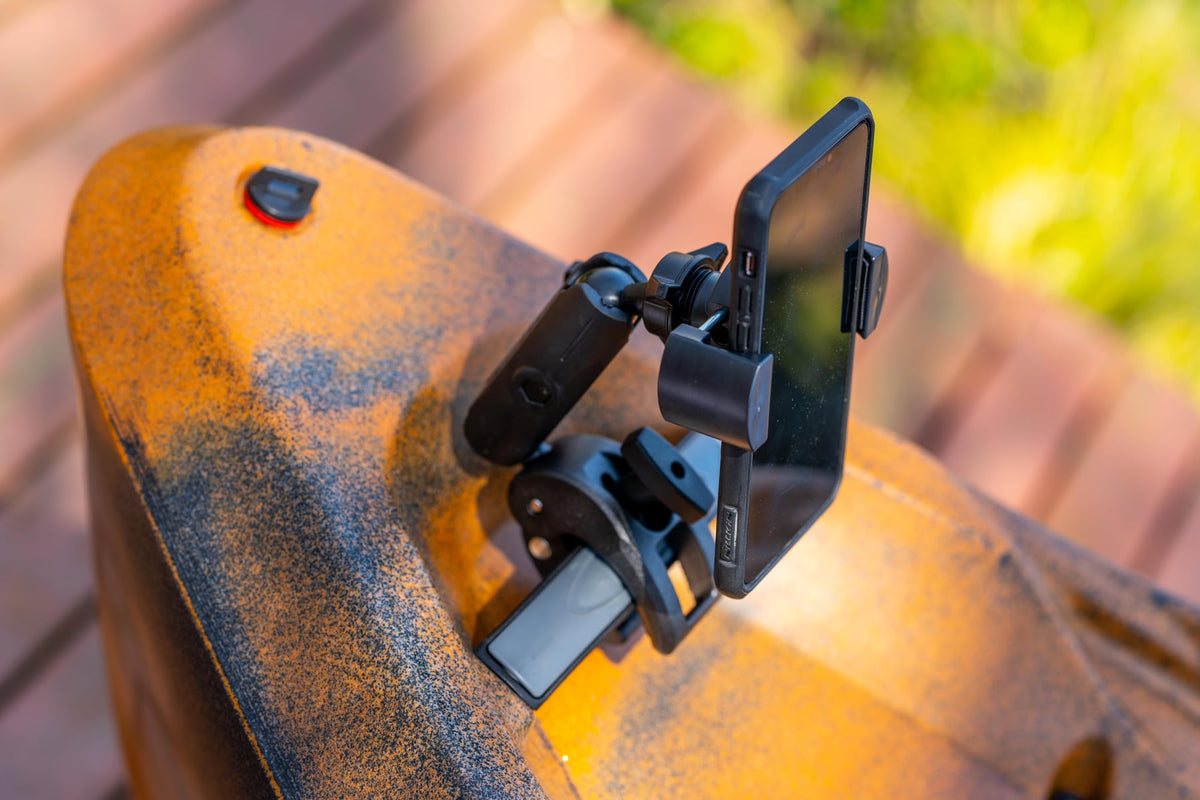
The iBOLT TabDock BizMount AMPS (IBBZ-33921) pairs a standard open TabDock holder with a composite arm and dual 25mm ball joints. A larger holder is sold as a separate variant, IBBZ-33921-XL, so pick the one that matches your measured tablet and case. The demo shows how the kit assembles.
Watch: TabDock BizMount AMPS setup (IBBZ-33921)
See the standard TabDock BizMount AMPS unboxing, 4-prong connection, arm and cradle adjustments. Full demo, short version, captions and transcript.
Explore TabDock BizMount AMPS · Full video guide and transcript
This is the standard IBBZ-33921 TabDock, not the XL variant. The narration’s “7 to 11 inches” is not a universal fit guarantee: compare device and case dimensions with the current product listing. Tablet is not included.
Read the video transcript
Narration, with product spellings and punctuation normalized.
0:00 Let's unbox the iBOLT TabDock BizMount AMPS heavy-duty tablet mount.
0:05 Inside, everything comes wrapped up securely,
0:08 including an instruction guide, mounting hardware, and extra support feet.
0:12 First up is the spring-loaded TabDock cradle,
0:15 paired with the heavy-duty BizMount arm.
0:18 The side adjustment knob gives you a full 360-degree rotation,
0:22 so you can lock in the exact viewing angle.
0:26 The four-prong pattern on the back
0:28 makes it super easy to detach or swap out components on the fly,
0:32 while the drill base plate gives you a rock-solid foundation
0:36 for vehicle consoles or dashboards.
0:40 The cradle features top and bottom spring expansion,
0:43 with customizable support feet to fit tablets
0:46 7 to 11 inches, even with the heavy-duty cases attached.
0:50 That completes the setup.
0:51 For more information and mounting accessories, check out iBOLT online.
0:54 Thanks for watching.
Watch the short vertical demo
On-screen text transcript
On-screen text in this music-backed short; no spoken narration detected.
0:00 [Music] iBOLT TabDock BizMount Tablet Drill Base Mount
0:03 Unscrew the knob
0:05 Attach ball mount
0:07 Tighten knob
0:08 Lock in plate
0:09 Adjust tablet mount
0:16 iBOLT Mounts

The iBOLT LockPro Metal Locking Tablet Drill Base Mount (IBBZ-33779) uses a metal keyed holder with a composite arm, metal AMPS plates, a backing plate, keys and tamper-resistant hardware. It discourages quick removal without promising theft protection.

When you mix or replace parts, match the AMPS pattern, ball size, arm and holder. A 25mm kit and a 38mm kit are different assemblies, even when the holders look alike.
When Do Suction or Wedge Mounts Make Sense in a Van?
Suction and wedge kits are the alternatives for vans you cannot drill, such as leased or rental units, or setups that move between vehicles. Both depend heavily on the specific van, so confirm the surface or gap before you order for the fleet.
The iBOLT TabDock IncrediBOLT 360 Suction (IBBZ-34990) needs a smooth, clean surface that the installation instructions approve. Textured plastic, wraps and tight curves are generally poor candidates, so check the instructions before choosing a spot. The "6 inch" wording in the product name is not a published suction-cup diameter or load rating.

The iBOLT TabDock IncrediBOLT 360 Wedge (IBBZ-34992) sits in the gap between the passenger seat and center console. Measure that gap, move the seat through its full travel and check passenger clearance.

Both kits are also offered with a separate XL tablet holder (IBBZ-34990-XL and IBBZ-34992-XL), so the holder choice still depends on your measurements.
How Do You Size a Rugged Tablet and Case for the Holder?
Measure the tablet in its working case, with screen protector, strap and any attached accessories, then compare those numbers with the specific holder variant you plan to buy. Screen size alone does not establish fit, and a heavy rugged case changes every dimension.
Record width, height and depth with the case on, and note where the charging port, buttons and camera sit. If the tablet carries a scanner sled, card reader or battery pack, check that it does not land where the holder grips.
Then pick the matching part. On the TabDock BizMount AMPS (IBBZ-33921), the standard holder opens 4 to 8 inches and the XL holder 4 to 10.5 inches. The LockPro holder on IBBZ-33779 is different again, with an opening of 7.85 to 10.25 inches wide by 4.25 to 7.75 inches high. Each of these takes a device and case no more than 0.75 inch deep, so a thick rugged case can rule a holder out even when the other dimensions fit. For the suction and wedge kits, confirm the holder dimensions with iBOLT for the exact SKU. If the measurements fall close to a limit, or you are unsure which holder fits, send them to iBOLT before ordering for several vans.
Plan Charging Cables and a Short Pilot
The iBOLT van kits in this guide are mechanical holders, not powered docks, so charging is its own step. Decide where the tablet draws power, then route the cable so it does not cross the driver's view, catch on the shifter or parking brake, or strain the port when the arm moves.
A technician should also be able to remove the tablet, swap a cable or replace a part without pulling the whole setup apart.
Run a short pilot before a fleet order. Install one kit in one van with the actual tablet, case and charging lead. Photograph the base, the grip points and the cable path, and record the van model, tablet and case models, kit SKU, holder variant and any vehicle-specific bracket.
For mixed fleets, keep the holder consistent and change the base by vehicle, so each van type gets a documented setup that the next install can copy.
See the product and how it goes together
The two animations below show the TabDock BizMount AMPS (IBBZ-33921). Other mounts in this guide have different components and installation requirements.
How the TabDock kit goes together
TabDock workplace examples
Tablet not included. Check device and case size at iboltmounts.com. These animations show the standard IBBZ-33921 kit. Follow the included instructions and confirm a suitable mounting surface. Tablet: generic procedural prop. HDRIs and props: Poly Haven (CC0). Music: Suno, generated on a Pro plan with commercial-use rights. Sound effects: original.
Frequently Asked Questions
Can I install a tablet mount in a leased van without drilling?
It can be. The TabDock IncrediBOLT 360 Suction (IBBZ-34990) and the seat-gap Wedge (IBBZ-34992) avoid drilling, but each depends on a suitable surface or console gap, so check the actual van before ordering.
Will a rugged tablet case fit an iBOLT TabDock holder?
It depends on the case. Measure the tablet with the case on, then compare it with the standard or XL holder variant you plan to buy. Send the measurements to iBOLT if you are unsure.
Do these van tablet mounts charge the tablet?
No. They are mechanical holders, not powered docks. Plan the power source and cable route separately so the cable stays clear of controls and does not strain the port.
Should field service vans use a locking tablet mount?
Use a keyed holder like the LockPro IBBZ-33779 when the tablet is assigned to the van and should stay there. If technicians carry the tablet into every job, an open TabDock may be more practical. Neither replaces your own device security policy.
Explore the kits in the table above to find the right mount for your vans. If your fleet also needs keyed tablets in shared trucks, our guide to locking ELD tablet mounts for shared fleets covers that setup. Share your van models and tablet measurements with iBOLT before a fleet order.


Leave a comment
This site is protected by hCaptcha and the hCaptcha Privacy Policy and Terms of Service apply.