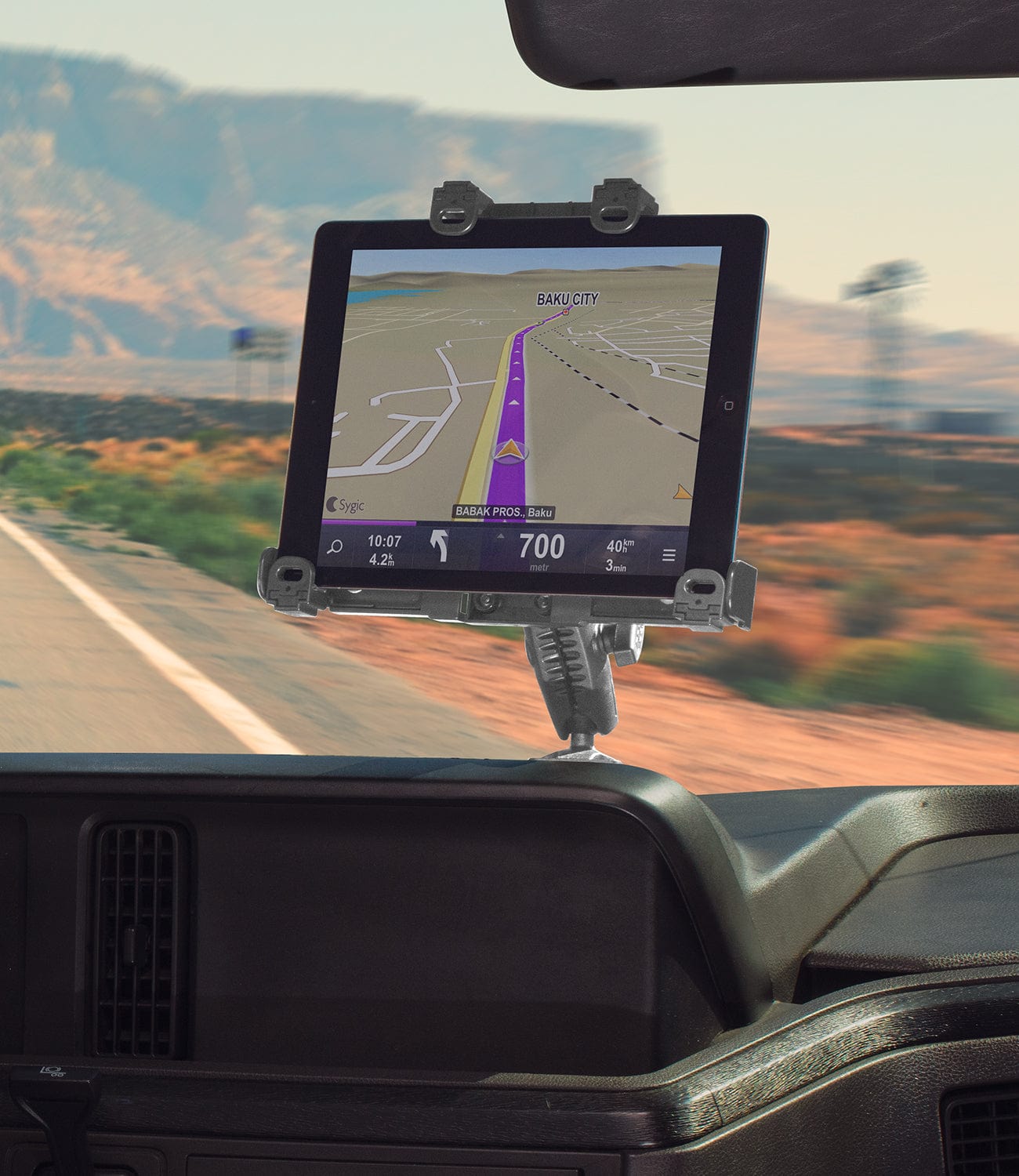
Transportation fleet managers face a specific challenge when mounting tablets in school buses: the device needs to support driver workflows without creating safety hazards, survive daily use by multiple operators, and stay secure during route stops. Unlike consumer tablet stands, school transportation mounts must handle vibration, frequent device swaps, and institutional security requirements.
The right mount depends on whether the tablet handles routing, student tracking, dispatch communication, or inspection checklists. Each use case affects where the device can be positioned, how often it needs removal, and whether locking hardware is required.
TL;DR: Choose the iBOLT TabDock Bizmount AMPS drill base for permanent installs in fleet-owned buses, the IncrediBOLT 360 Suction for a removable dash setup where policy allows suction, or the IncrediBOLT 360 Wedge where the bus has a seat-to-console gap. Pick the TabDock or TabDockXL holder variant after measuring the tablet in its case.
What Matters Most in a School Bus Tablet Mount?
Driver safety comes first. The tablet mount cannot obstruct sightlines, interfere with controls, or create loose objects during emergency stops. Beyond safety, consider device access patterns. Will the same driver use the tablet daily, or do multiple operators share the device across shifts? Shared devices typically need more secure mounting and standardized placement.
Vibration matters more in transportation than in an office. School bus routes include speed bumps, gravel roads and frequent stops that can loosen inadequate mounts. Mounting surfaces also vary by bus model, since some have smooth dash areas suited to suction while others need a drill base, or a console wedge where a seat-to-console gap exists.

iBOLT TabDock IncrediBOLT 360 Suction, TabDock variant IBBZ-34990, $74.95
Which Mount Base Fits a School Bus Layout?
Dashboard mounting works when the surface is smooth and policies allow suction attachment. The iBOLT TabDock™ IncrediBOLT™ 360 Suction, a 6 inch metal multi-angle suction cup mount, handles this scenario. Verify the dashboard material accepts suction cups and check local regulations about driver-area device placement.
Fixed installations suit fleet standardization better than removable mounts. The iBOLT™ TabDock™ Bizmount™ AMPs provides permanent mounting through AMPS-compatible drill-base attachment. This approach works when the fleet owns the vehicles and wants consistent tablet placement across multiple buses. The listing offers a TabDock holder variant, IBBZ-33921, and a TabDockXL variant, IBBZ-33921-XL, so select the variant that matches your tablet measured in its case.
Watch: TabDock BizMount AMPS setup (IBBZ-33921)
See the standard TabDock BizMount AMPS unboxing, 4-prong connection, arm and cradle adjustments. Full demo, short version, captions and transcript.
Explore TabDock BizMount AMPS · Full video guide and transcript
This is the standard IBBZ-33921 TabDock, not the XL variant. The narration’s “7 to 11 inches” is not a universal fit guarantee: compare device and case dimensions with the current product listing. Tablet is not included.
Read the video transcript
Narration, with product spellings and punctuation normalized.
0:00 Let's unbox the iBOLT TabDock BizMount AMPS heavy-duty tablet mount.
0:05 Inside, everything comes wrapped up securely,
0:08 including an instruction guide, mounting hardware, and extra support feet.
0:12 First up is the spring-loaded TabDock cradle,
0:15 paired with the heavy-duty BizMount arm.
0:18 The side adjustment knob gives you a full 360-degree rotation,
0:22 so you can lock in the exact viewing angle.
0:26 The four-prong pattern on the back
0:28 makes it super easy to detach or swap out components on the fly,
0:32 while the drill base plate gives you a rock-solid foundation
0:36 for vehicle consoles or dashboards.
0:40 The cradle features top and bottom spring expansion,
0:43 with customizable support feet to fit tablets
0:46 7 to 11 inches, even with the heavy-duty cases attached.
0:50 That completes the setup.
0:51 For more information and mounting accessories, check out iBOLT online.
0:54 Thanks for watching.
Watch the short vertical demo
On-screen text transcript
On-screen text in this music-backed short; no spoken narration detected.
0:00 [Music] iBOLT TabDock BizMount Tablet Drill Base Mount
0:03 Unscrew the knob
0:05 Attach ball mount
0:07 Tighten knob
0:08 Lock in plate
0:09 Adjust tablet mount
0:16 iBOLT Mounts
Console-gap mounting offers a compromise between security and reversibility. The iBOLT TabDock™ IncrediBOLT™ 360 Wedge fits between the passenger seat and center console without drilling and can be removed when needed. Check the console gap and driver-area layout before ordering.

How Do You Check Tablet Fit and Charging on a School Bus?
Measure each tablet with its protective case installed, because rugged cases add thickness. The iBOLT TabDock holder opens from 4 to 8 inches and the TabDockXL from 4 to 10.5 inches, and both take a maximum device-plus-case depth of 0.75 inches.
Some rugged cases may exceed that depth, so measure the gripped edge and total thickness with the case on, and confirm the holder clears ports, buttons and camera lenses. The Add to Cart buttons in this guide add the TabDock variant, so choose TabDockXL on the product page if your cased tablet needs the larger opening.
Cable routing affects mount placement. Routing tablets need constant power, while inspection or tracking tablets may charge between shifts. Plan the charging cable path during mount selection, because cables that cross walking areas or driver controls create safety hazards. Some installations benefit from cable management accessories or powered mount options.
Should a Fleet Standardize Mounts and Use Locking Holders?
Standardizing mount hardware across the fleet simplifies maintenance and device swaps, because replacement parts and training then apply to every vehicle. A fleet can sometimes keep one holder across different bases when the ball size and AMPS pattern match, so confirm both before mixing parts.
Security needs vary by district policy. Some fleets require locking tablet mounts to prevent theft during parked periods. Others prioritize quick device removal for charging or indoor use. Evaluate whether the tablet stays in the vehicle overnight, gets shared between indoor and mobile use, or requires anti-theft protection during student loading.

iBOLT TabDock IncrediBOLT 360 Wedge, TabDock variant IBBZ-34992, $56.00
What Should You Verify Before Installing a School Bus Tablet Mount?
Verify the mounting surface, driver sightlines, control access, cable path, removal frequency and stability before installing any school bus tablet mount. Each factor is listed below.
- Mounting surface. Smooth for suction, solid for a drill base, and the right gap for a wedge mount.
- Sightlines. No obstruction of mirrors, gauges or road visibility.
- Controls. Placement cannot interfere with steering, shifting or emergency controls.
- Cables. Charging cables must not cross walkways or create entanglement hazards.
- Removal. Daily removal needs different hardware than a permanent installation.
- Stability. Check that the mount holds steady during typical route conditions.
Test the complete setup during actual driving conditions before deploying across the fleet. What works during stationary testing may fail under real transportation vibration and usage patterns.
Frequently Asked Questions
School transportation teams most often ask which mount to choose, how mounts handle route conditions, what permission is needed and how to handle mixed tablet sizes. Short answers follow.
Q: Which iBOLT mount works best for school bus driver tablets?
A: The iBOLT TabDock™ IncrediBOLT™ 360 Suction suits removable installations on smooth dashboard surfaces where policy allows suction. For permanent fleet installations, consider the iBOLT™ TabDock™ Bizmount™ AMPs drill-base option, and choose the TabDock or TabDockXL variant after measuring the tablet in its case.
Q: Can these mounts handle school bus vibration?
A: iBOLT lists these mounts for vehicle and heavy-duty use, but no vibration rating is claimed for them. Route conditions, the mounting surface and the cased tablet all affect how a setup holds, so pilot the complete assembly on a typical route before a fleet rollout.
Q: Do I need special permission to mount tablets in school buses?
A: Check with your transportation department and local regulations. Some jurisdictions have specific rules about driver-area device placement, so confirm the approved location before installing.
Q: How do I handle different tablet sizes across the fleet?
A: Fit depends on the holder opening, not the screen size. The iBOLT TabDock holder opens from 4 to 8 inches and the TabDockXL holder from 4 to 10.5 inches, and both take a maximum device-plus-case depth of 0.75 inches. Measure the largest and smallest cased tablets, choose the variant whose opening covers both, and check depth and port clearance for each device.
Compare options for your fleet by documenting each bus layout and tablet first, then pilot one complete setup before ordering at scale.


Leave a comment
This site is protected by hCaptcha and the hCaptcha Privacy Policy and Terms of Service apply.