Fleet Phone Mount Standardization Checklist: How to Deploy the Right Mounts Across Every Vehicle
Picture this: you're a fleet manager overseeing 25 vehicles, and you just got a call that another driver's phone fell off the windshield mid-route. When you start digging into the problem, you realize every cab looks different. One driver is using a gas station suction cup. Another has a vent clip that blocks the air conditioning. A third driver literally taped his phone to the dashboard. There's no consistency in where drivers look for navigation, no reliable way to keep devices charged, and no standard setup when drivers swap vehicles between shifts.

This patchwork approach creates real costs: safety incidents from phones dropping mid-turn, driver complaints about mounts that rattle loose on rough roads, wasted time every shift as drivers fiddle with unfamiliar setups, and DOT compliance issues when inconsistent device placement becomes a liability. A fleet phone mount standardization checklist should be one of the first things on your desk. Standardizing phone mounts across your fleet is about creating a safer, more predictable environment for every driver who climbs behind the wheel, and the steps below will walk you through solving it from first audit to final deployment.
Step 1: Audit Your Current Vehicles and Mounting Surfaces
Before you order a single mount, walk the lot. Every successful commercial vehicle phone holder deployment starts with a hands-on survey of what you're actually working with, and mixed fleets almost always hold surprises.
Start by documenting each vehicle's cab configuration. A Freightliner Cascadia has a wide, relatively flat dash with smooth surfaces that accept suction cups well. A Sprinter van offers limited dash real estate but accessible seat rails. A box truck might have a textured dashboard that rules out suction entirely, leaving drill bases or adhesive mounts as your best options. When you're planning phone mounts for a 25 vehicle fleet, these differences add up fast.
For each vehicle, note the following:
- Dashboard material and texture: Smooth plastic, textured vinyl, or rubberized coating
- Available flat surfaces: Measure any spots suitable for AMPS drill base patterns
- Cup holder diameter: Standard holders range from 2.5" to 3.5"
- Seat rail accessibility: Check whether the passenger seat's front bolt is exposed or covered
- Windshield regulations: Some states restrict how much of the windshield a mount can occupy; California and Minnesota, for example, have specific placement requirements
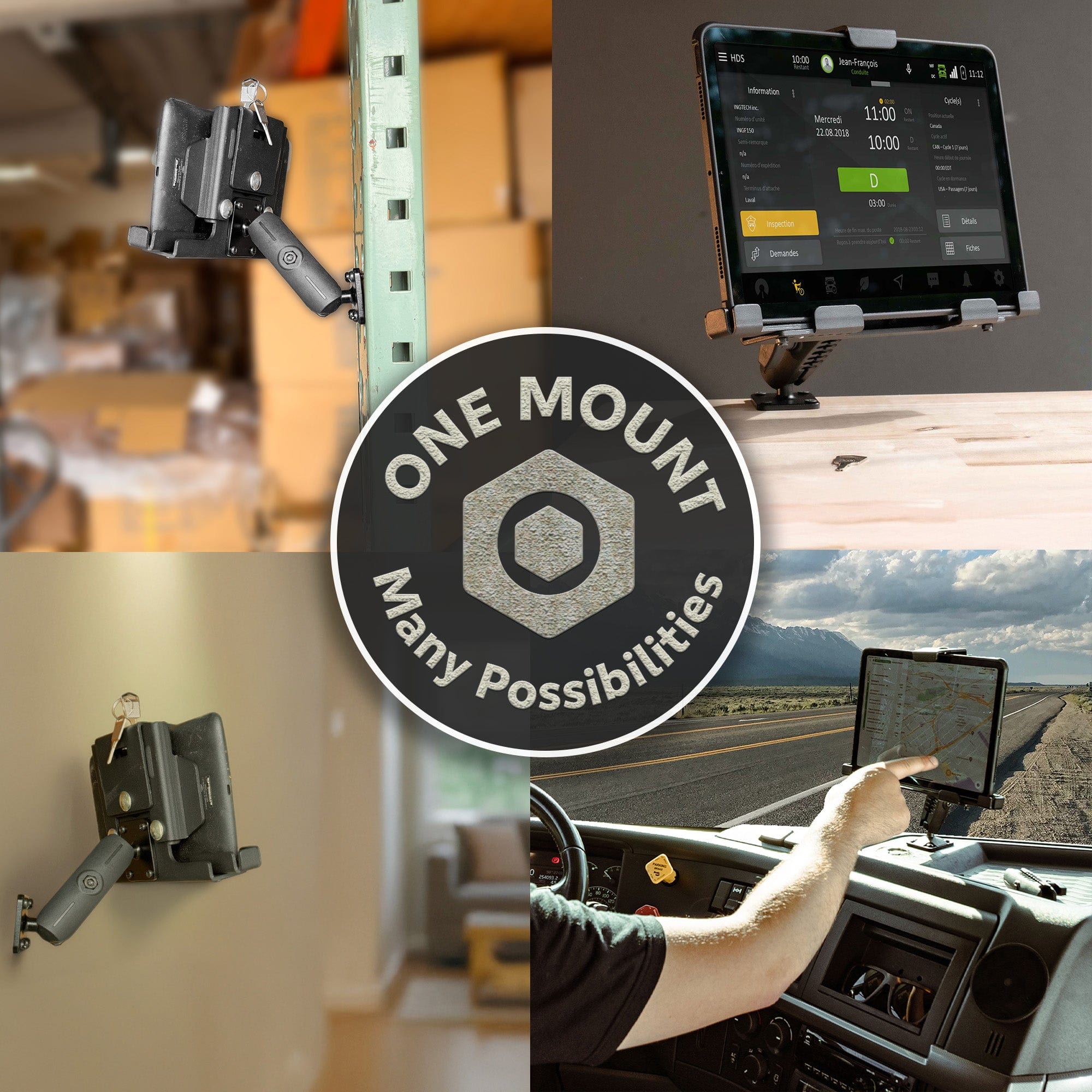
This audit is exactly why a modular mount system matters more than a one-size-fits-all approach. A fleet running Peterbilts alongside Ford Transits needs suction cup bases for some cabs, drill bases for others, and seat rail mounts where dash space is nonexistent. Trying to force a single generic mount into every vehicle leads to workarounds, zip ties, and mounts that vibrate loose within weeks.
iBOLT's catalog of 300+ modular parts in industry-standard sizes (17mm, 20mm, 25mm/B size, and 38mm/C size ball joints) means your fleet manager can match the right base type to each vehicle without switching brands or sacrificing compatibility. The same holder that connects to a suction cup base in one truck can connect to a drill base or seat rail mount in another. Every component is cross-compatible and backed by a 2-year warranty, so you build a standardized system that actually accounts for the real-world variations sitting in your parking lot.
Step 2: Choose a Universal Mounting Standard (and Why AMPS Wins)
If you've ever tried to swap a phone holder from one truck to another only to find the bolt pattern doesn't line up, you already know the pain of proprietary mounting systems. They lock you into a single vendor's ecosystem, and when that product gets discontinued, you're starting from scratch.
That's why the AMPS phone mount fleet standard matters so much for fleet phone mount standardization. AMPS (Advanced Mounting Platform Standard) uses a simple 30x38mm four-hole pattern that's become the universal language of commercial mounting. Any holder, arm, or base built around AMPS can be mixed, matched, and swapped freely, protecting your investment as devices and vehicles change over time.
iBOLT mounts are built around this standard. Every base, arm, and holder uses industry-standard AMPS plates and ball sizes (17mm, 20mm, 25mm/B size, 38mm/C size), which also means they're cross-compatible with RAM and other industry mounts. Starting fresh or integrating into an existing setup? Either way, a component like the iBOLT 25mm Ball to Sticky-Suction Cup Mount drops right into any AMPS-based configuration without requiring a full teardown.
Build around AMPS now, and you'll never have to rip and replace an entire fleet's worth of mounts again.
Step 3: Match the Right Base Type to Each Vehicle Configuration
Here's where your shared vehicle phone mount checklist really earns its keep. Not every cab looks the same, and a single base type won't work across a mixed fleet with different makes, models, and interior layouts. The good news: you don't need to start from scratch for each one.
Drill base mounts are your go-to for dedicated fleet trucks that won't change hands. The iBOLT xProDock Bizmount AMPS drill base bolts directly to the dash or console for a permanent, vibration-resistant hold. Once it's in, it's not going anywhere.
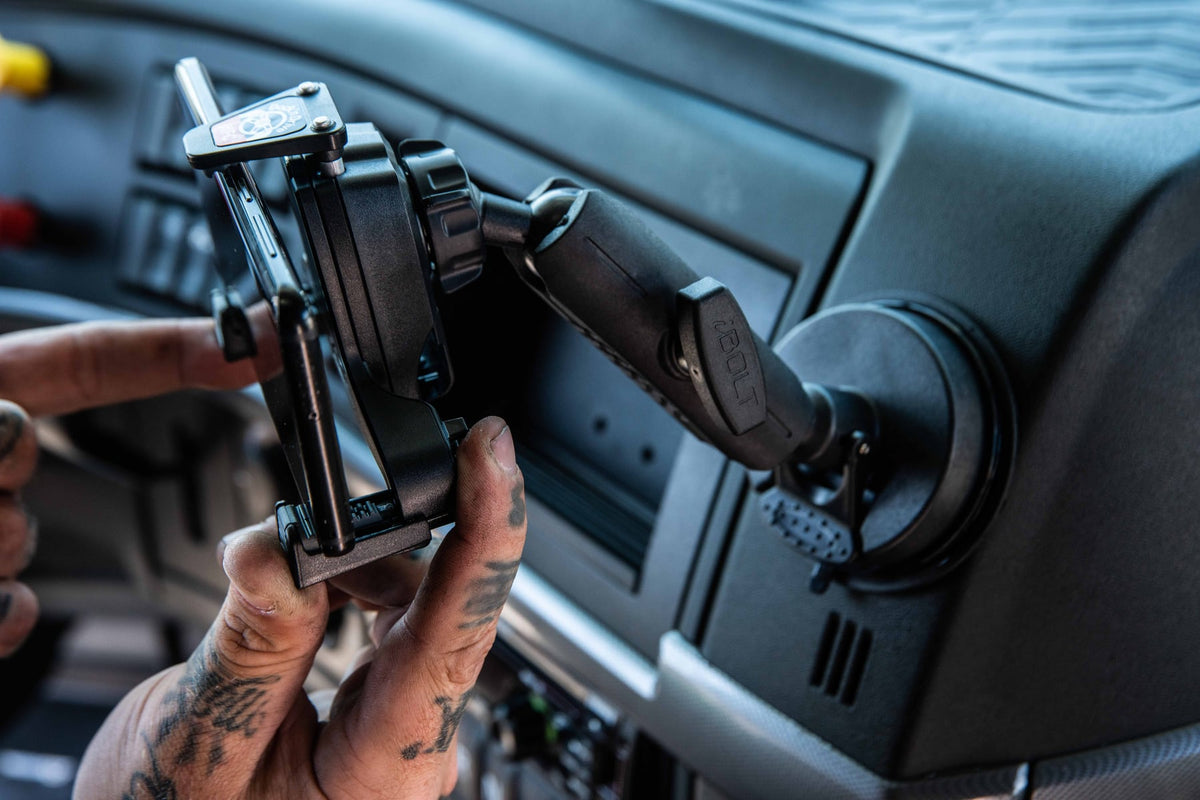
Suction cup mounts shine in shared or leased vehicles where permanent modifications aren't an option. The iBOLT xProDock Bizmount suction cup mount uses a heavy-duty 80mm suction base that sticks firm yet removes cleanly when a lease ends. This is a complete phone mount with an integrated holder and NFC capability, not just a standalone base.
Cup holder mounts offer fast deployment in mixed-use vehicles. The iBOLT xProDock Bizmount Console expands to fit standard and oversized cup holders, no tools required.
Wedge mounts slide between the seat and center console for a completely tool-free install. The iBOLT xProDock Bizmount Wedge is ideal for cabs with limited dash space or restricted mounting surfaces.
The critical detail: every one of these bases connects to the same AMPS or 25mm ball joint system. That means your phone holder stays consistent across your entire commercial vehicle phone holder deployment, even when the base type changes from truck to truck. One holder, many bases, zero confusion for drivers.
Step 4: Select Phone Holders That Handle Driver Swaps and Multiple Devices
If you manage shared vehicles, you already know the headache: Driver A uses a Galaxy S24, Driver B has an iPhone 15 Pro Max, and Driver C is still rocking a Pixel 7. Model-specific cradles simply don't work when three different phones rotate through the same truck every week. That's why spring-loaded universal holders belong on every shared vehicle phone mount checklist.
The xProDock Bizmount holders mentioned above (available in drill base, suction cup, cup holder, and wedge configurations) grip devices from 2.2" to 3.7" wide and include a 1.5m USB-C charging cable. The suction cup and drill base versions also feature built-in NFC for automatic app launching at ignition. For larger devices or rugged cases, the iBOLT Moto-Vise XL uses heavy-duty springs and an industry-standard 25mm ball connection, making it compatible with virtually any base in your fleet.
For company-issued devices where theft prevention matters, the iBOLT Phone Dock'n Lock with 4.25" arm and the Phone Dock'n Lock 2" drill base add keyed locking mechanisms so devices stay secured between shifts. Fleet phone mount standardization starts with holders that accommodate every driver's device without requiring a different cradle for each model.
Step 5: Plan for Power, Positioning, and Driver Line of Sight
You've picked the right mount and the right base. Now comes the part that separates a solid commercial vehicle phone holder deployment from one that frustrates drivers on day one: the details.
Start with positioning. The phone screen needs to sit within the driver's natural line of sight, close enough to read at a glance but never blocking the view of the road, mirrors, or gauges. Most DOT inspectors look for exactly this, and your drivers will thank you for getting the angle right. Mounts using the AMPS phone mount fleet standard with adjustable arms give you the flexibility to dial in placement vehicle by vehicle.
Then there is power. A phone running navigation, ELD apps, and fleet software all day will drain fast. Dangling cigarette lighter cables create clutter and get yanked loose constantly. The iBOLT Fixed Install Charger solves this cleanly. It is a 30W hardwired, dual-port USB charger (one Quick Charge 3.0, one standard USB-A) with an in-line fuse that ties directly into vehicle power. No adapters falling out of 12V sockets, no cables draped across the dash. Pair this with the USB-C cables included in the xProDock Bizmount holders, and your drivers stay charged all day without any loose connections.
Finally, think about deployment speed. When you are rolling out mounts across 20, 50, or 200 vehicles, lead times matter. iBOLT ships within 24 business hours, so your timeline does not stall waiting on inventory.
The Complete Fleet Phone Mount Standardization Checklist
You've made it through the full process. Here's your fleet phone mount standardization checklist, condensed into a single reference you can print, save, or share with your operations team.
- Audit every vehicle cab type in your fleet. Document dashboard surfaces, seat rail configurations, available mounting points, and any existing hardware.
- Select AMPS as your universal mounting standard. This ensures cross-compatibility across bases, arms, and holders from iBOLT and other industry-standard manufacturers.
- Choose a base type for each vehicle category. Suction cup for smooth dashboards, drill base for permanent installs, wedge or cup holder mounts for cabs where dashboard mounting isn't practical.
- Pick universal spring-loaded holders. Confirm they accommodate your widest and narrowest fleet devices.
- Verify phone width compatibility across every device model currently deployed or planned for deployment.
- Add locking mounts where security matters. Use Dock'n Lock holders for company-issued devices left in vehicles between shifts.
- Plan charging and cable management. Decide between USB-C cradle cables, hardwired chargers like the Fixed Install Charger, or a combination for each vehicle type.
- Confirm line-of-sight compliance. Check DOT regulations and company safety policies for your operating states.
- Order and deploy in batches. Start with one vehicle category, validate the setup, then scale.
- Document the entire configuration for new driver onboarding. Include photos, part numbers, and installation steps so every future install is consistent.
This shared vehicle phone mount checklist keeps your fleet phone mount standardization on track from first audit to final deployment. Bookmark it, hand it to your fleet manager, and revisit it any time you add new vehicles or swap devices.
Featured Products From This Guide

xProDock Bizmount AMPS Drill Base Mount - Permanent fleet install with NFC and USB-C charging


Fixed Install 30W Hardwire USB Charger - Dual-port Quick Charge 3.0 with in-line fuse for fleet vehicles
Frequently Asked Questions
Q: What is the AMPS mounting standard, and why does it matter for fleet vehicles?
A: AMPS (Advanced Mounting Platform Standard) is a universal four-hole bolt pattern (30x38mm) used across the commercial mounting industry. Choosing AMPS for your fleet means every holder, arm, and base is interchangeable, so you can swap components between vehicles and vendors without worrying about compatibility.
Q: Can I use the same phone mount across different truck and van models?
A: With a modular system, yes. The phone holder itself stays the same while the base changes to fit each vehicle's cab layout. For example, you might use a drill base in a Freightliner, a suction cup in a Sprinter, and a cup holder mount in a Transit, all connecting to the same universal holder through a standard 25mm ball joint.
Q: How do I keep company phones from being stolen out of fleet vehicles?
A: Locking phone mounts with keyed mechanisms are purpose-built for this. iBOLT's Dock'n Lock series secures phones to drill-base mounts so devices can't be removed without a key, which is especially useful for company-issued phones left in vehicles between shifts.
Q: Are iBOLT mounts compatible with RAM mount components?
A: Yes. iBOLT uses industry-standard ball sizes (17mm, 20mm, 25mm/B size, 38mm/C size) and AMPS plates, making their components cross-compatible with RAM and other industry-standard mounting systems. You can integrate iBOLT parts into an existing setup or build a new one from scratch.
Q: How should I handle phone charging across a fleet of vehicles?
A: Hardwired USB chargers are the most reliable option for fleet use. A fixed-install charger wired directly into the vehicle's electrical system eliminates loose cables and adapters falling out of 12V sockets, keeping phones charged all day while running navigation, ELD, and fleet management apps.
Q: How long does it take to deploy standardized mounts across a 25-vehicle fleet?
A: Timeline depends on your base type choices. Cup holder and wedge mounts install in under a minute per vehicle with no tools. Suction cup mounts take just a few minutes. Drill base and hardwired charger installs require more time but offer the most permanent solution. Starting with one vehicle category, validating the setup, then scaling to the rest of the fleet is the most efficient approach.
Deploying at Scale: Where to Start With Your Fleet
Rolling out phone mounts for a 25 vehicle fleet is one thing. Making sure they still work for you two years from now is another. That's where iBOLT's modular system earns its keep. With 300+ interchangeable parts built around industry-standard ball sizes, you can swap holders as phone models change, add vehicles without starting from scratch, and mix mounting styles across different cab configurations. Every iBOLT mount ships within 24 business hours and is backed by a 2-year warranty, so fleet phone mount standardization doesn't stall while you wait on parts.
Ready to plan your rollout? Explore the iBOLT fleet phone mount lineup or try the Mount Configurator to match the right components to your vehicles. For larger fleet deployments, reach out to the iBOLT team directly for a consultation.


Leave a comment
This site is protected by hCaptcha and the hCaptcha Privacy Policy and Terms of Service apply.