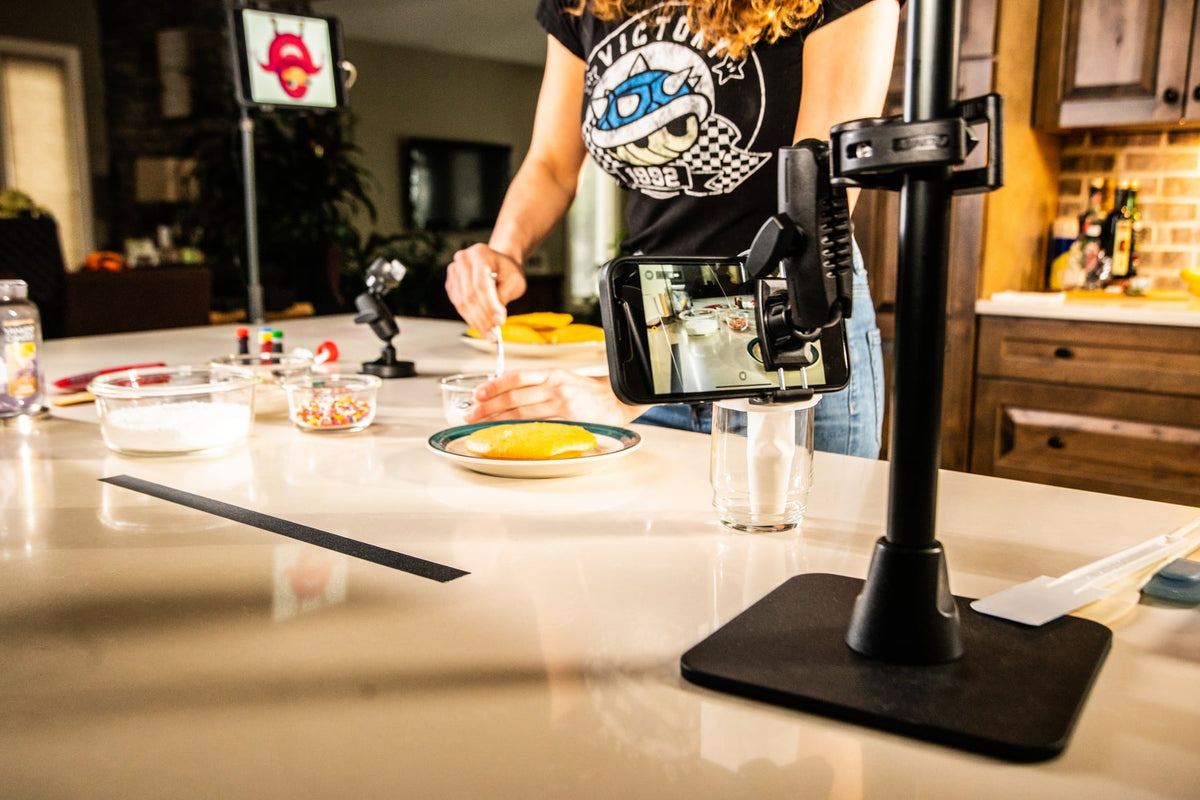
Kitchens are demanding environments for any mounted device. Between grease, moisture, limited counter space, and constant motion, a tablet or phone mount that works fine in an office often fails within a few weeks in a working kitchen. Whether you are filming baking tutorials, running a countertop point of sale system, or just want a recipe visible while your hands are covered in flour, the mounting solution needs to match the surface, the workflow, and how often the device gets moved.

iBOLT builds several mounting styles for kitchen use, including overhead recording rigs, drill base under-cabinet mounts, magnetic mounts for metal surfaces, clamp mounts for counters, and weighted freestanding stands. Below is what each one is actually good for, and what to check before you buy.
What to Verify Before You Mount a Tablet in a Kitchen
Before picking a mount, confirm these details against your specific kitchen setup:
- Mounting surface: Is it a cabinet underside, a stainless refrigerator, a countertop edge, or an open table? Each surface favors a different mount type (drill base, magnetic, clamp, or freestanding).
- Tablet or phone size: Measure the device width and thickness, and note if it will stay in a case. Most iBOLT tablet holders are rated for a size range, commonly 7 to 10 inches, so confirm your device fits before ordering.
- Vibration and daily handling: A mount near a mixer, oven door, or high foot traffic area needs a rigid arm, not just a flexible one. Gooseneck and clamp arms should hold position without drifting when nudged.
- Cleaning and grease exposure: Look for mounts with simple, wipeable surfaces and minimal seams where food debris can collect.
- Removal frequency: If the device needs to come off for washing, charging, or moving between stations, a quick-release holder saves time versus a fully fixed clamp.
- Cable routing: If the tablet stays plugged in for POS or long recording sessions, plan where the charging cable will run so it is not stretched across a work surface or a heat source.
#1 Overhead Recording Mounts: The iBOLT Stream-Cast Series
If you are a baker, chef, or food content creator recording tutorial videos, the Stream-Cast Series is built for overhead shots. It covers phone, tablet, and standard ¼ 20" camera accessories, including small projectors, action cameras, ring lights, and microphones.
One practical use we see often: project a traced image onto a cookie or cake and outline it in frosting for consistent, detailed decorating work. The overhead angle also works well for plated food shots, ingredient measuring demonstrations, and live streaming a cooking process from above rather than the side.

Each kit includes the ¼ 20" camera screw adapter so you are not limited to a phone or tablet holder alone. Before buying, check your counter or table clearance for the overhead arm, and confirm which clamp or stand style fits your surface thickness.

AVAILABLE HERE:

IBSC-34615 Creator Custom Mount Kit

IBSC-34604 Bendable Overhead Phone Mount

IBSC-34605 Adjustable Overhead Phone Mount (Clamp)

IBSC-34606 Adjustable Overhead Phone Mount (Stand)

IBSC-34607 Adjustable Overhead Phone Mount (Stand)

#2 Under-Cabinet Mounting: The iBOLT TabDock FixedPro 360
AVAILABLE HERE: IBBZ-33768

The TabDock FixedPro 360 mounts underneath a kitchen cabinet using a drill base, which means it is permanent and does not shift once installed. It has an 8 inch arm with three adjustable points for viewing angle, and a universal TabDock holder sized for 7 to 10 inch tablets.
This is the right call when you have a fixed cooking or prep station and want the tablet out of the way of counter space entirely, whether it is running recipes, tutorial footage, or background video. Because installation involves drilling into the cabinet, confirm placement and cable routing before mounting, since repositioning later means new holes.

#3 Magnetic Mounting for Metal Surfaces: The iBOLT TabDock MagDock
AVAILABLE HERE: IBT-33994

The TabDock MagDock is a magnetic mount, which makes it useful anywhere you have exposed metal and do not want to drill or clamp. Stainless refrigerators, range hood vents, and metal shelving or racks in a commercial kitchen are common spots. It is a fast way to get a tablet at eye level for recipes or video without permanent hardware.
Before relying on a magnetic mount, verify the surface is actually magnetic. Many stainless steel appliance panels are not, so test with a small magnet first if you are not certain.

#4 Clamp Mounting for Counters and POS: The iBOLT TabDock FlexPro
AVAILABLE HERE: IBBZ-33763

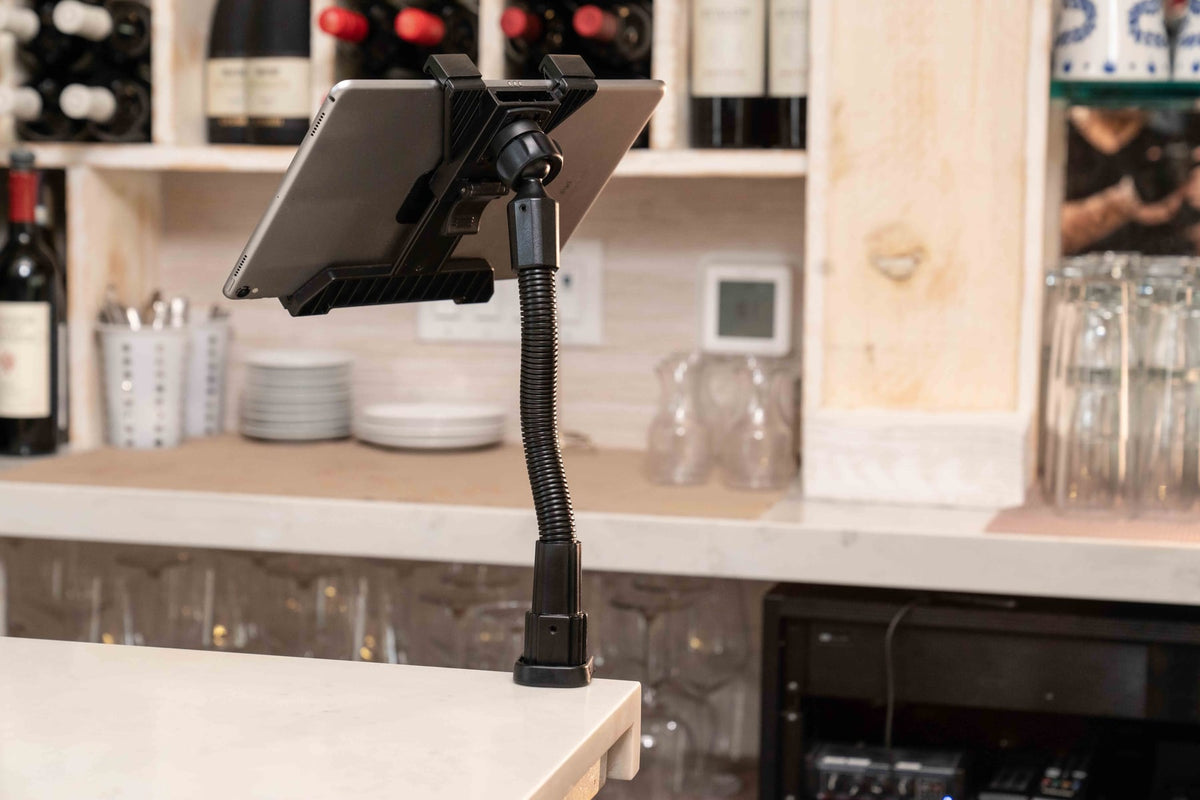
The TabDock FlexPro is a clamp mount for non-permanent installs. It secures to countertops, tables, or other flat surfaces up to 3 inches thick, which makes it a solid choice when you do not have room or interest in drilling a base mount.
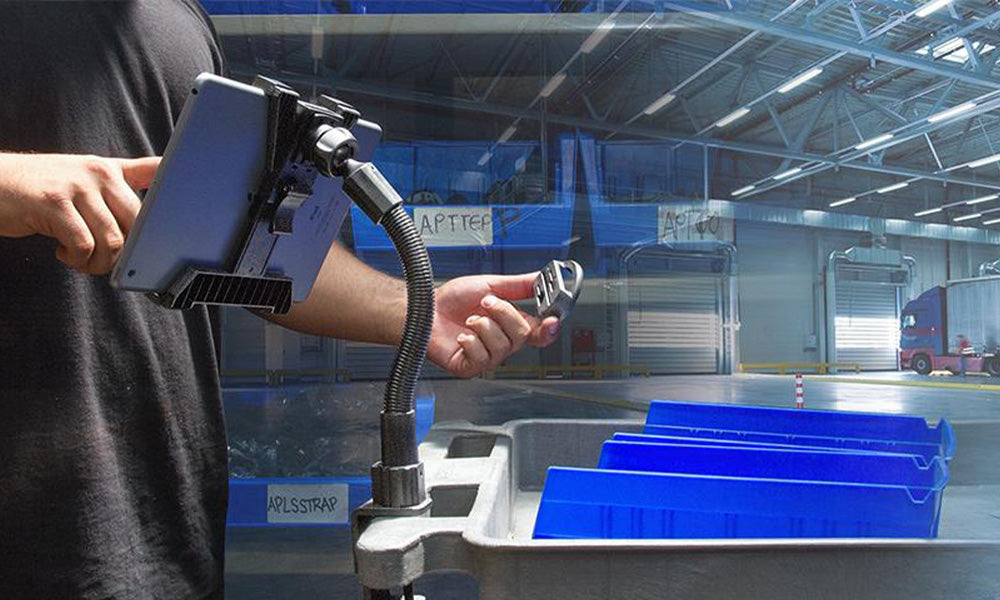
The gooseneck arm is flexible enough to set a viewing angle but stiff enough to hold that position under regular use, including repeated screen taps. That stability is what makes the FlexPro a good fit for point of sale tablets that get touched constantly throughout a shift, not just occasional recipe checks. Confirm your counter edge thickness fits the clamp range before ordering.

#5 Freestanding Option: The iBOLT TabStandPro Weighted Base Stand
AVAILABLE HERE: IBBZ-33769

The TabStandPro is a weighted base stand rather than a clamp or drill mount, which means there is nothing to attach and nothing to remove when you want to move it. The base weighs about 3.4 lbs, enough to keep the tablet steady on a counter or table without tipping during normal use.
This is a practical pick for kitchens that need a tablet in different spots throughout the day, such as recipe reference at one station and video calls or tutorial playback at another. If your kitchen involves a lot of relocating and no drilling or clamping, this is usually the simplest option.

FAQ: Choosing a Kitchen Tablet Mount
What tablet sizes do these mounts fit?
Most iBOLT TabDock holders are designed for 7 to 10 inch tablets. Measure your device width and thickness, including any case, and check the specific product listing to confirm it falls within the holder range.
Where should I mount a tablet if my kitchen has limited counter space?
Look at what is above your workspace. If there is a cabinet, the TabDock FixedPro 360 drill base mount clears the counter entirely. If you would rather not drill, the TabDock FlexPro clamp works on counter edges up to 3 inches thick without permanent installation.
Will a magnetic mount hold a tablet securely?
Yes, as long as the surface is actually magnetic. Test the surface with a small magnet first, since many stainless steel appliance fronts are not magnetic despite the finish. The TabDock MagDock is built for genuinely magnetic surfaces like some refrigerators and metal racks.
Which mount is best for a point of sale tablet that gets used constantly?
The TabDock FlexPro clamp is built for frequent handling. Its gooseneck holds a set angle without drifting, even with repeated screen taps throughout a shift.
Can I use these mounts for live streaming or recording tutorial videos?
Yes. The Stream-Cast Series is designed specifically for overhead phone and tablet recording, plus ¼ 20" camera accessories like lights, microphones, and small cameras, which makes it the better fit for tutorial and cooking content over the tablet stands and clamps.
Do I need to drill into my cabinets to mount a tablet?
No. Drill base mounts like the TabDock FixedPro 360 are permanent and give the cleanest under-cabinet result, but clamp mounts like the TabDock FlexPro and weighted stands like the TabStandPro require no drilling at all.
Related iBOLT Mounting Options

iBOLT™ Tablet Tower- TabDock™ POS Clamp Mount - with 5 Tablet Holders
Helpful for organizing tablets used for orders, delivery apps, and point-of-sale workflows.

iBOLT Tablet Tower- TabDock™ POS Clamp Mount - with 4 Tablet Holders
Helpful for organizing tablets used for orders, delivery apps, and point-of-sale workflows.

iBOLT™ Tablet Tower- TabDock™ POS Clamp Mount - with 3 Tablet Holders
Helpful for organizing tablets used for orders, delivery apps, and point-of-sale workflows.

iBOLT Tablet Tower- TabDock™ POS Wall Mount - with 3 Tablet Holders
Helpful for organizing tablets used for orders, delivery apps, and point-of-sale workflows.

Leave a comment
This site is protected by hCaptcha and the hCaptcha Privacy Policy and Terms of Service apply.