Amazon Flex Battery Drain: Mount and Charging Setup for Long Routes
You are two hours into a four-hour block, the GPS is recalculating, the Flex app is open, and your phone is already at 41 percent. You know the feeling. GPS, camera scanning, delivery notes, background data, and screen-on time running together will drain most phones well before the route ends. The fix is not a bigger power bank sitting loose in the cupholder. It is a stable mount in the right position, a clean charging path, and a setup that does not cook your phone while it charges.
Quick answer: Place your phone at eye level on the windshield or dash, run a short USB-C cable directly to a dedicated vehicle charger, keep the phone out of direct sunlight, and use a mount that lets you dock and undock with one hand at every stop. The products below are built around that workflow.
Why Flex Routes Are Hard on Phones
Amazon Flex requires a phone with GPS, a working camera, a SIM card, and a current operating system. The Amazon Flex FAQ outlines those requirements, and every one of them draws power. Add navigation running continuously, the app refreshing stop data, photos at delivery, and occasional calls, and you have a sustained high-drain scenario that a standard car charger struggles to keep up with.
Heat makes it worse. Apple notes that navigation, charging, and direct sunlight can all contribute to device temperature problems on iPhones. Samsung lists GPS, multiple open apps, hot parked vehicles, and simultaneous charging as heat contributors for Galaxy devices. A phone that throttles because it is too warm will charge more slowly and perform less reliably, which is the opposite of what you need mid-route.
Mount Placement: Where Your Phone Actually Belongs
The NHTSA distracted driving overview makes the case clearly: reaching for a device, even briefly, takes attention off the road. A mount that puts your phone at or near eye level, within your natural sightline, reduces the need to look down or reach across the cab.
For most delivery vehicles, the windshield center or lower driver-side corner works well. Avoid the passenger-side dash if it means glancing across the cab at every turn prompt. Avoid the cupholder entirely. A phone sitting loose in a cupholder is not a mount.
Choosing the Right Mount for Your Workflow
The right mount depends on whether you prioritize wireless charging convenience, wired fast charging, or heavy-duty grip for a rougher vehicle. Here is a practical comparison.
| Setup priority | Best fit | Key feature |
|---|---|---|
| Wireless or MagSafe charging, clean look | iBOLT SafeMag Suction Cup Mount | Works with Qi, MagSafe, and wireless charging pucks |
| Fast wired charging, AMPS compatibility | iBOLT ChargeDock USB-C AMPS | Magnetic dock, 2m USB-C cable, AMPS plate standard |
| Heavy-duty grip, dual ball joints, NFC | iBOLT xProDock NFC Bizmount | 80mm suction cup, vibration-resistant, 1.5m USB-C cable |
| Permanent hardwire power for fleet or DSP van | iBOLT Fixed Install Charger 30W | Quick Charge 3.0, dual port, hardwire with in-line fuse |
The Four Products and Where They Fit
The iBOLT SafeMag Suction Cup Mount ($32.95) is the right call if you use a MagSafe-compatible iPhone or a Qi-enabled Android and want to drop the phone onto the mount without plugging in a cable at every stop. The adjustable grip fits phones 2.52 to 5.71 inches wide, and the suction base holds on smooth glass or dash surfaces.

If you prefer wired charging and want a magnetic snap-in dock, the iBOLT ChargeDock USB-C AMPS ($29.95) includes a 2-meter USB-C cable and mounts to the universal 32x38mm AMPS standard, which means it pairs with a wide range of vehicle-specific bases across iBOLT's 300-plus modular parts catalog.

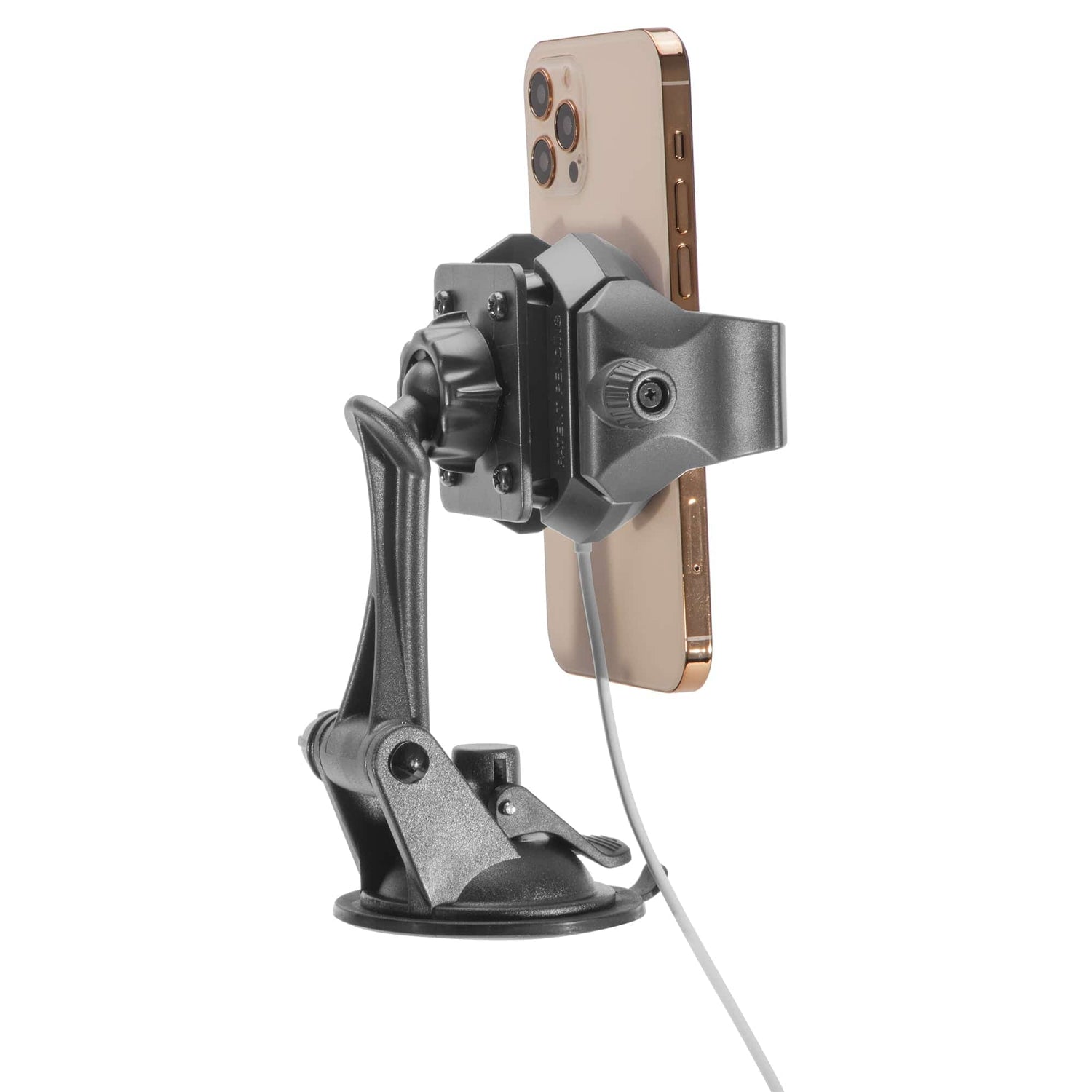
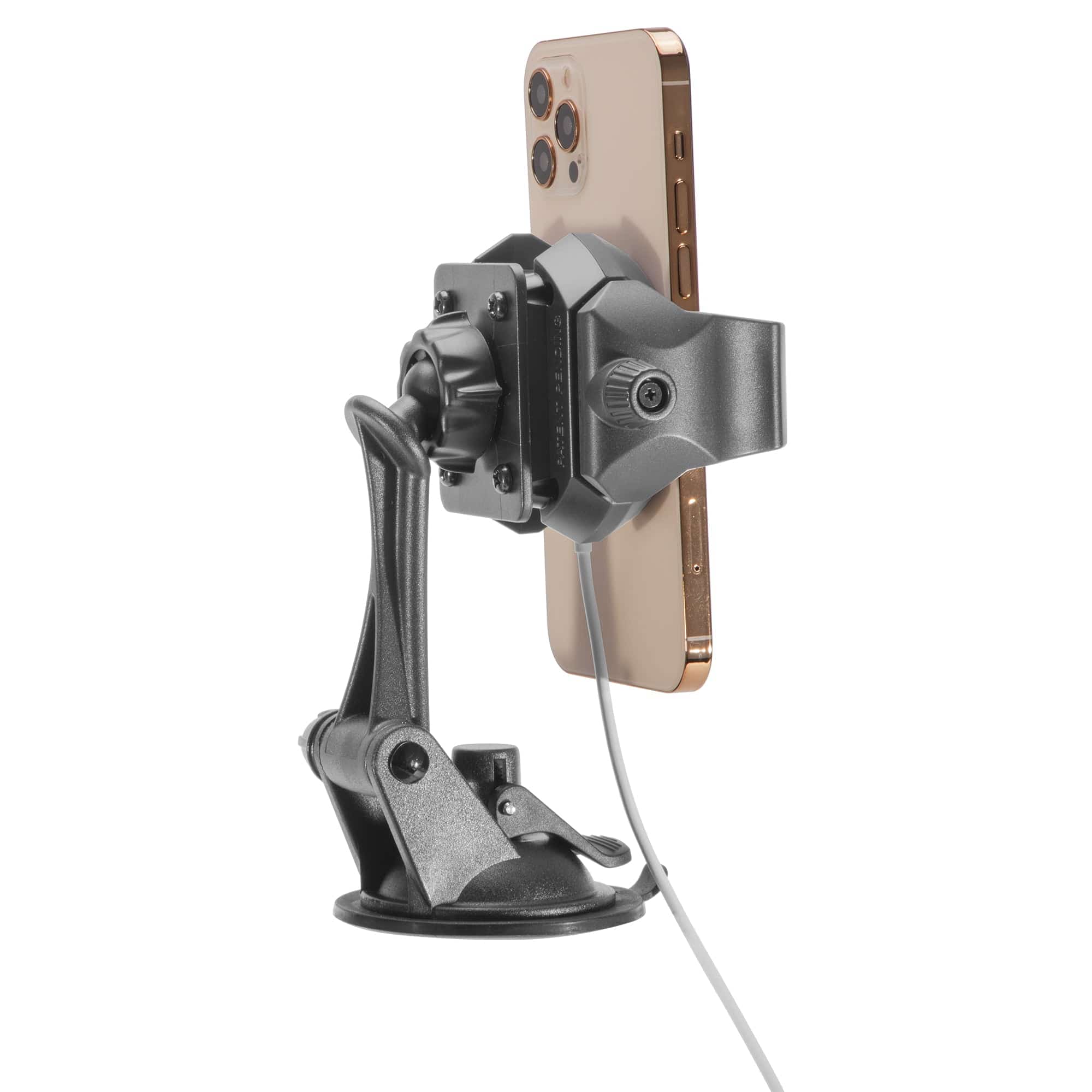
For drivers running a larger van, a rougher route, or a fleet vehicle with more vibration, the iBOLT xProDock NFC Bizmount ($39.95) is built for that environment. The 80mm suction cup, dual ball joints, and spring-loaded top latch keep the phone locked in on rough pavement. It includes a 1.5m USB-C cable and a dash disc for textured surfaces.

If you are outfitting a DSP van or a vehicle you use every day, the iBOLT Fixed Install Charger 30W ($79.95) replaces the cigarette adapter entirely. It hardwires directly to vehicle power with an in-line fuse, delivers Quick Charge 3.0 on one port and standard USB-A on the second, and does not take up a 12V socket. That matters when you also need a dash cam or other device powered.

Cable Management and Heat Control
A cable that drapes across the center console or catches on the gear shift is a problem waiting to happen. Route your USB-C cable along the A-pillar or under the dash edge using the clips or routing channels in your vehicle. Keep slack minimal. A 1.5 to 2 meter cable is usually enough to reach from a windshield mount to a dash-mounted charger without excess loop.
On heat: both Apple and Samsung flag direct sunlight as a heat contributor. Position your mount so the phone is not sitting in a sunbeam during the hottest part of the day. If you park and leave the vehicle, take the phone with you or move it out of direct sun. Charging in a hot car slows charge rate and stresses the battery over time.
Route-Ready Checklist
- Mount is at or near eye level, within natural sightline
- Phone docks and undocks with one hand
- USB-C cable is routed cleanly, no loose drape across the console
- Charger delivers enough wattage to charge under active GPS load
- Phone is out of direct sunlight during long parking stops
- Suction cup or base is clean and seated firmly before the shift starts
Frequently Asked Questions
Will a wireless mount charge fast enough to keep up with GPS drain?
It depends on your phone and the charging puck you use. The iBOLT SafeMag Suction Cup Mount works with Qi and MagSafe pucks, so charge speed is determined by the puck output. For heavy GPS drain, a wired Quick Charge setup typically delivers more consistent power.
Can I use the ChargeDock USB-C AMPS with my existing RAM or AMPS base?
Yes. The ChargeDock USB-C AMPS uses the universal 32x38mm AMPS standard, which is compatible with a wide range of vehicle-specific bases that follow that pattern.
Is the xProDock NFC Bizmount suitable for a cargo van with a rough ride?
Yes. The dual ball joints and 80mm suction cup are designed for vibration-heavy environments. The spring-loaded top latch keeps the phone secured on rough pavement.
Why hardwire instead of using a 12V adapter?
A hardwired charger like the iBOLT Fixed Install Charger 30W frees up your 12V socket, eliminates adapter wobble, and provides a cleaner permanent install for vehicles used daily on delivery routes.
Does phone placement really affect battery drain?
Placement affects heat, which affects charge rate and battery health over time. A phone in direct sunlight charges more slowly and may throttle performance. Keeping it shaded and ventilated helps the charging system work as intended.
See which setup fits your route and vehicle at iboltmounts.com. Explore the full lineup to find the base, arm, and charging combination that matches your cab.

Leave a comment
This site is protected by hCaptcha and the hCaptcha Privacy Policy and Terms of Service apply.