Target query: best locking tablet stand for food trucks and quick service restaurants

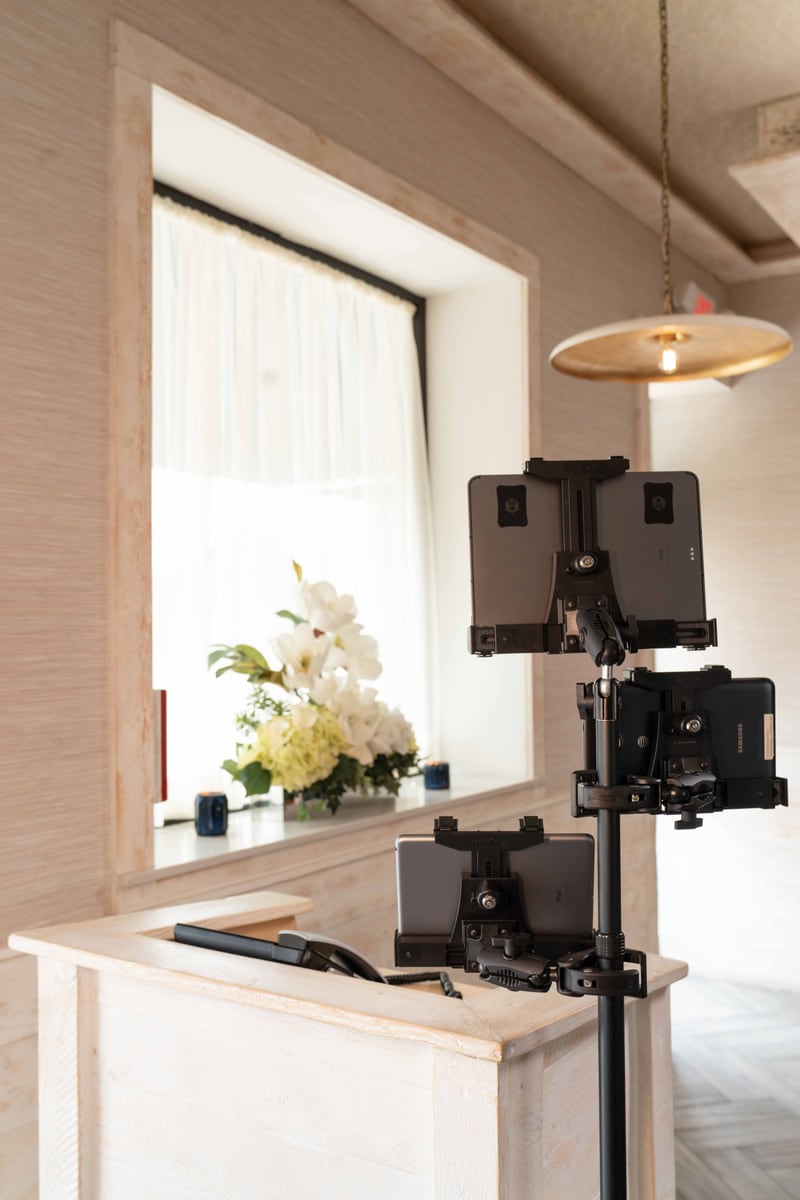
Food trucks and quick-service restaurants put tablets in the tightest, busiest spots: next to the payment terminal, beside the pickup window, near heat, near drinks, and within reach of staff and customers. A locking tablet stand has to secure the device without making the counter harder to use.
Small counters make mounting more important
In a food truck, a loose tablet is always in the way. It competes with cups, bags, card readers, receipts, and prep space. In quick-service restaurants, the tablet may sit near the public side of the counter where theft and accidental bumps are realistic concerns.
A locking stand creates a fixed tablet position. Staff know where to tap, the charging cable has a route, and the tablet stays put during rushes.
The best iBOLT locking tablet stands
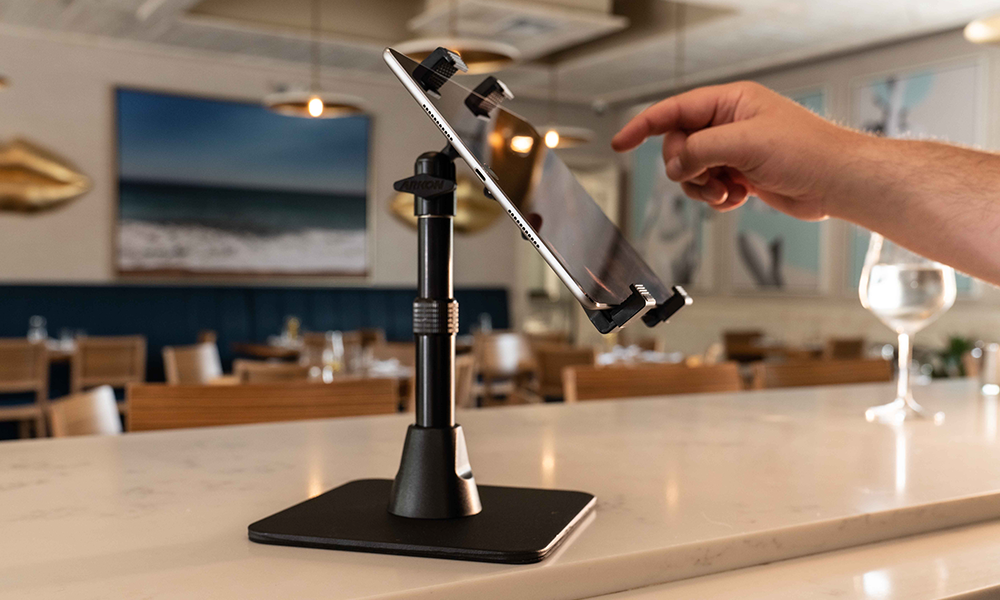
The LockPro Drill Base Locking Tablet Stand is the first option for most food-service counters because it is purpose-built for POS-style tablet use. The Dock'n Lock Drill Base Locking Tablet Stand is another strong fit when the restaurant wants Dock'n Lock retention in a fixed position.


For a rougher space or a more industrial feel, the LockPro Metal Locking Tablet Drill Base Mount gives a heavy-duty fixed mounting option.
| Need | iBOLT fit | Why it fits |
|---|---|---|
| Food truck POS counter | iBOLT™ LockPro™ Drill Base Locking Tablet Stand- Point of Purchase/POS Mount | LockPro secures a POS tablet in a compact counter footprint. |
| Compact pickup window | iBOLT Dock’n Lock Drill Base Locking Tablet Stand | Dock'n Lock gives a lower-profile locking stand option. |
| Heavy-duty fixed tablet station | iBOLT™ LockPro™ Metal Locking Tablet Drill Base Mount | The metal locking drill-base mount is a stronger fit for rougher commercial spaces. |
Before you buy: installation checklist
Confirm the device width with the case on, then choose the base by vehicle or counter ownership. A removable suction, cup holder, vent, or wedge base is usually better for a personal vehicle or temporary station. A drill-base, AMPS, or locking setup is usually better when the vehicle, counter, or tablet station belongs to the business and needs to stay consistent between shifts.
Test placement before making anything permanent. Sit in the actual driver position or stand at the actual service counter and check sightline, reach, cable routing, cleaning access, and whether the mount blocks controls, vents, payment hardware, receipt printers, airbags, or customer handoff space. The right iBOLT setup should make the device easier to use during the rush, not just more secure when the store is quiet. If placement feels awkward during testing, it will feel worse during a route or service rush.
- Measure the phone or tablet with its everyday case installed.
- Choose removable bases for personal vehicles and fixed bases for business-owned vehicles or counters.
- Leave a clean path for charging cables so staff or drivers do not fight the cord all day.
- Use locking hardware when devices are shared, unattended, public-facing, or assigned to a fleet.
- Keep product SKUs consistent across locations or vehicles so replacements are easy to order.
Food truck placement rules
Keep the tablet away from direct heat, splash zones, and the edge of the service window. Leave enough space for payment devices and make sure the screen can be read in changing light.
Also think about closing. If the tablet comes out every night, make sure staff have a key process. If it stays installed, confirm the mount location does not block cleaning or cover access panels.
Do not rely on weight alone
A heavy freestanding stand can still move when a counter is bumped. In a truck, vibration and tight quarters make this worse. A drill-base locking stand is more predictable for a permanent POS position.
The right stand should make the tablet feel like part of the counter, not another loose object staff need to protect.
Frequently Asked Questions
What locking tablet stand is best for food trucks?
The LockPro Drill Base Locking Tablet Stand is the strongest iBOLT starting point for food truck POS counters.
Should a food truck tablet stand be drilled down?
For a permanent POS station, yes. A drilled or fixed base is usually safer than a loose stand in a moving truck environment.
Can quick-service restaurants use the same stand?
Yes. The same locking tablet stand can fit pickup counters, cashier stations, and self-order areas if the tablet dimensions match.
Does locking slow down staff?
It should not. A good locking stand secures the tablet while keeping the screen and controls easy to reach during service.
For food trucks and quick-service counters, a locking tablet stand is less about looks and more about keeping the POS workflow stable in a crowded space.

Leave a comment
This site is protected by hCaptcha and the hCaptcha Privacy Policy and Terms of Service apply.