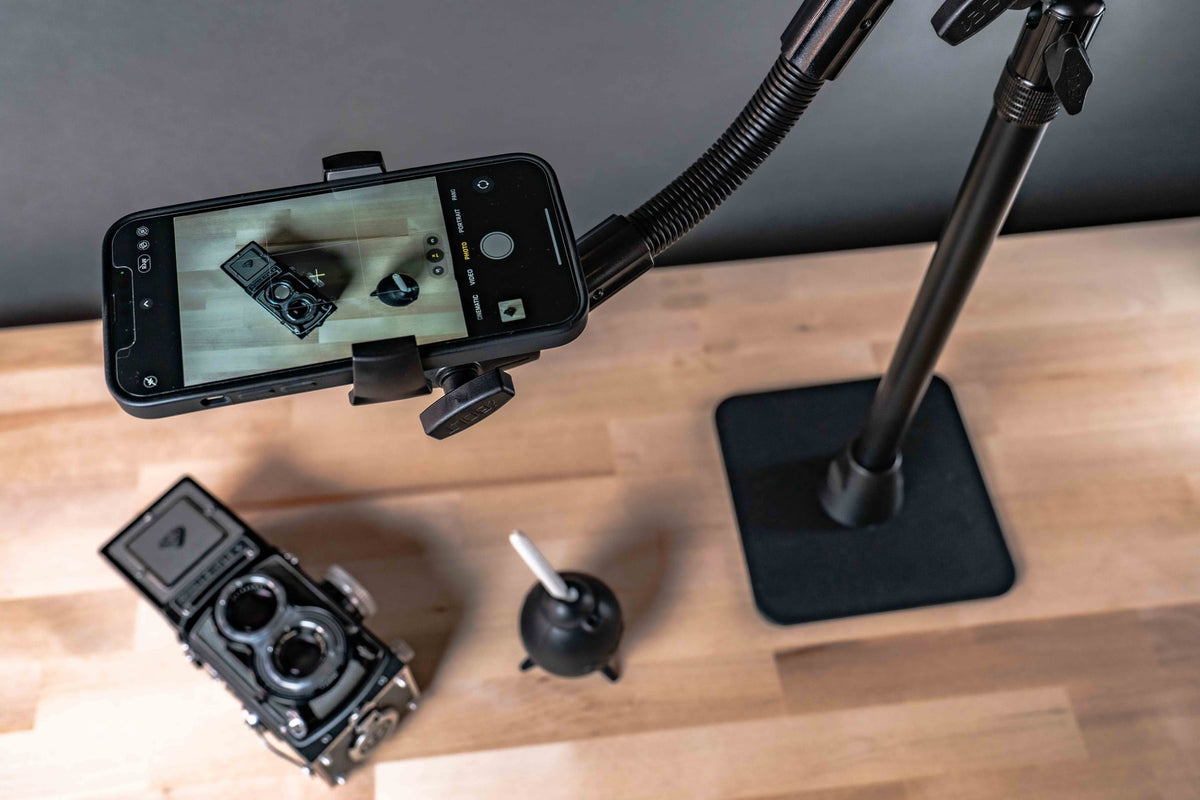
Live streaming with multiple camera angles separates professional content from amateur phone videos. But managing two or three phones without creating a forest of tripods on your desk requires purpose-built mounting hardware. The goal is repeatable positioning where each device returns to the exact same frame every time you set up.

Whether you're teaching online courses, streaming product demonstrations, running church media, or creating tutorial content, multi-camera setups demand mounts that hold position under lighting adjustments, cable management, and frequent device swapping.
Multi-Camera Streaming Requirements That Matter
Successful multi-angle streaming starts with understanding your shot requirements. Overhead product shots need different positioning than front-facing interview angles or side-mounted demonstration cameras. Each mounting point must accommodate device weight, charging cables, lighting equipment clearance, and operator reach.
The mounting surface determines everything else. Desktop setups allow heavier slide bars and multiple attachment points. Portable streaming rigs need lighter hardware with quick-release mechanisms. Permanent installations in studios or classrooms can use fixed AMPS plates and drill-mounted bases for maximum stability.
Device compatibility extends beyond phone dimensions. Consider protective cases, external microphones, lens attachments, and charging requirements. A mount that works perfectly with a bare phone may fail completely when you add the accessories your content actually requires.

iBOLT Multi-Camera Solutions for Content Creators
iBOLT's slide bar systems provide the foundation for professional multi-camera streaming setups. The 3 Camera Phone & Tablet Slide Bar - 10 inch handles mixed device sizes, making it ideal for creators who switch between phones and tablets depending on the content type.
For dedicated phone streaming, the 3 Camera Slide Bar with Phone Holder - 10 inch provides optimized grip and positioning for smartphone-only workflows. The integrated phone holders eliminate the need for separate adapters while maintaining the flexibility to adjust camera spacing along the bar.
Tablet-focused content creators benefit from the 3 Camera Slide Bar with Tablet Holder - 10 inch, which accommodates larger screens for detailed demonstrations or document sharing during live streams.

Choosing the Right Configuration for Your Content
Two-camera streaming typically uses one front-facing device for presenter shots and one overhead or side-mounted device for product or document capture. This setup works well for cooking shows, art tutorials, or product reviews where viewers need to see both the creator and the work surface.
Three-camera configurations add a third angle for more dynamic content. Common arrangements include front, side, and overhead positions, or multiple product angles for detailed demonstrations. Educational content often benefits from presenter, whiteboard, and document camera angles.
The slide bar system allows precise positioning adjustments without completely rebuilding your setup. Cameras slide along the bar to accommodate different content types while maintaining consistent mounting points for repeatable positioning.
| Content Type | Recommended Configuration | Key Considerations |
|---|---|---|
| Product demonstrations | 3 Camera Phone & Tablet Slide Bar | Overhead positioning for product shots, side angles for process demonstration |
| Educational streaming | 3 Camera Slide Bar with Phone Holder | Document camera, presenter view, and whiteboard or screen capture |
| Art and craft tutorials | 3 Camera Slide Bar with Tablet Holder | Close-up detail shots, wide workspace view, and creator perspective |

Installation Planning and Base Selection
Desktop installations require stable bases that won't shift during streaming sessions. C-clamp bases work well for temporary setups on desks or tables, while drill-mounted bases provide permanent solutions for dedicated streaming spaces.
Portable streaming setups need lightweight bases with quick setup and breakdown capabilities. Tripod-mounted slide bars offer maximum flexibility for location changes, though they require more floor space and careful weight distribution.
Cable management becomes critical with multiple devices. Plan charging cable routes before finalizing camera positions. Cables crossing the workspace or blocking device access create operational problems during live streams.
Lighting integration affects mounting decisions. Ensure camera positions don't interfere with key lights, fill lights, or background lighting. Ring lights and panel lights need clearance around camera mounting points.
Verification Steps Before Purchase
Measure all devices with their installed cases and accessories. Streaming often requires protective cases, external microphones, or lens attachments that change device dimensions significantly.
Confirm mounting surface compatibility. Desktop thickness, edge access, and surface material affect clamp-style bases. Permanent installations need structural support verification for wall or ceiling mounting.
Check device port access for charging and audio connections. Live streaming demands reliable power, and blocked ports create workflow interruptions during broadcasts.
Test reach and adjustment ranges before committing to permanent installation. Camera adjustments during streaming should be possible without disrupting other devices or blocking the presenter.
Frequently Asked Questions
What's the best iBOLT multi-camera mount for beginners?
The 3 Camera Phone & Tablet Slide Bar - 10 inch provides the most flexibility for creators still experimenting with camera angles and device combinations.
Can these mounts handle tablets and phones simultaneously?
Yes, the mixed-device slide bars accommodate different device sizes on the same mounting system. Verify weight distribution and balance when mixing device types.
How do I prevent camera shake during live streaming?
Use rigid mounting bases and avoid extending arms to maximum length. Tripod-mounted systems need proper weight distribution and stable leg positioning.
Are these mounts compatible with external camera equipment?
iBOLT slide bars use standard 1/4-20 camera screw mounts, making them compatible with most cameras, action cameras, and mounting accessories that use this threading.
Professional multi-camera streaming requires mounts that deliver consistent positioning and reliable operation. The right slide bar system eliminates setup time and ensures every stream starts with properly framed shots.


Leave a comment
This site is protected by hCaptcha and the hCaptcha Privacy Policy and Terms of Service apply.