Picture a slammed Friday night. Tablets for DoorDash, UberEats, Grubhub and your POS lean against the register collecting grease, and when an order pings, nobody can tell which screen it came from.

TL;DR: The best restaurant tablet mount depends on the station. Choose an iBOLT Tablet Tower with 3, 4 or 5 holders for delivery apps, a LockPro or Dock'n Lock stand for customer checkout, and Square Stand for supported iPads on Square. Measure each cased tablet against the exact holder variant.
What Should a Restaurant POS Tablet Mount Have?
A restaurant POS tablet mount should handle grease and heat, attach the way the station needs, lock where customers can reach it, and hold every active tablet with a clean cable path.
- Mounting method. Clamps avoid permanent changes, drill bases give the most permanent install, wall mounts free counter space, and weighted bases add balance.
- Locking. Use a locking stand at customer-facing stations.
- Capacity. Plan one holder per active delivery platform, plus any POS or pickup app in the same station.
- Measured fit. Measure each tablet with its case and compare width, height and depth with the exact holder variant. Screen size alone does not confirm fit.
- AMPS pattern. The standard 4-hole pattern can let you swap a base, arm or holder when every part shares it.
- Cables. Route cords away from walkways and prep surfaces.
Should You Choose a Device-Specific Enclosure or a Universal Holder?
Choose a device-specific enclosure, such as a Bouncepad counter enclosure, when one tablet model will stay at a customer-facing station. Choose a universal iBOLT holder when tablets change or several screens share one station.
| Feature | Device-specific enclosure | iBOLT universal holder |
|---|---|---|
| Tablet fit | Made for listed tablet models | Chosen by measured opening and depth |
| Changing tablets | May need a new enclosure | Re-measure against the holder variant |
| Multi-tablet stations | Check each product | Tablet Tower kits with 3, 4 or 5 holders |
| Locking | Check each product | LockPro and Dock'n Lock models |
The Tablet Tower is a purpose-built multi-tablet station in 3, 4 and 5 holder kits. The iBOLT catalog also includes 17mm, 20mm, 25mm (B size) and 38mm (C size) ball components, so confirm each base, arm and holder shares the same interface before expanding.
Watch: Triple tablet POS mount assembly (IBRT-34700)
Watch the standard TabDock three-tablet POS clamp mount assembly, including pole connections, holder adjustment and viewing angles. SKU IBRT-34700.
Explore Triple tablet POS mount · Full video guide and transcript
The filmed model uses standard TabDock holders (IBRT-34700). The XL variant is a different selection. Check holder dimensions and case fit on the product page. Tablets are not included.
Read the video transcript
Narration, with product spellings and punctuation normalized.
0:00 This is how to assemble and install the iBOLT TabDock Tower Triple Tablet Clamp Mount.
0:05 Unpack all parts and lay out your base mount, center pole, clamp joints, and tablet holders.
0:11 Clamp the base mount onto your counter or workspace and insert the main pole.
0:25 Unscrew and disassemble the clamp joint before attaching it to the center pole.
0:35 Reassemble the clamp joint around the pole, connect the tablet holder, and tighten the locking ring.
0:40 Set the adjustable support feet on each holder to securely fit your 7–10 inch tablets.
0:46 Adjust the viewing angles for all three screens and tighten all knobs securely.
0:51 Streamline your delivery apps and POS system. Thanks for watching.
Current fit note. The IBRT-34700 demo narration above reflects an earlier fit description. The current listing gives a 4 to 8 inch opening for the TabDock variant (IBRT-34700) and 4 to 10.5 inches for the TabDockXL variant (IBRT-34700-XL), both with 0.75 inches of maximum device-plus-case depth, so measure each tablet with its case before choosing.
Should You Choose Square Stand or a Tablet Tower?
Choose Square Stand for single-device checkout in the Square ecosystem. Choose an iBOLT Tablet Tower when three or more delivery platforms each need a screen behind the counter.
The iBOLT Tablet Tower lineup covers that back-of-house job. The TabDock POS Clamp Mount with 3 Tablet Holders holds three tablets, with options scaling up to the 4-tablet clamp mount and the 5-tablet clamp mount. Need to free up counter space? The TabDock POS Wall Mount with 4 Tablet Holders moves everything off the surface and onto the wall.
Watch: Quad tablet POS mount assembly (IBRT-34707)
See the standard four-holder TabDock POS station assembled and adjusted, with close-ups of holder connections and mounting options. SKU IBRT-34707.
Explore Quad tablet POS mount · Full video guide and transcript
The filmed model uses standard TabDock holders (IBRT-34707), not the XL variant. Individual connections and alternative configurations are demonstrated; consult the current product listing for the included kit. Tablets are not included.
Read the video transcript
Narration, with product spellings and punctuation normalized.
0:00 This is how to assemble and install the iBOLT TabDock Quad Tablet Clamp Mount.
0:05 First, attach the clamp base to the back of the holder and tighten the locking ring.
0:16 Next, adjust the support feet to match your tablet size.
0:20 Once assembled, inspect the full quad mount structure to ensure all four tablet holders are evenly spaced along the pole,
0:27 and the C-clamp base at the bottom is ready for mounting to a desk, counter, or post.
0:37 To set up an individual workstation mount, grab the clamp mount and the holder,
0:42 connect the tablet holder, and secure the locking ring.
0:49 Attach it to your stand and tighten the side knob to secure your station.
0:57 For another setup, connect the ball adapter and the holder, then tighten the locking ring.
1:02 You can now reattach it to the double socket arm. Rotate the knob clockwise to secure it.
1:08 Adjust the viewing angles and tighten all knobs securely.
1:12 Thanks for watching.
Which Locking Restaurant Tablet Stand Fits Front-of-House?
Host stands, kiosks and checkout terminals benefit from a locking stand wherever theft is a concern. Choose the drill-base LockPro for a permanent counter install or the Dock'n Lock POS stand when you prefer a weighted L-bracket base.
The iBOLT LockPro Drill Base Locking Tablet Stand attaches with self-tapping screws and locks the tablet on an aluminum stand. Confirm holder limits for your cased tablet on the IBRT-34717 product page or with iBOLT before ordering.
For a weighted base, the iBOLT Dock'n Lock POS Tablet Stand pairs a locking holder with a weighted L-bracket base that has four holes for optional fixing. Confirm its holder limits on the IBRT-34719 product page or with iBOLT.
For two secured devices, the Dock'n Lock Drill Base Dual Tablet Stand locks two tablets in place on one drill base.
Which Restaurant Tablet Mount Fits Your Restaurant Type?
Restaurant tablet mounts should match platform count and customer exposure. Plan one holder per delivery platform, pair a tower with a checkout stand when customers pay at a counter, and use a magnetic or suction mount where a station must move.
Ghost kitchens and virtual brands should look at the Tablet Tower with 4 Holders or the 5-Tablet Wall Mount to consolidate every delivery app into one organized station.
Full-service restaurants with delivery can pair a 3-Tablet Clamp Mount for incoming orders with a LockPro Drill Base Stand at checkout.
Quick-service spots can use the Dock'n Lock POS Tablet Stand with its weighted base, or the LockPro drill base when theft prevention is a priority.
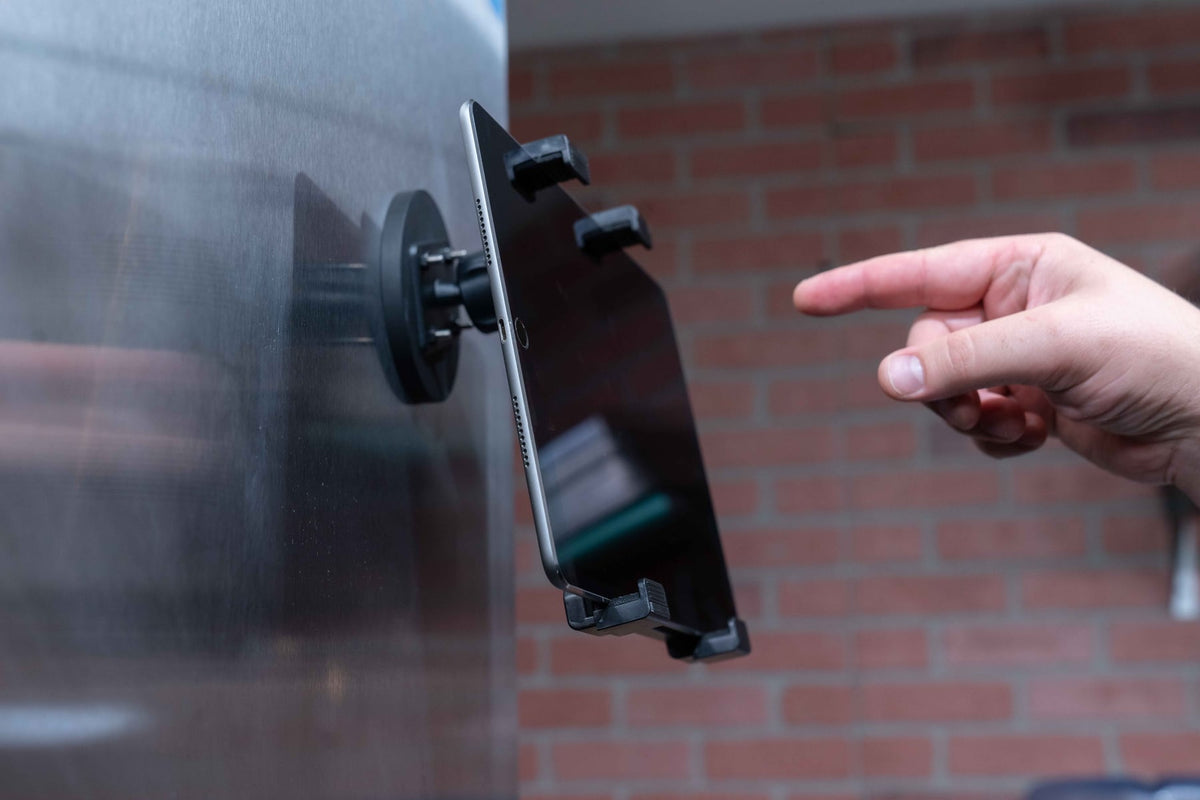
Food trucks and pop-ups need portability. The TabDock MagDock attaches to magnetic metal surfaces, while the TabDock BizMount Suction Cup Mount uses a suction cup mount and dash disc on smooth surfaces. Both come in TabDock and TabDockXL variants that list 4 to 8 inch and 4 to 10.5 inch openings, both with 0.75 inches of depth.
Product Options

iBOLT Tablet Tower: TabDock POS Clamp Mount with 3 Tablet Holders


Frequently Asked Questions
Q: How many tablets can a restaurant tablet mount hold?
A: Single POS stands hold one device, while the iBOLT Tablet Tower comes in 3, 4 and 5 holder configurations. Choose a holder count that matches your active delivery platforms, and pick a larger kit if you expect to add more.
Q: Can I use the same mount for iPads and Samsung tablets?
A: Yes, when the mount uses universal holders and each cased tablet fits the selected holder. Where an iBOLT listing states fit, TabDock holders open 4 to 8 inches and TabDockXL holders 4 to 10.5 inches, both with 0.75 inches of depth. Confirm locking stand limits with iBOLT.
Q: Do I need a locking tablet mount for my restaurant?
A: Locking stands make sense at customer-facing stations such as host stands, checkout counters and self-service kiosks. Back-of-house stations with controlled access may not need locks.
Q: What's the best tablet mount for a ghost kitchen?
A: Plan one holder per delivery platform. A ghost kitchen running four or five platforms can use the iBOLT Tablet Tower with 4 or 5 holders, in clamp or wall configurations.
Q: Can I mount delivery app tablets on the wall to save counter space?
A: Yes. A wall station keeps tablets off prep surfaces and can be placed near the expo line. iBOLT wall mounts with 4 or 5 holders use drill bases and an extending pole for a permanent install.
Q: Are iBOLT mounts compatible with RAM mount parts?
A: Only when the interfaces match. Confirm the ball diameter, socket arm and hole pattern for each component before pairing iBOLT parts with RAM or other brands.
Ready to Get Your Tablets Off the Counter?
Give every screen a fixed home, from one POS station to a five-tablet delivery wall. Explore the restaurant and POS mount collection or try the Mount Configurator to compare options for your setup.


Leave a comment
This site is protected by hCaptcha and the hCaptcha Privacy Policy and Terms of Service apply.