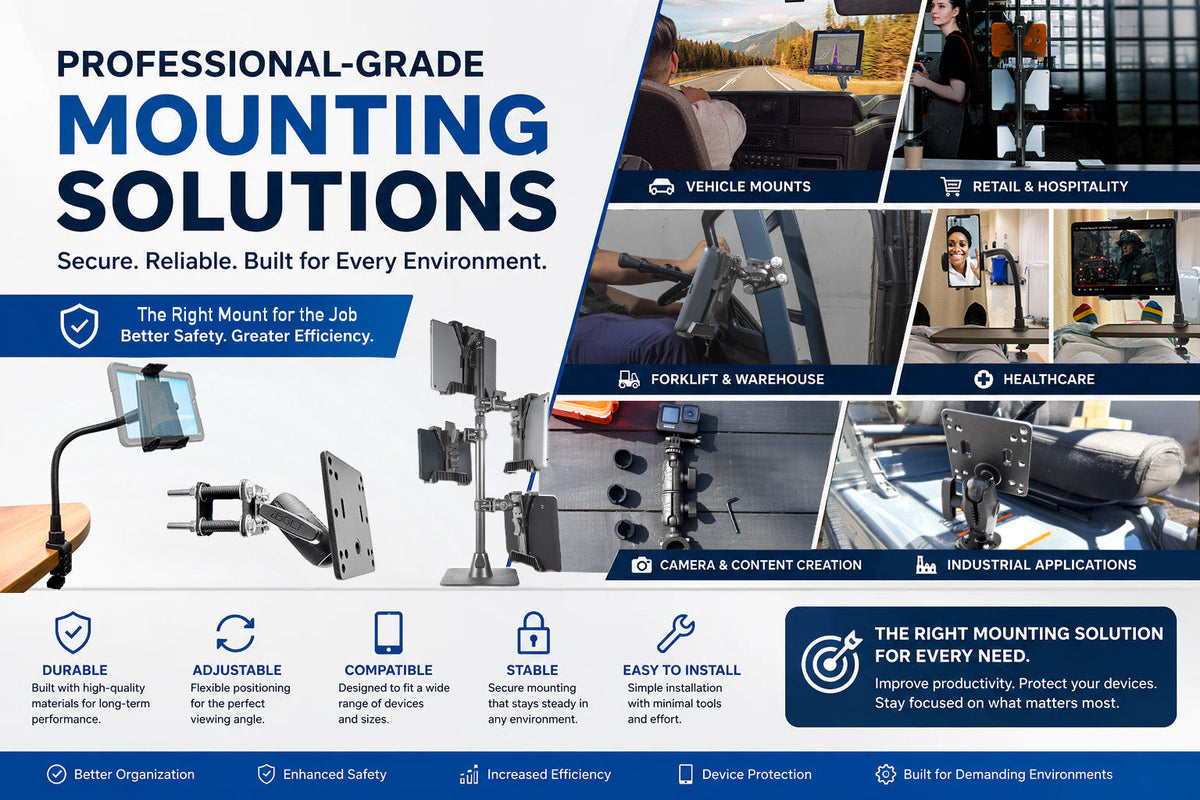
Whether you are setting up a mobile workstation, standardizing tablets across a delivery fleet, running point-of-sale hardware at a counter, or building a hands-free camera rig, the mount you choose determines whether that setup holds up under daily use or becomes a recurring headache. A device that shifts, drops, or requires two hands to reposition is not just an inconvenience. In a moving vehicle or a busy kitchen, it is a safety and productivity problem.
This guide breaks down Professional-Grade Mounting Solutions, the main mounting categories businesses and individuals rely on, and what to check before you buy so the mount actually fits your device, vehicle, or workspace on the first try.
Why Mounting Choice Matters More Than Most People Expect
Devices are now part of the daily workflow in nearly every industry, from delivery routes and warehouse floors to exam rooms and restaurant counters. A mount that is matched to the environment delivers real, measurable benefits:
- Faster access to the device during a task, not after digging it out of a pocket or bag
- Fewer drops and cracked screens from unstable holders or worn-out grips
- Safer driving and operating conditions when a phone, tablet, or GPS is positioned correctly
- Cleaner, more organized workstations and vehicle cabs
- Hardware that survives vibration, temperature swings, and repeated on/off cycles instead of failing within months
The wrong mount, even a well-reviewed one, will underperform if it was not built or sized for the environment it is placed in.
What to Verify Before You Buy a Mount
Most fitment complaints trace back to a handful of details that get skipped during the buying decision. Confirm these before ordering:
- Mounting surface: Dashboard, windshield, seat rail, drill-base, VESA-pattern panel, or handlebar. Each surface needs a matching base type, and adhesive or suction mounts perform differently depending on surface texture, curvature, and interior temperature.
- Vibration exposure: A forklift, boat, or off-road vehicle puts far more stress on a joint than a stationary retail counter. Vibration-prone environments need reinforced ball joints and locking arms, not friction-only designs.
- Device size and weight: A mount rated for a phone will not reliably hold a 10-inch tablet in a case. Check the stated size range and weight capacity, not just "universal" claims.
- Charging and cable routing: If the device needs to stay powered, confirm the mount has a cutout or pass-through for a charging cable, and plan the cable path so it does not interfere with driving controls or foot traffic.
- Removal frequency: A quick-release cradle makes sense if the device comes in and out several times a day. A more permanent, tool-tightened mount is better for fixed workstations or shared equipment.
- Security needs: Shared vehicles, public-facing kiosks, and fleet tablets often need locking mechanisms or theft-resistant hardware, not just a snap-in cradle.
- Mounting standard: Many professional mounts use AMPS hole patterns, VESA patterns for larger displays, or a ball-and-socket size (commonly referenced as 1-inch or 17mm/25mm ball systems) for compatibility with arms and other accessories. Confirm the pattern or ball size matches any existing hardware you plan to reuse.
Always verify exact fitment against your specific vehicle interior, tablet model, or GPS unit before purchasing, since case thickness, dash curvature, and device generation can all affect compatibility.
Common Types of Mounting Systems
Vehicle Mounts
Vehicle mounts are the most widely used category, helping drivers position phones, tablets, and GPS units for safe, quick viewing. Common formats include dashboard mounts, windshield mounts, seat rail mounts, drill-base mounts, and cup holder mounts. Delivery drivers, field technicians, and fleet operators depend on these for navigation and dispatch access without taking hands off the wheel longer than necessary.
Tablet Mounts
Tablets show up constantly in retail, healthcare, hospitality, and logistics. A properly sized tablet mount reduces hand fatigue, speeds up access to order or patient information, and keeps a checkout or workstation looking organized instead of cluttered with loose devices. Many point-of-sale setups are built entirely around a fixed tablet mount at the counter.
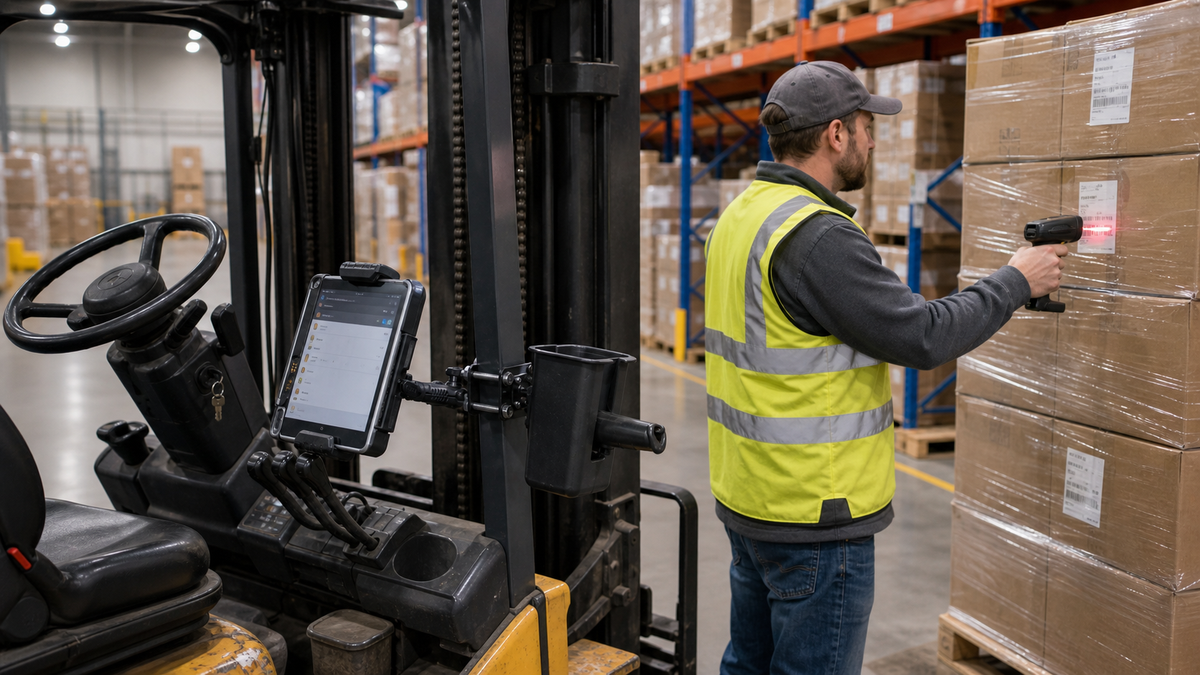
Industrial and Warehouse Mounts
Forklifts, warehouse carts, and inventory stations demand mounts built for constant vibration, dust, and repeated impact. Barcode scanner mounts, forklift-mounted tablets, and warehouse management devices all need reinforced joints and secure locking arms, since a loose mount here does not just annoy an operator, it slows down an entire shift.
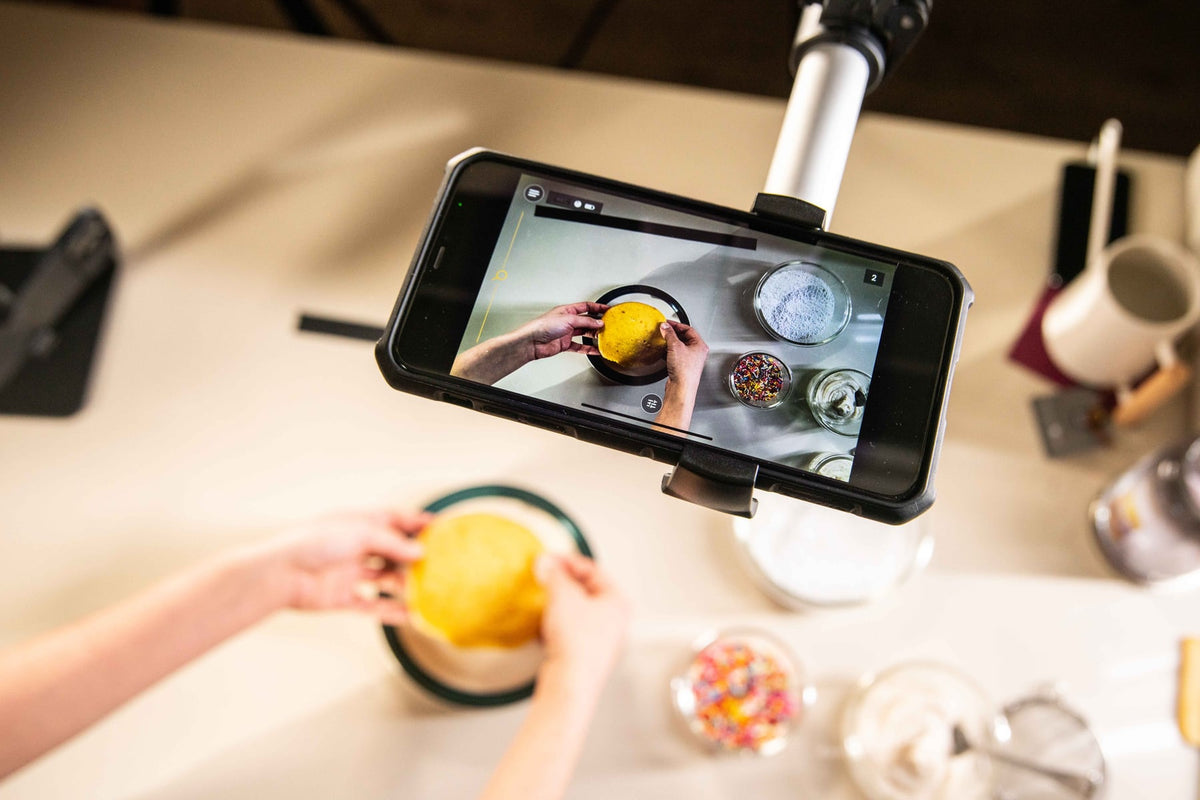
Camera and Content Creation Mounts
Livestreamers, trainers, and video producers increasingly need stable, repositionable mounts for phones and cameras. A solid mount here means steadier footage, hands-free recording during a demo or presentation, and the flexibility to adjust angles quickly between setups.
Key Features That Separate Reliable Mounts From Disposable Ones
Durability: Look for reinforced ball joints, aluminum or industrial-grade plastic components, and hardware rated for the environment, not just general consumer use.
Adjustability: A mount should let you set a comfortable viewing angle once and hold it there through vibration and daily handling, not slowly droop over time.
Device compatibility: Confirm the stated size and weight range against your actual device, including any protective case, before assuming a "universal" mount will fit.
Stability: The mount should stay locked in place during acceleration, braking, uneven terrain, or constant foot traffic, depending on where it is installed.
Ease of installation: A good mounting system installs without extensive drilling or permanent modification unless that is specifically what the application calls for.
Matching Mounts to Industry Needs
Transportation and logistics: Drivers rely on mounted devices for navigation, dispatch, and proof-of-delivery documentation. The mount needs to keep the screen visible without creating a distraction or blocking controls.
Retail and hospitality: Tablets used for checkout, ordering, or inventory need mounts that keep counters organized and devices within easy reach of staff and customers.
Healthcare: Mounted tablets support patient records and telehealth workflows, where hands-free access speeds up documentation during busy clinical shifts.
Manufacturing and warehousing: Devices used for inventory tracking and equipment monitoring need mounts that hold up to constant vibration and movement without loosening over a shift.
Choosing the Right Mount for Your Situation
Before ordering, walk through these questions:
- Where exactly will the mount be installed, and what surface will it attach to?
- What device, including case, needs to be held, and what does it weigh?
- Will the environment involve vibration, sudden movement, or outdoor exposure?
- Does the device need to charge while mounted, and how will the cable route?
- How often will the device be removed and reattached during a shift?
- Does the setting require a locking or theft-resistant mount?
Answering these narrows the decision quickly and avoids buying a mount that looks right in a photo but does not match the actual use case.
Conclusion
Reliable mounting systems are a practical necessity for modern vehicles, warehouses, retail counters, healthcare settings, and content creation setups. Professional-Grade Mounting Solutions from iBOLT are built around the details that matter most: durability, correct sizing, adjustable positioning, and stability under real working conditions. Matching the mount to the surface, device, and environment up front saves time, protects equipment, and keeps daily workflows running the way they should.
Related iBOLT Mounting Options

iBOLT™ xProDock™ Bizmount™ Amps
A related iBOLT option that matches the mounting needs covered in this article.

iBOLT™ TabDock™ Bizmount™ Wedge
A related iBOLT option that matches the mounting needs covered in this article.

iBOLT™ TabDock™ Bizmount™ Suction Cup Mount
A related iBOLT option that matches the mounting needs covered in this article.

iBOLT™ LockPro™ Metal Locking Tablet Drill Base Mount
A related iBOLT option that matches the mounting needs covered in this article.
Frequently Asked Questions
What is a professional-grade mounting solution?
It is a mounting system engineered to securely hold devices like phones, tablets, GPS units, or cameras in demanding environments, using reinforced joints, verified weight ratings, and mounting patterns such as AMPS or VESA rather than generic friction-fit designs.
How do I know if a mount will fit my vehicle or device?
Check the mount's stated surface type, hole pattern or ball size, and device size and weight range, then compare that against your specific vehicle interior or device model, including any case. Always verify exact fitment with the manufacturer before purchasing if you are unsure.
Do mounting systems hold up in high-vibration environments?
Mounts built with reinforced ball joints and locking arms are designed for vibration-heavy settings like fleet vehicles, forklifts, and industrial equipment. Lighter, friction-only mounts are not rated for this level of movement and will loosen over time.
Can I charge my device while it stays mounted?
Many mounts include a cutout or pass-through for a charging cable. Confirm this feature is included and plan the cable route so it does not interfere with driving controls, foot traffic, or daily handling.
What is the difference between AMPS and VESA mounting patterns?
AMPS is a common hole pattern used on many vehicle and device mounting arms, while VESA patterns are typically used for larger displays and monitors. Confirming which pattern your existing hardware uses prevents buying an incompatible mount or arm.
How often should a mount be replaced?
A well-built mount in a stable environment can last for years, but frequent removal, high vibration, or outdoor exposure will wear down joints and locking mechanisms faster. Inspect grip strength and joint tightness periodically, and replace the mount once it no longer holds the device securely.

Leave a comment
This site is protected by hCaptcha and the hCaptcha Privacy Policy and Terms of Service apply.