Proof-of-Delivery Photos Without Dropping Your Phone at Every Stop
You pull up to a stop, grab the package, walk to the door, and then realize your phone is still in the mount. You reach back, pop it out one-handed, take the photo, confirm the delivery, and redock before pulling away. That sequence happens 80, 120, maybe 200 times on a full route. Multiply that by five days a week and the grab-and-go motion becomes one of the highest-risk moments in your workday, not because it is complicated, but because it is rushed and repetitive.
Quick answer: A delivery driver phone mount that allows true one-handed dock and undock, keeps the rear camera unobstructed, and holds the phone at eye level near the steering column will reduce fumbling, protect your device, and make proof-of-delivery photos faster at every stop.
Here is how to match the right mount setup to your vehicle and workflow.
Why the Grab-and-Go Motion Causes Most Drops
Most phone drops on a delivery route do not happen because a mount failed. They happen because the driver is already moving toward the door when they reach back for the phone. The cradle is at an awkward angle, the spring latch requires two hands to release, or the mount is positioned too far to the right of the steering wheel to grab cleanly.
NHTSA research on distracted driving consistently points to reaching and visual distraction as compounding risk factors behind the wheel. The same principle applies at a stop: a mount that forces you to look away and use both hands adds friction to every single delivery. NHTSA's distracted driving overview frames this clearly for anyone building a fleet safety policy.
The fix is not a stronger grip on the phone. It is a mount that is positioned correctly, releases cleanly with one hand, and puts the camera lens in a spot where you can photograph a package placement without contorting your wrist.
Mount Location, Camera Clearance, and Charging Discipline
Three things determine whether your phone mount setup actually works on a delivery route.
Location: The mount should sit within natural arm reach from the driver seat, ideally between the steering wheel and the center console. Windshield mounts placed too far right or too high require a full arm extension. Dashboard mounts closer to the instrument cluster are easier to grab and redock without leaning.
Camera clearance: Spring-loaded cradle arms that grip the sides of the phone leave the rear camera fully exposed. This matters because proof-of-delivery apps require a clear photo, and a cradle that partially covers the lens or forces you to rotate the phone before shooting adds seconds to every stop.
Charging discipline: Navigation, camera, and delivery apps running simultaneously drain a battery fast. Both Apple and Samsung document that running GPS, charging, and multiple apps in a hot vehicle can push device temperatures into throttling range. Apple's guidance on device temperature and Samsung's operating temperature recommendations both flag direct sunlight, navigation, and simultaneous charging as heat contributors. A mount with an integrated cable keeps charging consistent without the loose cord that snags during a quick undock.
Choosing the Right Mount for Your Vehicle Setup
Not every delivery vehicle has the same dash layout. Use this decision table to match your situation to the right mounting approach.
| Vehicle Situation | Best Mount Type | Key Feature to Prioritize |
|---|---|---|
| Smooth dash or windshield, standard sedan or SUV | Suction cup dashboard mount | One-handed spring latch, integrated charging cable |
| Cargo van or sprinter with no usable dash space | Cup holder mount | Adjustable base, dual ball joints for angle correction |
| Dedicated fleet vehicle, permanent installation | Drill-base locking mount | AMPS pattern base, composite locking cradle |
| Shared fleet vehicle, driver rotates daily | Suction cup or cup holder | Tool-free install and removal, reusable suction |
Amazon Flex lists specific phone requirements including GPS, camera, SIM card, current OS, and battery minimums. You can review those directly on the Amazon Flex FAQ page. Whatever phone you are running, it needs to be charged, visible, and accessible throughout the route.
Three iBOLT Setups Built for Delivery Workflows
iBOLT builds mounts with over 300 modular parts and uses industry-standard AMPS and 25mm ball joint sizing so components work across setups. These three options cover the most common delivery vehicle configurations.
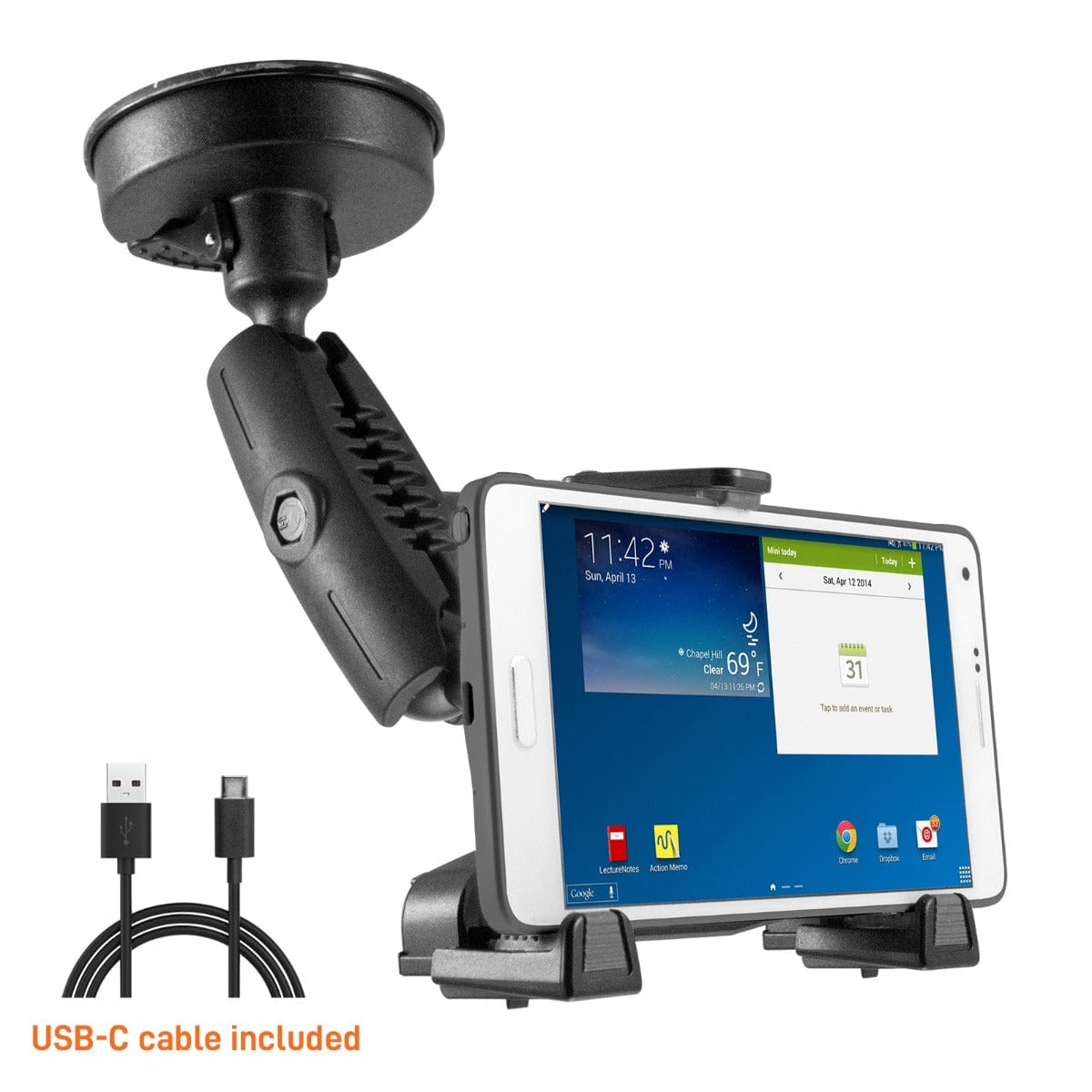
For drivers who want a dashboard or windshield solution with charging built in, the iBOLT xProDock NFC Bizmount with Heavy Duty Suction Cup Base and 1.5m USB-C Cable ($39.95) uses an 80mm sticky suction cup that restores grip with a rinse and air dry, no adhesives needed. The spring-loaded top latch releases one-handed, dual ball joints absorb road vibration, and the included USB-C cable keeps the phone charging through every stop. It fits phones 2.59 to 3.7 inches wide.

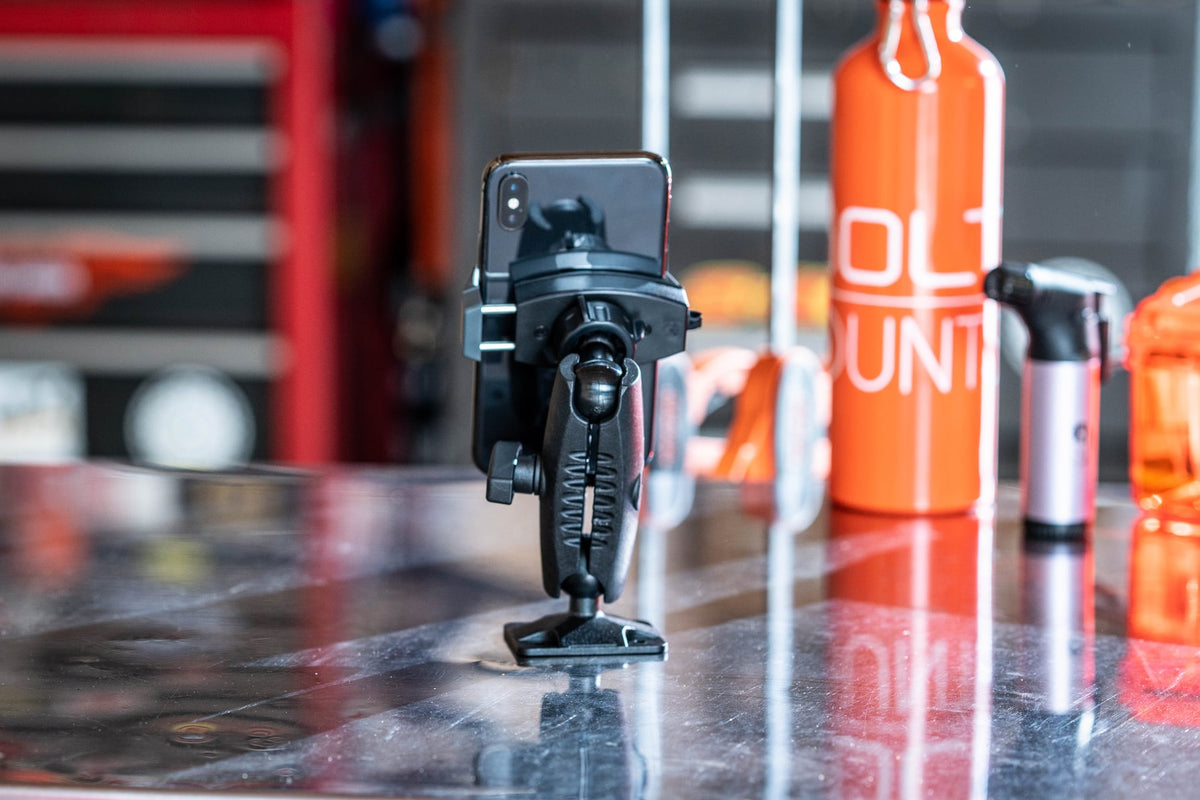
Cargo van drivers who have no clean dash surface often find the cup holder is the most stable mounting point in the vehicle. The iBOLT xProDock Bizmount Console Phone Cup Holder Mount ($64.95) fits cup holders from 2.5 to 3.5 inches in diameter, uses the same spring-loaded cradle and dual ball joint system, and installs without tools. It sits naturally between the driver and the center console, which is exactly where you want the phone for a clean one-handed grab at every stop.

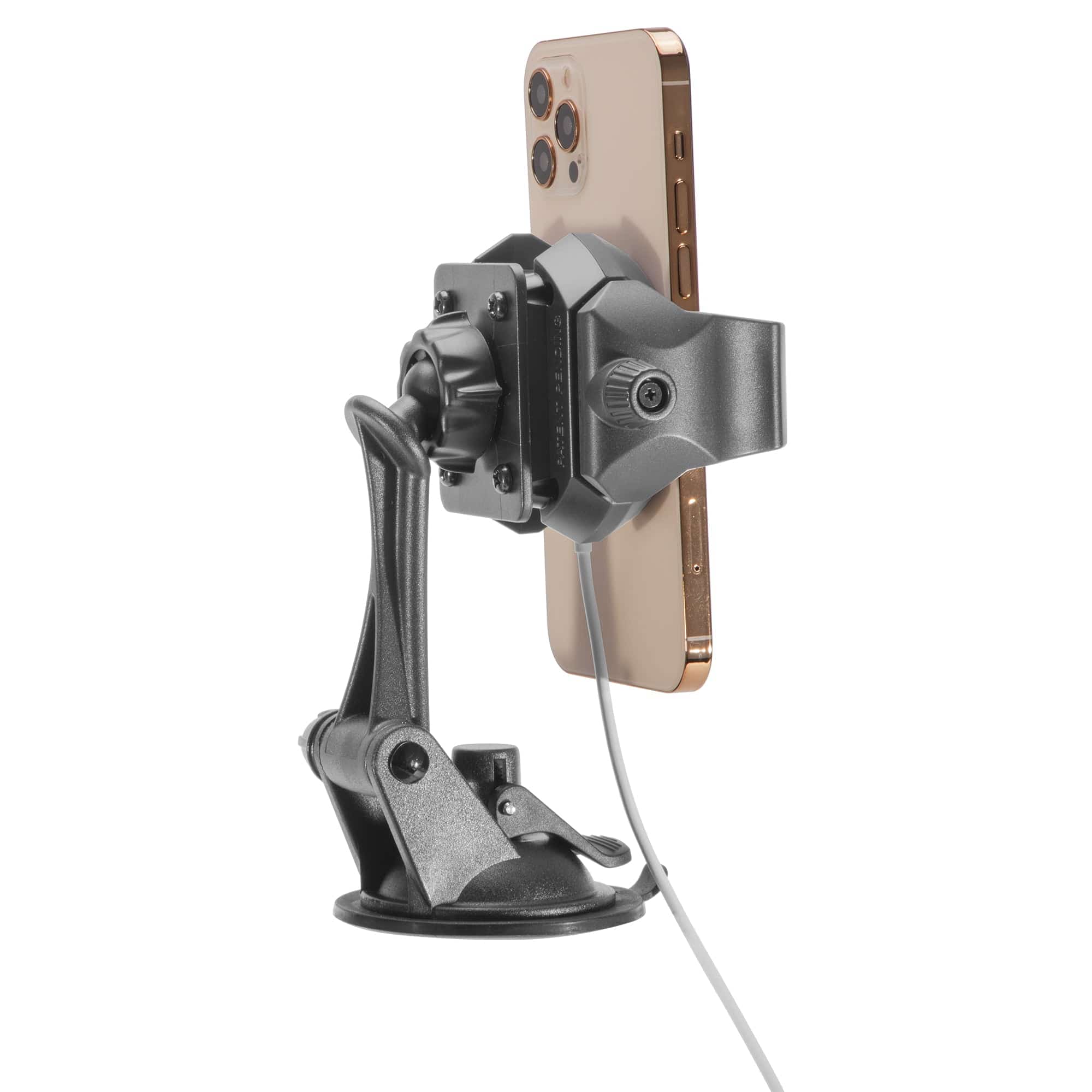
For fleet operators running dedicated vehicles where the same driver uses the same van every day, a permanent installation makes more sense. The iBOLT Phone Dock'n Lock IncrediBOLT 360 Locking Phone Multi-Angle Drill Base Mount ($69.95) drills directly into any flat surface using a standard AMPS pattern base. The composite locking cradle holds the phone securely through rough roads and repeated docking cycles, and the multi-angle adjustment lets you dial in the exact viewing position once and leave it there.

Frequently Asked Questions
- Does a phone mount actually reduce drops on a delivery route?
- A mount with a one-handed spring latch and correct placement near the steering column reduces the fumbling that causes most drops. No mount eliminates every risk, but better placement and easier access make the grab-and-go motion more controlled.
- Will the cradle arms block my rear camera for proof-of-delivery photos?
- iBOLT's spring-loaded side-gripping cradles hold the phone by its edges, leaving the rear camera fully exposed. You can photograph a package placement without removing the phone from the cradle if the angle works for your app.
- Can I move a suction cup mount between vehicles if I drive a shared fleet?
- Yes. The xProDock NFC Bizmount suction cup restores grip by rinsing and air drying, so it can be moved between smooth surfaces without leaving residue or losing hold.
- What if my van has no usable dash space and a shallow cup holder?
- The xProDock Bizmount Console fits cup holders from 2.5 to 3.5 inches in diameter. If the cup holder is unusually shallow or angled, the drill-base IncrediBOLT 360 gives you a permanent flat-surface option anywhere in the cab.
Every delivery route is a little different, but the core problem is the same: you need your phone accessible, charged, and camera-ready dozens of times before lunch. See which setup fits your vehicle and workflow at the iBOLT Mounts full lineup.

Leave a comment
This site is protected by hCaptcha and the hCaptcha Privacy Policy and Terms of Service apply.