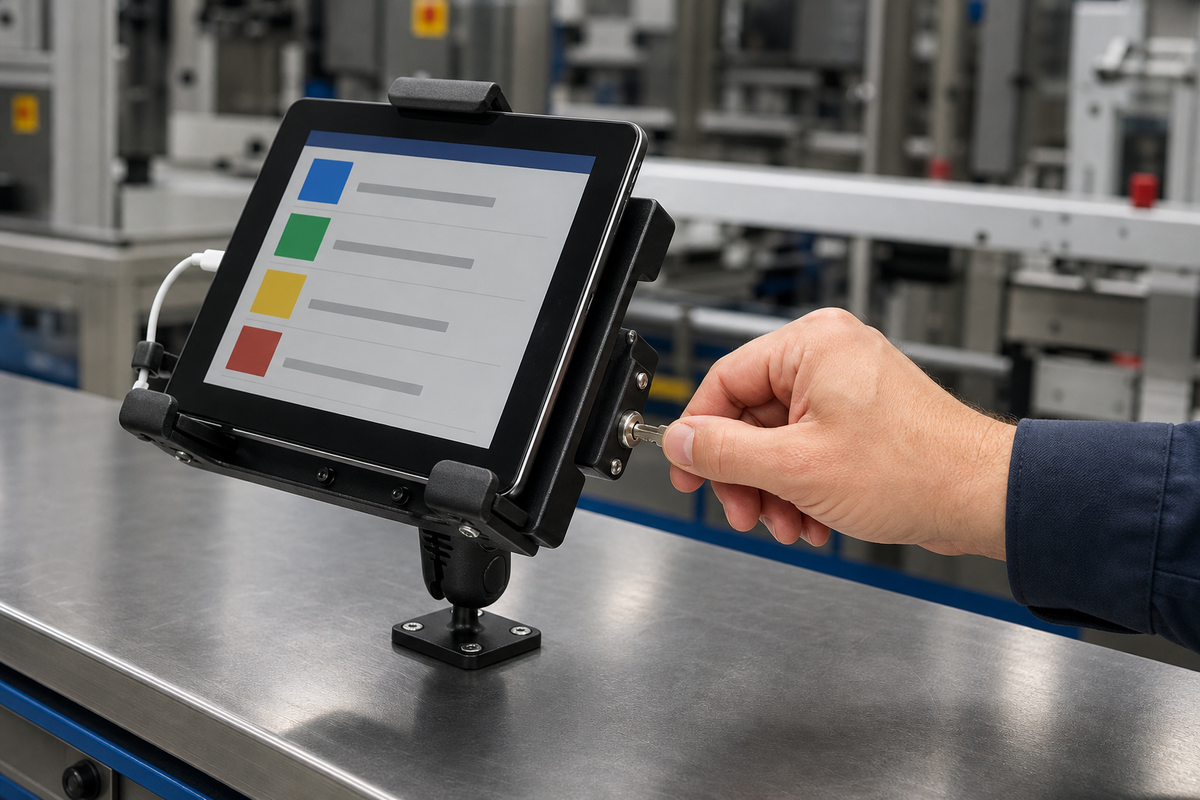

A fixed locking tablet mount at a quality-control bench. Editorial B-roll based on the actual iBOLT LockPro drill-base mount. Use official product photos below for definitive product details.
Shared tablets keep work instructions, inspection forms, inventory screens, and equipment records close to the job. They also tend to migrate. A device assigned to the quality bench may end up on a tool cart, at another line, or in a supervisor's office. By the time someone reports it missing, several shifts may have passed.
A locking tablet mount for an industrial workstation gives the device an obvious home and requires intentional removal. Keyed holders and tamper-resistant hardware can deter quick walk-off, reduce tool-free adjustment, and support an auditable handoff. They cannot make a tablet theft-proof, protect its data, or compensate for an unsuitable mounting surface.
Define Whether the Station Is Fixed or Mobile
A bench, wall panel, machine-side desk, and rolling cart need different reviews. A fixed bench can accept a four-hole drill base when the surface and backing hardware are approved. A wall installation needs adequate structure and a cable route that stays away from moving equipment. A cart may be mobile, but the mount still needs to be mechanically attached to the cart, and the organization must decide where the whole cart is secured when unattended.
Start by documenting:
- tablet dimensions with the case, scanner accessory, and charging connector;
- approved viewing position and rotation range;
- employee reach, aisle clearance, and potential impact points;
- base surface, thickness, backing access, and permitted hardware;
- cable strain relief and separation from heat, coolant, chips, pinch points, and moving parts;
- key ownership, maintenance removal, and spare-device procedure.
The mount should improve the workstation, not create a new snag point or block access to controls, guards, emergency stops, or inspection tools.
Choose Metal LockPro for a Fixed Bench
The iBOLT LockPro Metal Locking Tablet Drill Base Mount, SKU IBBZ-33779, pairs a metal locking holder with dual 25 mm B Size ball joints, a compact adjustable arm, tamper-resistant hardware, and a four-hole AMPS base with a backer plate. The current product page lists 7 to 11 inch tablet compatibility and a $99.95 price.

iBOLT LockPro Metal Locking Tablet Drill Base Mount, SKU IBBZ-33779 - $99.95
The metal holder is the security-focused choice for a shared quality station, check-in desk, or production bench. The four-hole AMPS pattern also gives a facility a repeatable interface if an approved arm or base needs to change later. Measure the real device and case, and verify that the holder contacts do not load buttons or connectors.
Compare a Composite Holder and a 38 mm Assembly
The iBOLT Dock'n Lock Bizmount AMPS, SKU IBBZ-33993, is the compact composite alternative at $49.95. It includes a keyed holder, 3.75 inch arm, dual 25 mm ball joints, four-hole AMPS drill base, and hex-key security hardware. The current title says 7 to 10 inches while the description says 7 to 11 inches, so verify the actual tablet and case. It can fit a wall, desk, cart, dashboard, or other approved flat surface when the installation is engineered for that location.
Watch: iBOLT Dock'n Lock BizMount AMPS (IBBZ-33993)
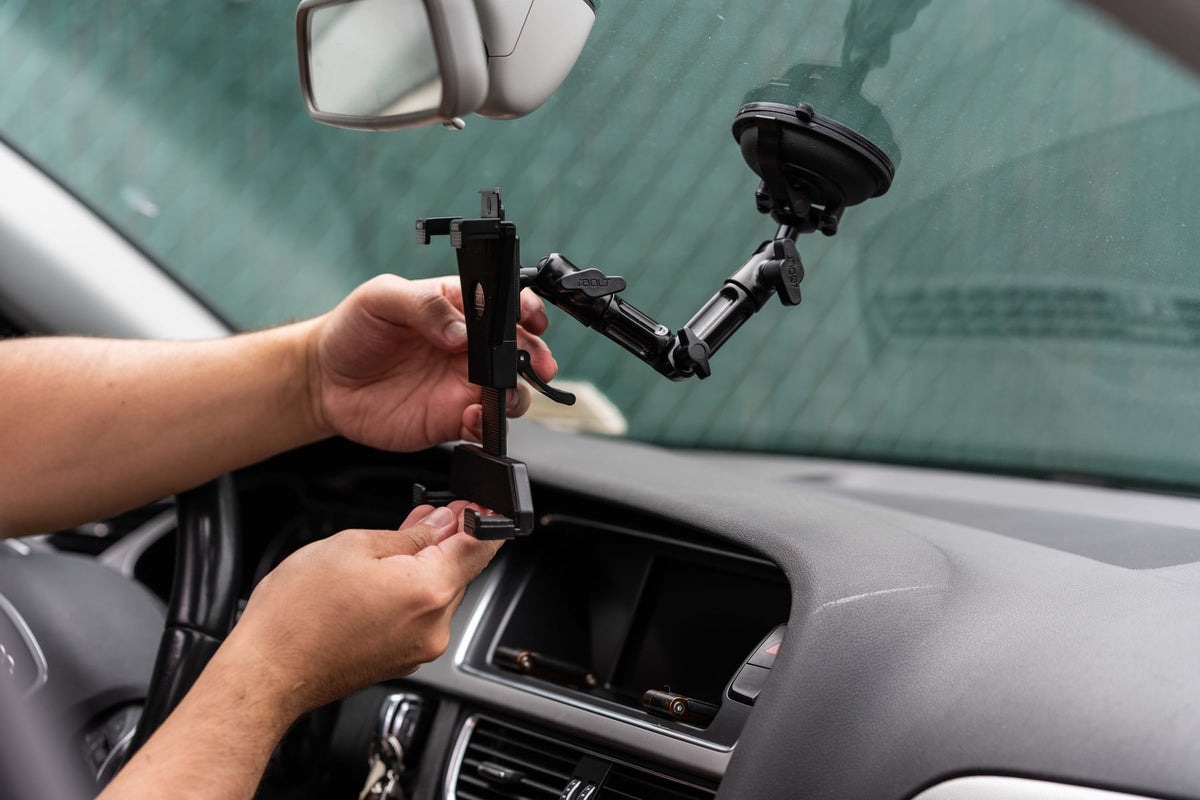
See the cradle adjustment, keyed tablet retention, and assembly of the 25 mm BizMount arm and AMPS drill base.
Watch the short vertical demo (35 seconds)

iBOLT Dock'n Lock Bizmount AMPS, SKU IBBZ-33993 - $49.95
For a heavier approved configuration, the iBOLT LockPro 38mm AMPS Metal Locking Tablet Mount, SKU IBBZ-33934, uses a 38 mm C Size connection and fits 7 to 10 inch tablets. It is currently $119.95. The larger connection is not automatically better for every bench. Select it when the device load, reach, vibration, and facility component standard justify it.
Compare the iBOLT locking tablet collection before choosing a composite, metal, 25 mm, or 38 mm workstation assembly.
Make Removal a Documented Event
Assign the tablet to a workstation ID and label the mount, charger, and device consistently. A shift-start check should confirm that the correct tablet is present, the holder is locked, the base is tight, and the cable is intact. A shift-end check confirms the device remains at the station or records its authorized removal.
Number the keys and issue them to roles such as area supervisor, IT, and maintenance. Keep a spare in controlled storage. When a device leaves for repair, record who removed it, why, and what temporary device replaced it. This turns a missing tablet from an open-ended search into a traceable exception.
Software controls remain essential. Use passcodes, least-privilege applications, remote management, asset records, and appropriate network access. The mount keeps the physical device assigned to a place; it does not secure the accounts on the screen.
Pilot the Complete Assembly
Build one representative station before buying for every line. Check holder fit, key access, screen glare, employee reach, arm movement, cable strain, fastener access, cleaning, and contact with carts or material. Run the station through real shift conditions under the facility's normal review process.
Inspect the base, backing plate, arm, security bolts, holder contacts, lock cylinder, cable, and tablet after the pilot. A tamper-resistant tablet mount still needs this physical review. Record the approved bill of materials and installation position so maintenance does not improvise a different setup on the next station.
For a wider family comparison, see the existing iBOLT LockPro security overview. This guide focuses on bench, cart, and workstation custody.
Frequently Asked Questions
Can a locking workstation mount prevent every tablet theft?
No. It can deter quick removal and improve accountability, but it cannot guarantee against determined theft, damage, or misuse.
Is a four-hole AMPS base suitable for any work surface?
No. The surface, thickness, backing access, hardware, load, and nearby equipment all require review before drilling.
What is the difference between Dock'n Lock and LockPro?
Both provide key-controlled tablet retention. The referenced Dock'n Lock holder is composite, while the referenced LockPro holder is metal. Compare holder fit, environment, device load, and budget.
Should a mobile cart use a locking holder?
It can help keep the tablet attached to the cart, but the organization must also control the cart itself, its parking location, charging process, and authorized removal.
How should keys be managed across several workstations?
Number the keys, assign them by role, store spares securely, reconcile them during staffing changes, and document every device removal. Explore iBOLT locking tablet cradles and mounts to compare holder materials, AMPS connections, and base options for a controlled pilot.


Leave a comment
This site is protected by hCaptcha and the hCaptcha Privacy Policy and Terms of Service apply.