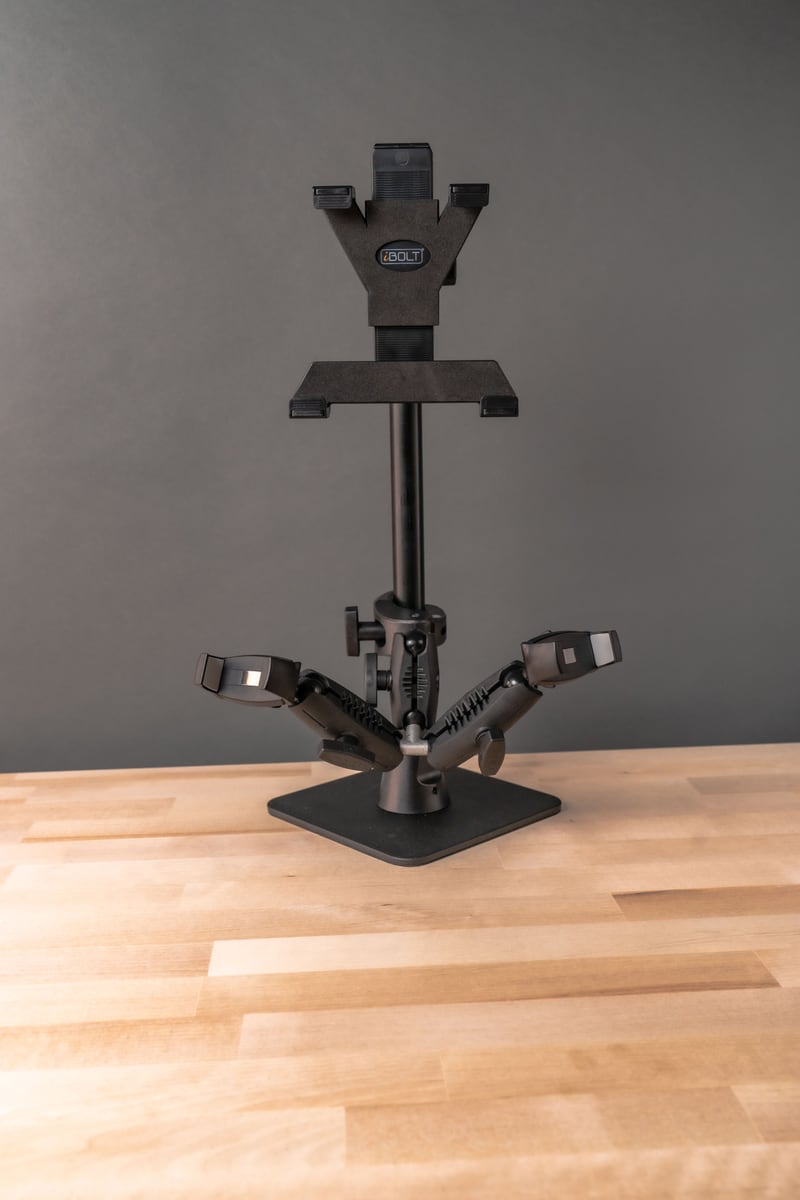
New streaming gear is only half the equation. A camera, phone, or capture card is only as good as what holds it steady, positioned correctly, and out of your way while you talk to your audience. If you picked up new equipment recently and are trying to figure out how to actually mount it, this guide walks through four iBOLT products built for different streaming setups, along with what to check before you buy any of them.

1. iBOLT Stream Cast Creator's Kit
This is the starting point for streamers who want a desk setup that looks intentional instead of improvised. The kit includes an adjustable desk stand that clamps to most tables and desks, plus a telescoping arm so you can raise or lower your camera without rebuilding your whole shot every session. With more than 60 mount combinations available, you can configure the arm and clamp arrangement to match your desk depth, monitor placement, and camera angle.
It works with most popular DSLR cameras and action cameras like GoPro, which matters if you plan to switch between a dedicated camera and a smaller action cam depending on the stream. Before you order, measure your desk edge thickness and confirm your camera's mounting screw size, since this affects which arm and head combination you'll want.


2. iBOLT MiniPro XL Flexible Tripod
A shaky stream is one of the fastest ways to lose viewers. Whether you're on a shelf, a table, or an uneven surface, a stream needs a stand that won't shift mid-broadcast. The iBOLT MiniPro XL is an 11-inch flexible tripod that wraps around railings, bars, or uneven surfaces, and it works with smartphones, small cameras, and GoPro-style action cameras through its 3-in-1 design.
Because it folds down to eleven inches, it travels well if you stream from more than one location, whether that's a home office one day and a live event or outdoor shoot the next. Check your device's weight against the tripod's rated load before mounting a larger phone or camera with an attached microphone or light, since added accessories change the balance point.


3. Stream-Cast Clamp Overhead Phone Mount
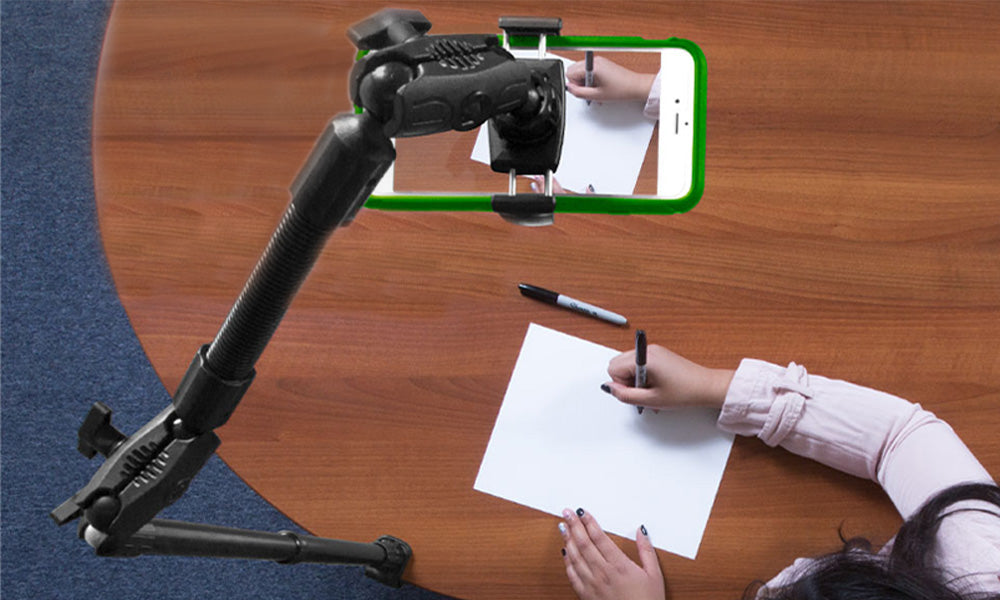
Tutorial and demonstration streamers have a specific mounting problem: the camera needs to point straight down at a desk or workstation, not forward at a face. The Stream-Cast Clamp solves that by clamping onto a table or desk edge and extending a bendable arm over your workspace, so your phone films downward at your hands, tools, or ingredients.
This setup works well for cooking demonstrations, craft tutorials, unboxings, or any content where the subject is what's on the table rather than the person behind the camera. Since the arm is bendable rather than fixed, you can fine-tune the angle for each session instead of being locked into one fixed height. Confirm your table edge is clamp-compatible (thickness and material) before you buy, especially if you're working on glass or a very thin desk.


4. iBOLT 17mm Clamp Mount
If your streaming plans involve motion, mountain bikes, motorcycles, or off-road vehicles, you need a mount rated for vibration, not just a stand that sits still on a desk. The iBOLT 17mm Clamp Mount attaches to handlebars, poles, and posts and is built to hold action cameras through the kind of shaking and impact that a standard desk mount was never designed for.
It's compatible with GoPro Hero action cameras and other action camera brands using the same mount pattern, and it works with smartphones or small video recorders through additional screw adapters. Before mounting on a bike or motorcycle, check your handlebar or pole diameter against the clamp's range, and think through cable routing if you're running external power or a mic, since exposed cables near a moving wheel or joint are a real risk on outdoor rides.


What to Verify Before You Buy a Streaming Mount
Mounts look similar in photos, but fitment details decide whether a mount actually works for your setup. Before ordering any of the products above, check the following:
- Mounting surface: desk edge thickness, handlebar or pole diameter, and material (glass, wood, metal) all affect clamp compatibility.
- Vibration exposure: a desk-bound stream and a bike-mounted action cam have very different stability needs. Match the mount to the environment.
- Device size and weight: a phone with a case, light, and mic attached weighs more and sits differently than the phone alone. Check the mount's rated capacity, not just the device spec sheet.
- Charging and cable routing: plan where your charging cable, HDMI, or mic cable will run before you clamp anything down, especially on moving mounts.
- Removal frequency: if you're breaking down your setup after every stream, a quick-release arm saves time over a mount that requires full reassembly.
- Screw and adapter compatibility: confirm your camera's mount pattern (standard tripod screw, GoPro-style mount, or proprietary bracket) against the adapters included with the mount.
Related iBOLT Mounting Options

iBOLT Dual Tablet- Tripod Slider Bar
A good fit for phone and camera setups used in recording, streaming, and overhead shots.

iBOLT Tripod miniPro XL Flexible 3-in-1 :11 inch Tripod for Smartphones, Cameras, and GoPros
A good fit for phone and camera setups used in recording, streaming, and overhead shots.

iBOLT Stream-Cast Overhead Camera Rig Desk Mount for DSLR Cameras for Top Down and Front Facing Photography
A good fit for phone and camera setups used in recording, streaming, and overhead shots.

iBOLT Stream-Cast sPro2™ Phone Stand- Weighted Base Mount
A good fit for phone and camera setups used in recording, streaming, and overhead shots.
Frequently Asked Questions
Do I need a different mount for a phone versus a DSLR camera?
Not always. Several iBOLT mounts, including the Stream Cast Creator's Kit and the MiniPro XL Tripod, work across phones, small cameras, and action cameras. Confirm your specific camera's mounting screw pattern and weight against the mount's rated capacity before buying.
Can I use an action camera mount for streaming instead of a dedicated action camera?
Yes, as long as your device uses a compatible screw adapter. The 17mm Clamp Mount, for example, works with GoPro Hero cameras and other action cameras or small recorders through the included adapters.
What's the difference between the Stream-Cast Clamp and a standard tripod?
The Stream-Cast Clamp is built for overhead, downward-facing shots, like tutorials or demonstrations, while a tripod like the MiniPro XL is built for forward-facing or angled shots at eye level or wrapped around a surface.
Will these mounts hold up to vibration from a bike or motorcycle?
The 17mm Clamp Mount is designed for handlebars, poles, and posts and is the right choice for vehicle-based streaming. Desk mounts like the Creator's Kit are built for stationary use and are not intended for vibration-heavy environments.
How do I know which clamp size fits my desk or handlebar?
Measure the thickness of your desk edge or the diameter of your handlebar or pole before ordering, and compare it against the clamp range listed on the product page. When in doubt, check with iBOLT support to confirm fitment before you buy.
Can I mix and match arms, clamps, and mount heads?
Yes. The Stream Cast Creator's Kit is built around this idea, with more than 60 combinations of arms, clamps, and mount heads so you can configure a setup specific to your desk, camera, and shot.
Building a streaming setup is less about buying more gear and more about mounting the gear you already have correctly. Start with the mount that matches your environment, whether that's a desk, a handlebar, or an overhead workstation, and the rest of your setup gets a lot easier to manage.

Leave a comment
This site is protected by hCaptcha and the hCaptcha Privacy Policy and Terms of Service apply.