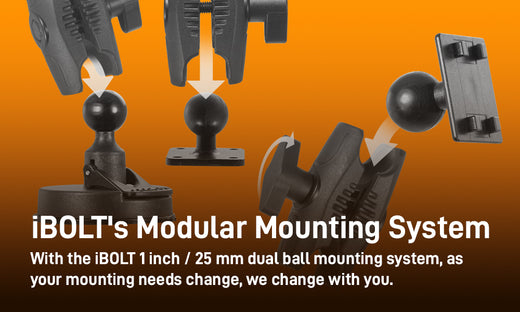
Most mounting problems are not solved by buying a new mount. They are solved by understanding the mounting pattern you already have and matching it correctly to a device holder, arm, or base. iBOLT builds its mounting system this way on purpose: instead of one fixed mount per device, you choose interchangeable parts (base, arm, ball, adapter, holder) and assemble a solution that fits your vehicle, workstation, boat, or classroom setup. This guide breaks down the sizes and patterns you will run into, shows how the pieces connect, and gives you a straightforward way to confirm fitment before you order.
Why a Modular System Matters More Than a Single Mount
A single fixed mount works fine until your device changes, your vehicle changes, or your mounting surface changes. Delivery fleets swap phones. Warehouses upgrade tablets. Boats get re-rigged. A modular system lets you replace one component (say, a phone holder) without replacing the arm bolted into your dash or the base drilled into your console. iBOLT's mounts and adapters use industry standard ball sizes and hole patterns, which means parts you already own from other manufacturers may still work with iBOLT components, and vice versa.
Ball Sizes and Mounting Patterns: What They Actually Mean
Before combining parts, confirm which ball size or hole pattern your existing mount uses. Manufacturers rarely print this on the product, so measure or check the spec sheet if you are unsure.

|
17mm Ball SizeThis is a common ball joint used with Garmin GPS devices, satellite radio units, and many smartphone holders, including iBOLT, Arkon, and Panavise designs. If you are replacing a GPS mount with a phone holder, check for this ball size first. |

|
20mm Ball SizeUsed on iBOLT's FixedPro 360 mounts and comparable systems from other brands. Confirm the 20mm ball before pairing with an arm or base designed for a different size, since it is easy to mistake this for the 17mm or 25mm ball at a glance. |

|
25mm Ball Size (1 inch / B Size)Rated for roughly 2 to 3 lbs of device weight, this is one of the most common sizes in mobile mounting. It is compatible with arms and adapters from Arkon and RAM Mounts as well as iBOLT. This size handles most phones and small tablets without issue, but heavier tablets or devices with rugged cases should be checked against the arm's weight rating. |

|
38mm Ball Size (1.5 inch / C Size)Rated up to roughly 4 lbs, this larger ball size is built for tablets and heavier equipment. It pairs with C-size arms and adapters from Arkon, RAM Mounts, and iBOLT. If your tablet has a keyboard case or a heavy protective shell, this size gives more holding margin than the 25mm ball. |

|
GoPro AdapterStandard GoPro cameras do not use a 1/4-20 camera screw. Instead, they rely on a three-tongue connection point secured with a small locking screw. If you are mounting an action camera, verify you have this adapter style rather than a standard camera screw plate. |

|
VESA 75x75 and VESA 100x100VESA (Video Electronics Standards Association) patterns are used on most LCD monitors and some in-vehicle or in-facility displays. The hole spacing is either 75mm x 75mm or 100mm x 100mm. Check the back of your monitor or display for these four mounting holes before ordering a VESA adapter, since the two sizes are not interchangeable without a converter plate. |

|
4 Prong PatternFour pins extend from the plate to lock a device holder onto a mount. This pattern shows up on many iBOLT tablet holders and on iGrip by Herbert Richter products. It is a secure, low-profile way to attach a holder without screws. |

|
Dual-T / 2T PatternTwo T-shaped prongs connect a device or holder to a mount. This is common on GPS units, satellite radios, and many Arkon smartphone and tablet cradles. If you are replacing an older GPS mount, this is one of the first patterns to check for. |

|
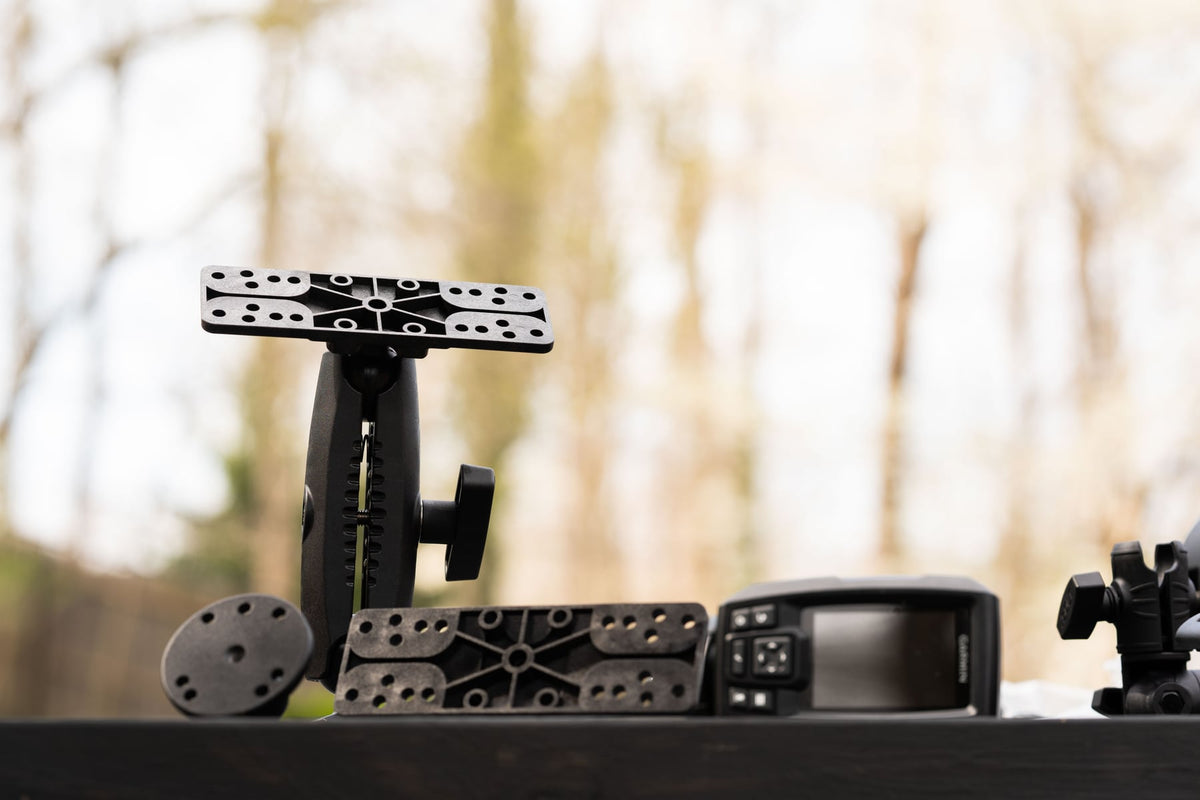
AMPS PatternFour holes spaced 1.181 in x 1.496 in (30mm x 38mm) make up the AMPS pattern, used widely for vehicle-specific brackets and drill-base mounting. Garmin, Tom Tom, iBOLT, Arkon, Proclip, Panavise, and RAM Mounts all use this pattern, which makes it one of the more flexible options when you need to match hardware across brands. |
How the Pieces Connect: Base, Arm, Ball, and Holder
Once you know your ball size or hole pattern, building a mount is a matter of stacking compatible parts. A typical setup starts with a mounting arm.

These Bizmount 25mm (1 inch, B size) arms pair with any industry standard 1 inch ball mount, including iBOLT's own 1 inch ball mounts shown below.

From there, you attach your device using either an adapter or a device holder, depending on what you are mounting. Examples of iBOLT device holders include the following.

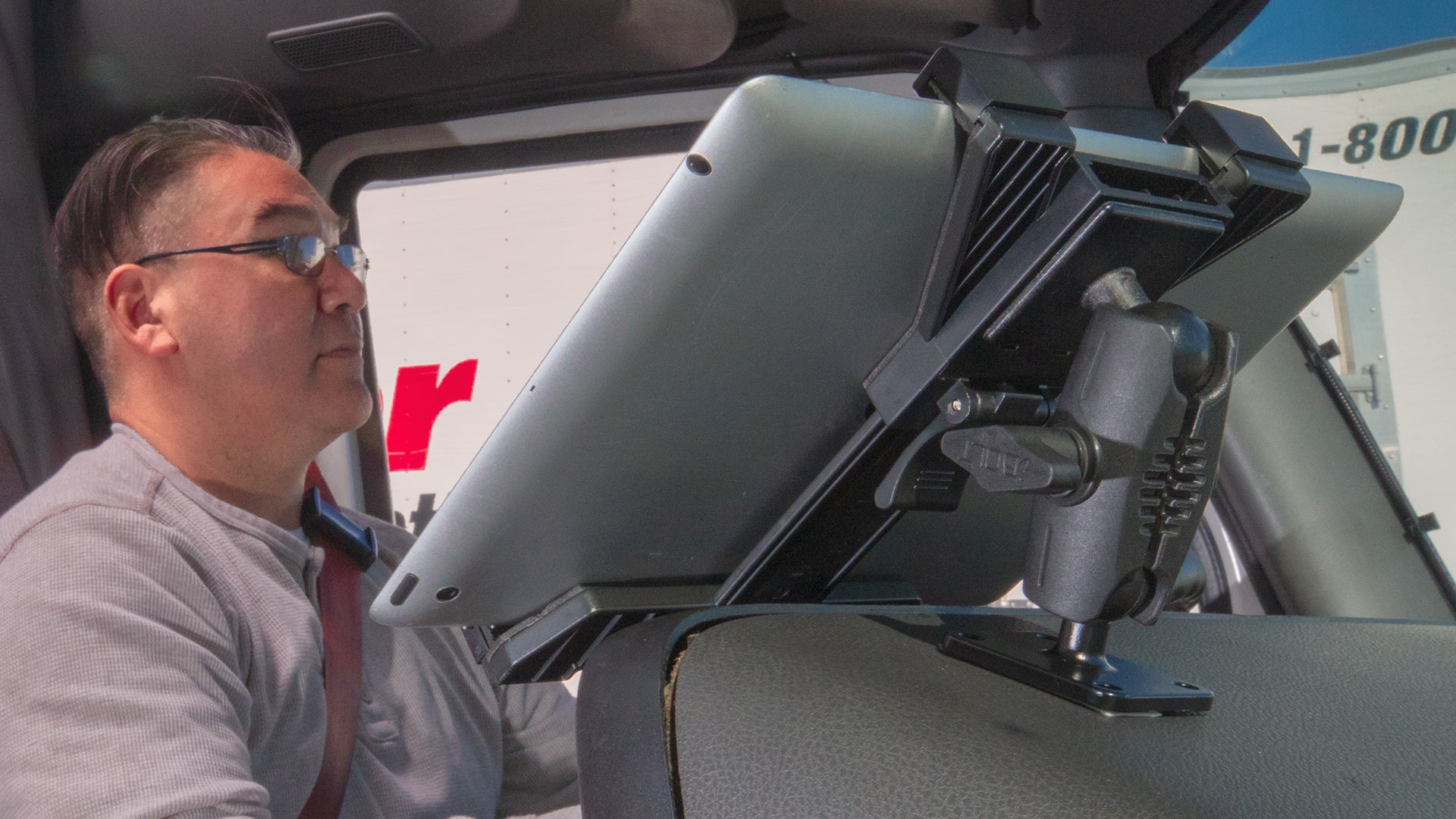
Stacked together, these parts form a mount built for your specific device, vehicle, and use case, and they stay upgradeable as your needs change. iBOLT continues to add new arms, adapters, and holders, and designs them to work with other established mounting brands, not just its own lineup. Every iBOLT mount is backed by a two year warranty, so you are not replacing a cracked gas-station phone holder every few months.
What to Verify Before You Buy
A modular system only works well if you confirm fitment before purchase. Check the following:
- Mounting surface: dash, console, windshield, wall, desk, or drilled panel. Some bases require flat surfaces or specific thickness for suction or adhesive to hold.
- Vibration exposure: commercial vehicles, boats, and off-road use put more stress on ball joints and locking arms than a daily commuter car. Match the ball size and arm rating to the environment, not just the device weight.
- Device size and weight: a phone in a slim case is very different from a rugged tablet with a keyboard. Check the holder's stated size range and the arm's weight rating together.
- Charging and cable routing: if you need a charging dock or wired connection, confirm the holder supports your charging cable orientation and that the arm allows enough slack for the cord.
- Removal frequency: if a driver or worker removes the device often, a quick-release holder saves time versus a screw-locked mount meant to stay in place.
- Security: fleet and shared-device setups often need locking mounts or anti-theft hardware, which is worth specifying up front rather than retrofitting later.
Use the Configurators to Skip the Guesswork
If you are not sure which parts to combine, iBOLT's configurators build the mount for you based on your device and use case. Use the smartphone configurator for phone mounts or the tablet configurator for tablets. Both walk through holder, mount, and accessory selection so you are not guessing at ball sizes or hole patterns.
Available for Tablet Mounts
Available for Phone Mounts

Related iBOLT Mounting Options

iBOLT™ xProDock™ Bizmount™ Amps
A related iBOLT option that matches the mounting needs covered in this article.

iBOLT™ TabDock™ Bizmount™ Wedge
A related iBOLT option that matches the mounting needs covered in this article.

iBOLT™ LockPro™ Metal Locking Tablet Drill Base Mount
A related iBOLT option that matches the mounting needs covered in this article.

iBOLT™ xProDock™ Bizmount™ Console- Phone Cup Holder Mount
A related iBOLT option that matches the mounting needs covered in this article.
FAQ
How do I find out what ball size or pattern my current mount uses?
Measure the ball diameter directly, or check the product listing or manual from the original manufacturer. If you cannot find documentation, comparing against the sizes listed above (17mm, 20mm, 25mm, 38mm) with a tape measure is usually enough to identify it.
Can I mix iBOLT parts with mounts I already own from other brands?
In many cases yes, since iBOLT builds to industry standard ball sizes and hole patterns like AMPS, VESA, and Dual-T. Always confirm the exact size and pattern match before ordering, especially with older or discontinued mounts.
What is the difference between an adapter and a device holder?
An adapter connects a mount to a device that already has a screw mount or bracket point, such as a GoPro or VESA-compatible display. A device holder cradles a phone or tablet directly, usually with spring-loaded arms or a fixed size range.
How do I choose between a 25mm and 38mm ball size for a tablet?
Weight is the deciding factor. Lighter tablets without cases typically work fine on a 25mm arm rated for 2 to 3 lbs. Tablets with keyboard cases, rugged shells, or larger screens should use a 38mm arm rated up to 4 lbs for a more secure hold.
Will a modular mount hold up in a high vibration environment like a truck or boat?
It depends on the specific arm and ball joint, not just the mounting pattern. Look for reinforced locking arms and confirm the weight rating matches or exceeds your device weight before installing in a vehicle or vessel that sees regular vibration or rough terrain.
Do I need the configurator if I already know my mounting pattern?
Not necessarily, but it is useful for confirming that the arm, ball, and holder you are selecting are actually compatible with each other, especially if you are combining parts across different product lines.

Leave a comment
This site is protected by hCaptcha and the hCaptcha Privacy Policy and Terms of Service apply.