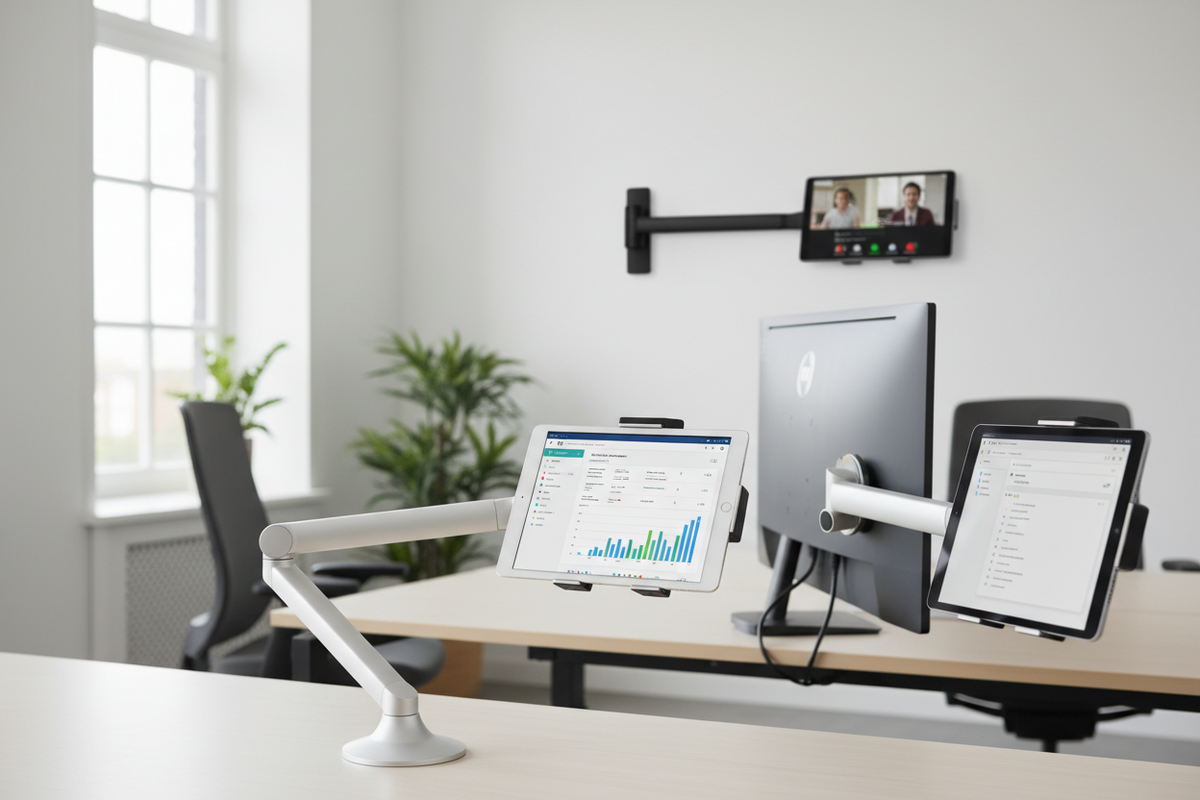
Restaurants and retail counters rarely run on one tablet anymore. A single POS station might need one device for order entry, a second for a delivery platform like DoorDash or Uber Eats, and a third for reservations or a digital menu board. When those tablets end up stacked on a counter or propped against a register, cables tangle, screens get bumped, and staff waste time hunting for the right device mid-rush. A multiple tablet mount solves this by giving each device a fixed, visible position in one footprint instead of scattered across a counter.
This is a common need across retail, warehouses, healthcare front desks, and schools, but it shows up most often in restaurant and quick-service environments where counter space is tight and multiple third-party apps run on separate hardware. Here is what to know before choosing a mounting setup for that environment.
Why Restaurants End Up With Multiple Tablets in the First Place
Most operators do not plan for three or four tablets at one station. It happens gradually:
- A dedicated device is added for each delivery platform because integrations do not always share one screen
- A separate tablet handles reservations or waitlist management
- Point-of-sale runs on its own hardware, separate from order-taking apps
- A tablet is added for digital signage, menu boards, or customer-facing checkout
Each addition makes sense on its own, but the cumulative effect is counter clutter, tangled charging cables, and devices that get knocked over during a rush. This is the point where a dedicated mounting system starts paying for itself in fewer dropped devices and fewer seconds lost looking for the right screen.
What a Multiple Tablet Mount Actually Does
A multiple tablet mount holds two or more tablets in fixed positions within a single stand or base, instead of requiring separate mounts scattered around a counter or wall. The Tablet Tower, for example, holds three iPads in individual locking holders on one counter-mounted stand, which is a common configuration for POS and order-management setups that need more than one device but do not have room for three separate mounts.
The core value is organization and security in one move: each tablet has a defined slot, staff know where to find it, and in customer-facing areas the locking mechanism keeps a device from being picked up and walked off with.
What to Verify Before You Buy
Multi-tablet stands are not one-size-fits-all. Confirm these details before ordering:
- Device size and case fit. Check the mount's stated tablet size range and whether it accommodates your tablets with or without a protective case. A holder sized for a bare iPad may not close around one in a rugged case.
- Number of devices needed now versus later. If you are running two tablets today but expect a third app or device soon, it is worth sizing up rather than buying a two-unit mount and replacing it in six months.
- Locking security. In front-of-house or customer-facing setups, a locking mount deters theft and accidental removal. Confirm whether the lock uses a key, combination, or proprietary release, and who on staff will hold access.
- Counter footprint and depth. Measure the counter space available, including clearance for the base and any swing needed to angle individual tablets toward staff or customers.
- Charging and cable routing. Tablets running all shift need power. Check whether the mount has built-in cable channels or ports for charging cables, and plan the route back to an outlet so cords are not crossing a walkway or prep area.
- Mounting method. Some stands sit freestanding on a counter with a weighted base, others bolt down permanently. Freestanding is easier to reposition or move between stations, while a bolted base resists being knocked over in high-traffic areas.
- Screen visibility and angle. If multiple staff members need to see the same screen from different positions, confirm the mount allows independent tilt per tablet rather than a single fixed angle for the whole unit.
Where Multi-Tablet Mounting Setups Get Used
The same organizational problem shows up outside restaurants too, though the specifics change:
- Restaurants and quick-service counters: separate tablets for POS, delivery platforms, and reservations at a single order station.
- Retail checkout: one device for transactions, another for inventory lookup or loyalty program enrollment.
- Warehouses and receiving docks: multiple tablets tracking inbound shipments, inventory counts, and dispatch simultaneously.
- Front desks in healthcare or hospitality: scheduling on one screen, patient or guest check-in on another.
- Classrooms and training rooms: mounted tablets used for stations, testing, or shared instructional content.
In every case the underlying need is the same: keep devices upright, visible, and in a fixed spot so staff are not repositioning or searching for tablets during busy periods.
Features Worth Prioritizing for Long-Term Use
Beyond initial fit, a few features determine whether a multi-tablet mount holds up under daily commercial use:
- Build material. Metal bases and holders tend to outlast plastic in high-traffic counter environments where the stand gets bumped regularly.
- Individual adjustability. Each tablet slot should tilt or angle independently so staff at different heights or positions can all see their screen clearly.
- Cable management built in. Routing channels that keep charging cords contained reduce the trip hazard and tangled-cord look at a counter.
- Ease of loading and removing tablets. If tablets need to come out for updates, cleaning, or end-of-shift storage, check how quickly a device can be released from the locking holder without tools.
Related iBOLT Mounting Options

iBOLT Tablet Tower- Dock’n Lock POS Locking Drill Base Mount - with 3 Tablet Holders
A related iBOLT option that matches the mounting needs covered in this article.

TabDock™ FlexPro Clamp
A related iBOLT option that matches the mounting needs covered in this article.

iBOLT™ TabDock™ Bizmount™ Suction Cup Mount
A related iBOLT option that matches the mounting needs covered in this article.

iBOLT Dock’n Lock Drill Base Locking Dual Tablet Stand
A related iBOLT option that matches the mounting needs covered in this article.
Frequently Asked Questions
How many tablets can one mount realistically support?
Most multi-tablet stands are built for two or three devices, since more than that becomes difficult to view and access from a single counter position. If you need more than three, plan for a wider workstation or a second stand rather than overloading one unit.
Will a locking tablet mount work with a case on the device?
It depends on the mount and the case thickness. Check the manufacturer's stated size range and, when possible, confirm fit with your exact case before ordering, especially for rugged or heavy-duty cases that add significant bulk.
Does a multi-tablet stand need to be bolted to the counter?
Not always. Many stands use a weighted freestanding base that resists tipping without permanent mounting, which makes it easier to reposition the stand or move it between stations. High-traffic or customer-facing areas may still benefit from a bolted base for added stability.
Can staff still charge tablets while they are mounted?
Yes, as long as the mount has cable routing or ports designed for that purpose. Confirm cable channel placement before buying so you can plan how power cords reach an outlet without crossing a walkway.
Is a locking mount necessary, or is an open holder enough?
Open holders are fine for back-of-house or low-risk areas. In customer-facing spots, or anywhere devices are left unattended, a locking mount reduces the risk of a tablet being picked up and removed, whether intentionally or by accident.
Can a multi-tablet mount be added to an existing counter without major changes?
In most cases, yes. Freestanding stands simply sit on the counter surface, and even mounts that bolt down typically only require a small footprint. Measure available counter depth and width first to confirm the stand fits alongside existing registers or equipment.

Leave a comment
This site is protected by hCaptcha and the hCaptcha Privacy Policy and Terms of Service apply.