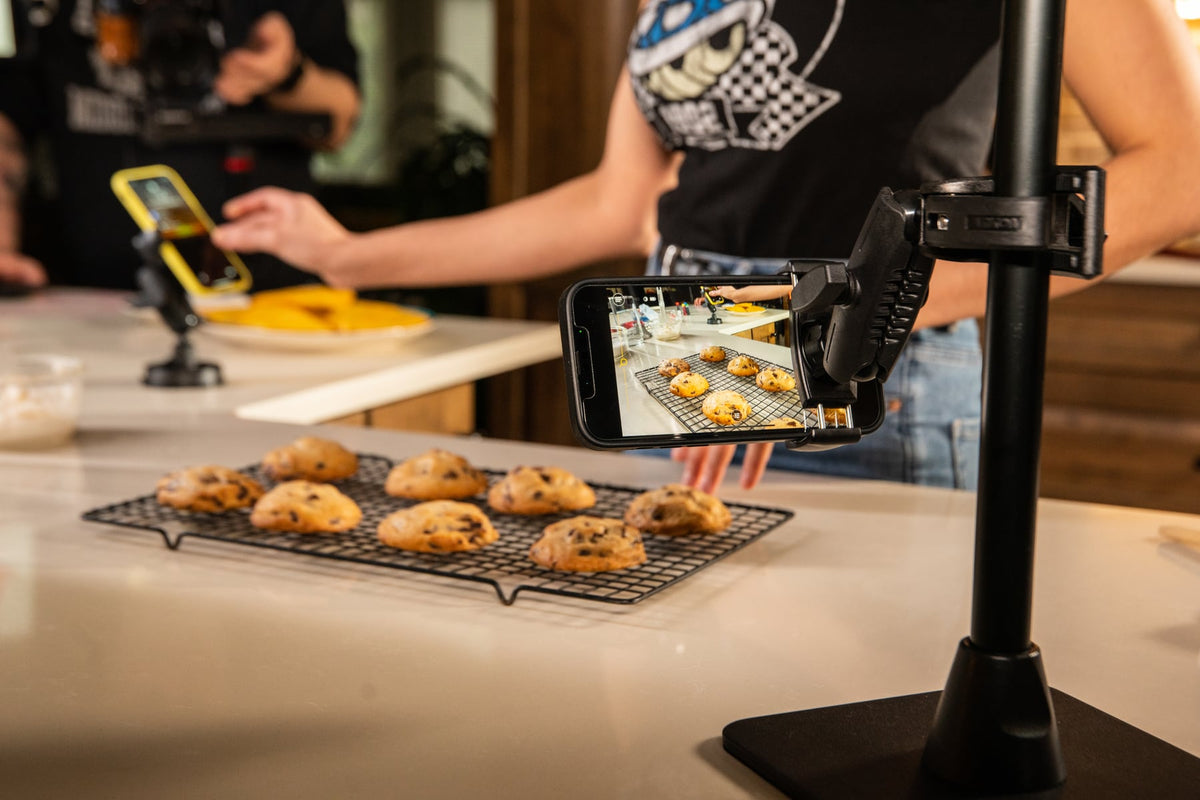
If your front counter has turned into a lineup of propped-up tablets, tangled charging cables, and staff reaching across each other to accept a DoorDash order while ringing up a walk-in customer, you are not alone. Third-party delivery apps now make up a real share of restaurant revenue, and most operators are running two, three, or more tablets alongside a POS terminal just to keep orders flowing.

The problem is rarely the software. It is the hardware. Tablets propped against napkin holders or leaned on a POS stand slide, wake screens accidentally, and make it hard to see which app just pinged. A dedicated tablet mounting system solves the physical problem so your staff can focus on the orders instead of the clutter.
Why a Tablet Tower Beats Loose Tablets on the Counter
An iBOLT Tablet Tower gives every delivery app and POS tablet its own fixed position, at eye level, with a clear view of notifications. Instead of tablets sliding around or getting buried under receipts, each device sits upright in its own holder, cables routed down the pole instead of across the counter.
This matters most during rush periods. When a Grubhub alert, an Uber Eats order, and a walk-in customer all hit at once, staff need to glance at a tower and know instantly which screen needs attention. That is a workflow improvement, not just a tidiness upgrade.

Limited Counter Space? The Base Option Matters
Most restaurants do not have counter space to spare, which is why iBOLT Tablet Towers ship with interchangeable base options rather than one fixed mounting method. The base you choose depends on your counter and how permanent you want the install to be:
- Drill base mount - the most stable option, best for a permanent POS station that will not move.
- C-clamp base - clamps to a counter edge or shelf without drilling, good for rented spaces or stations that may get rearranged.
- Weighted base - a freestanding option (roughly 3.4 lbs) for counters where you cannot drill or clamp, though it needs more open surface area than the other two.
If your counter is tight on room, the weighted base is usually the wrong call since it needs its own footprint. A drill or clamp base keeps the pole vertical and frees up the surface underneath.
Contact iBOLT directly if you need a base configuration outside these three standard options.

Will It Fit Your Current Tablets?
iBOLT's TabDock tablet holders are built to hold tablets in the 7 to 10 inch range, which covers most of the devices restaurants actually deploy for delivery apps and mobile POS, including iPad, Samsung Galaxy Tab A and A7 Lite, Samsung Tab E, and similarly sized Android tablets. If your device is a common 7 to 10 inch tablet, it should seat and lock properly in the holder.
If you are running a tablet larger than 10 inches, check the specific product page before ordering, since larger devices need a different holder size. When in mind, measure your tablet including any case, since a bulky protective case can push a device outside the holder's clamp range.

What to Verify Before You Buy
A tablet tower is a longer-term fixture in your restaurant, so it is worth confirming a few details before you order:
- Tablet size and case fit - measure width, height, and thickness with the case on, and check it falls inside the 7 to 10 inch holder range.
- Mounting surface - decide whether the counter can be drilled, clamped, or needs a freestanding weighted base.
- Number of devices - count how many delivery apps and POS terminals you actually run at once. Buying one slot short means a tablet still ends up loose on the counter.
- Cable routing - confirm where power outlets sit relative to the base, since charging cables run along the pole to each tablet.
- Removal frequency and security - if tablets need to come off the tower for cleaning, charging elsewhere, or overnight storage, a locking Dock'n Lock style holder protects against theft or accidental removal while still allowing authorized staff to release it.
- Ball and arm sizing - iBOLT Tablet Towers use a standard 1 inch ball joint (also listed as 20mm, 22mm, or 25mm ball depending on the component), which keeps the system compatible across the holder and base options in the line.

Choosing the Right Tablet Tower for Your Restaurant
iBOLT's Tablet Tower Series is built around a common arm and holder system, with the extending arm standing 17 inches tall and extending to 28 inches when you need more clearance between the base and the tablet.
- Tablet holders adjust to fit tablets 7 to 10 inches, including iPad, Samsung Galaxy Tab A / A7 Lite, Samsung Tab E, Google Nexus, Sony Xperia tablets, and Asus VivoTab.
- Holders attach to the pole using a 1 inch ball joint system, so additional holders can be added along the same arm.
- Base options (drill, clamp, or weighted) mount to the pole using provided hex hardware, so the same tower can be reconfigured if your counter setup changes.
The two questions that decide which model fits your restaurant are simple. First, how much counter space do you actually have to work with, which determines your base choice. Second, how many delivery apps and POS tablets do you run at once, which determines how many holders you need on the tower.


Compare iBOLT Tablet Tower Models
iBOLT's standard lineup runs 3, 4, and 5 tablet holders per tower. If your restaurant runs more devices than that, or needs a specific base configuration, email support@iboltmounts.com to discuss a custom build.


Related iBOLT Mounting Options

iBOLT™ Tablet Tower- TabDock™ POS Clamp Mount - with 3 Tablet Holders
Helpful for organizing tablets used for orders, delivery apps, and point-of-sale workflows.

iBOLT Tablet Tower- TabDock™ POS Clamp Mount - with 4 Tablet Holders
Helpful for organizing tablets used for orders, delivery apps, and point-of-sale workflows.

iBOLT™ Tablet Tower- TabDock™ POS Clamp Mount - with 5 Tablet Holders
Helpful for organizing tablets used for orders, delivery apps, and point-of-sale workflows.

iBOLT Tablet Tower- TabDock™ POS Wall Mount - with 3 Tablet Holders
Helpful for organizing tablets used for orders, delivery apps, and point-of-sale workflows.
Watch: iBOLT TabDock POS Clamp Mount with 3 Tablet Holders (IBRT-34700)
Watch the standard three-holder TabDock station being assembled, including the pole connections and adjustable tablet holders.
View iBOLT TabDock POS Clamp Mount with 3 Tablet Holders (IBRT-34700)
Watch: iBOLT TabDock POS Clamp Mount with 4 Tablet Holders (IBRT-34707)
Watch the standard four-holder TabDock station being assembled and adjusted for a multi-tablet workstation.
View iBOLT TabDock POS Clamp Mount with 4 Tablet Holders (IBRT-34707)
FAQ
What tablet sizes work with iBOLT Tablet Towers?
The standard TabDock holders fit tablets 7 to 10 inches, including iPad, Samsung Galaxy Tab A and A7 Lite, Samsung Tab E, and similarly sized Android tablets. Measure with your case attached before ordering.
How many tablet holders do I need?
Count every delivery app and POS device you run at the counter at the same time. iBOLT's standard towers come in 3, 4, and 5 holder configurations, and custom builds are available for restaurants running more than that.
Which base should I choose if my counter space is tight?
A drill base or c-clamp base takes up less counter footprint than a weighted freestanding base, since the pole mounts to an edge or surface rather than sitting on its own base plate.
Can tablets be removed from the tower for charging or cleaning?
Yes, though how easily depends on the holder. Dock'n Lock style holders add a locking mechanism so tablets stay secured during service but can still be released by authorized staff.
Does the tower support cable routing to a power source?
The pole and arm are designed to route charging cables from base to tablet, but you should confirm outlet placement relative to your chosen base before installing, especially with a drill or clamp mount away from existing power.
Can I get a custom configuration?
Yes. Email support@iboltmounts.com with your tablet count, sizes, and counter constraints to discuss a custom Tablet Tower build.


Leave a comment
This site is protected by hCaptcha and the hCaptcha Privacy Policy and Terms of Service apply.