Fleet managers know the difference between a mount that looks good in a catalog and one that holds up in daily service. When you're buying ELD mounts for 50 trucks, the decision goes beyond price per unit.
The FMCSA ELD mandate changed how truckers work. Your tablet isn't just displaying navigation anymore. It's logging hours of service, tracking duty status, and keeping your fleet DOT-compliant. That tablet needs to stay visible, secure, and accessible through an entire 11-hour driving shift.
TL;DR: Choose a fleet ELD tablet mount by install type and locking needs, then measure each tablet in its case and confirm holder limits with iBOLT. The LockPro FlexPro, Dock'n Lock IncrediBOLT 360 AMPS and TabDock FixedPro 360 each suit a different install.
Why do consumer tablet mounts fail in fleet trucks?
Consumer tablet mounts work fine for weekend trips. They don't work for commercial trucking. Here's what breaks first:
Vibration fatigue: Highway driving generates constant low-frequency vibration. Many consumer mounts use plastic joints that can loosen with daily use. Your drivers start adjusting the mount multiple times per shift, then complain the tablet won't stay put.
No security: Truck stops see tablet theft, and most consumer mounts have no lock. Drivers either carry the ELD tablet every time they leave the cab or risk losing it and facing the compliance headache of a missing ELD.
Cable management problems: ELD tablets need power all shift. Consumer mounts don't route charging cables cleanly. Cables hang loose, get caught on gear shifters, or create driver distraction.
Installation inconsistency: When you're mounting tablets in 50 identical trucks, you need repeatable installs. Consumer mounts often require custom positioning for each cab, making fleet rollouts slow and expensive.
What should a fleet ELD tablet mount include?
A fleet ELD tablet mount should offer a standard mounting interface, locking, clear driver visibility and maintenance access, judged over the full service life of the truck.
AMPS compatibility: The AMPS four-hole pattern lets one base accept many AMPS-pattern holders and accessories, so fleets can standardize across device types.
Locking mechanisms: Physical locks protect tablets during mandatory rest breaks and overnight stops. Key-based locks work better than combination locks in fleet environments where multiple drivers share vehicles.
Driver visibility optimization: ELD screens need to be readable at a glance without taking eyes off the road. Mount positioning affects both compliance monitoring and driving safety.
Shift-change access: The incoming driver needs quick access to the ELD, so keys should follow a fleet key policy.
Maintenance accessibility: Fleet mechanics need to service trucks without removing tablet mounts. Mounts that interfere with routine maintenance create unnecessary labor costs.
Which iBOLT ELD tablet mount fits your fleet?
The right iBOLT ELD tablet mount depends on where you can install it. Choose the LockPro FlexPro for a seat rail install with a keyed locking cradle, the Dock'n Lock IncrediBOLT 360 AMPS to standardize on AMPS bases with a locking holder, or the TabDock FixedPro 360 for a permanent drill-base install.
LockPro FlexPro seat rail mount (IBBZ-33971)

The LockPro FlexPro Seat Rail Mount addresses the core fleet requirements. The metal locking cradle comes with keys and fits tablets within the selected holder's limits, so measure the cased tablet's width, height and depth and confirm those limits with iBOLT. Mounting to the passenger seat rail keeps the windshield and dash clear, and included hardware also allows floor installation.
The 18-inch aluminum gooseneck arm and 360-degree rotation let drivers set the ELD screen in portrait or landscape without blocking gauges or mirrors.
Dock'n Lock IncrediBOLT 360 AMPS (IBDY-34338)

For fleets needing AMPS standardization, the Dock'n Lock IncrediBOLT 360 AMPS uses the AMPS hole pattern, so confirm that existing fleet bases share it. Its locking holder helps protect tablets during driver breaks. Confirm the lock type and holder limits with iBOLT, measuring the tablet in its case.
Set the screen angle for each cab layout, check that the holder's grip points leave the charging port clear, and route the cable away from the gear shift.
TabDock FixedPro 360 drill base (IBBZ-33768)

TabDock™ FixedPro 360 - TabDock holder (SKU IBBZ-33768) $43.25, TabDockXL holder (SKU IBBZ-33768-XL) $48.95. The cart button adds the TabDock holder. Choose TabDockXL on the product page.
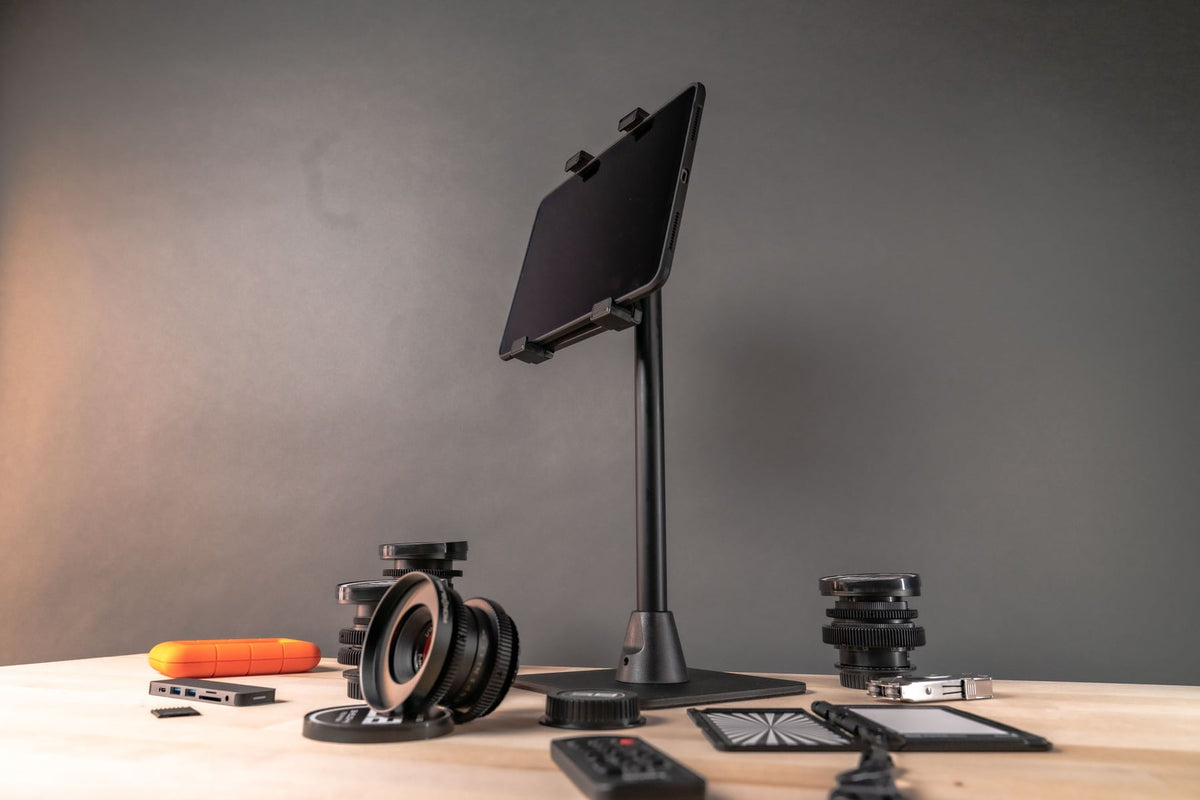
The TabDock FixedPro 360 works for fleets that need permanent installation. The drill base gives the ELD a permanent, fixed position, and the metal multi-angle mount is built to resist wear and tear. Confirm holder limits for your variant with iBOLT.
How should fleets roll out ELD tablet mounts?
Fleets should roll out ELD tablet mounts with one documented install position per truck model, so every driver gets the same ELD visibility. Repeatable installs also cut installation time.
Plan power cable paths that avoid driver controls and snag points, and check that each holder's grip points leave the charging port open.
Driver training on locking mechanisms prevents security issues and reduces support calls. Key-based locks are simpler for drivers to understand compared to electronic or combination systems.
How do iBOLT fleet mounts compare with RAM and consumer brands?
iBOLT's fleet options differ by install type, RAM Mounts is known for excellent build quality at premium pricing, and consumer brands suit individual drivers better than fleets.
| Feature | iBOLT Fleet Mounts | RAM Mounts | Consumer Brands |
|---|---|---|---|
| Locking | Keyed cradle on LockPro FlexPro, locking holder on Dock'n Lock IncrediBOLT 360 AMPS, FixedPro 360 not listed as locking | Varies by kit | Often no locking |
| Mounting Interface | AMPS on Dock'n Lock IncrediBOLT 360, seat rail or floor on FlexPro, drill base on FixedPro | Ball-and-socket system | Brand-specific mounting |
| Fleet Pricing | Ask iBOLT about volume orders | Premium pricing | Individual unit pricing |
| Construction | Metal FixedPro, aluminum FlexPro arm | Excellent build quality | Often plastic parts |
Before mixing brands, confirm that bases, arms and holders share the same ball size and hole pattern. Consumer brands like Arkon or Bracketron can work for individual owner-operators but may lack the locking and installation consistency fleets need.
Frequently Asked Questions
Q: Do iBOLT mounts meet DOT windshield mounting regulations?
A: Compliance depends on where the tablet ends up, not on the mount alone. A seat rail mount keeps the device off the windshield, and any windshield install should be checked against 49 CFR 393.60 and state rules.
Q: Can drivers use personal devices with fleet-installed iBOLT mounts?
A: The adjustable cradles accept tablets within each holder's limits, so measure each driver's device in its case first. Manage keys under your fleet's device security policy.
Q: What's the difference between AMPS and VESA mounting patterns?
A: AMPS is a four-hole pattern, about 30 by 38 mm, common on vehicle and device mounts. VESA patterns are larger square patterns used mainly for monitors, so check which pattern your base and holder use.
Q: Do iBOLT mounts interfere with truck maintenance access?
A: A seat rail mount sits inside the cab away from the engine bay. Plan any dash install clear of panels and service points.
Q: Can fleet managers get volume pricing on iBOLT mounts?
A: Contact iBOLT about pricing and support for bulk fleet orders.
Compare the LockPro FlexPro, Dock'n Lock IncrediBOLT 360 AMPS and TabDock FixedPro 360 to find the right option for your fleet, and measure each tablet in its case before ordering.

Leave a comment
This site is protected by hCaptcha and the hCaptcha Privacy Policy and Terms of Service apply.