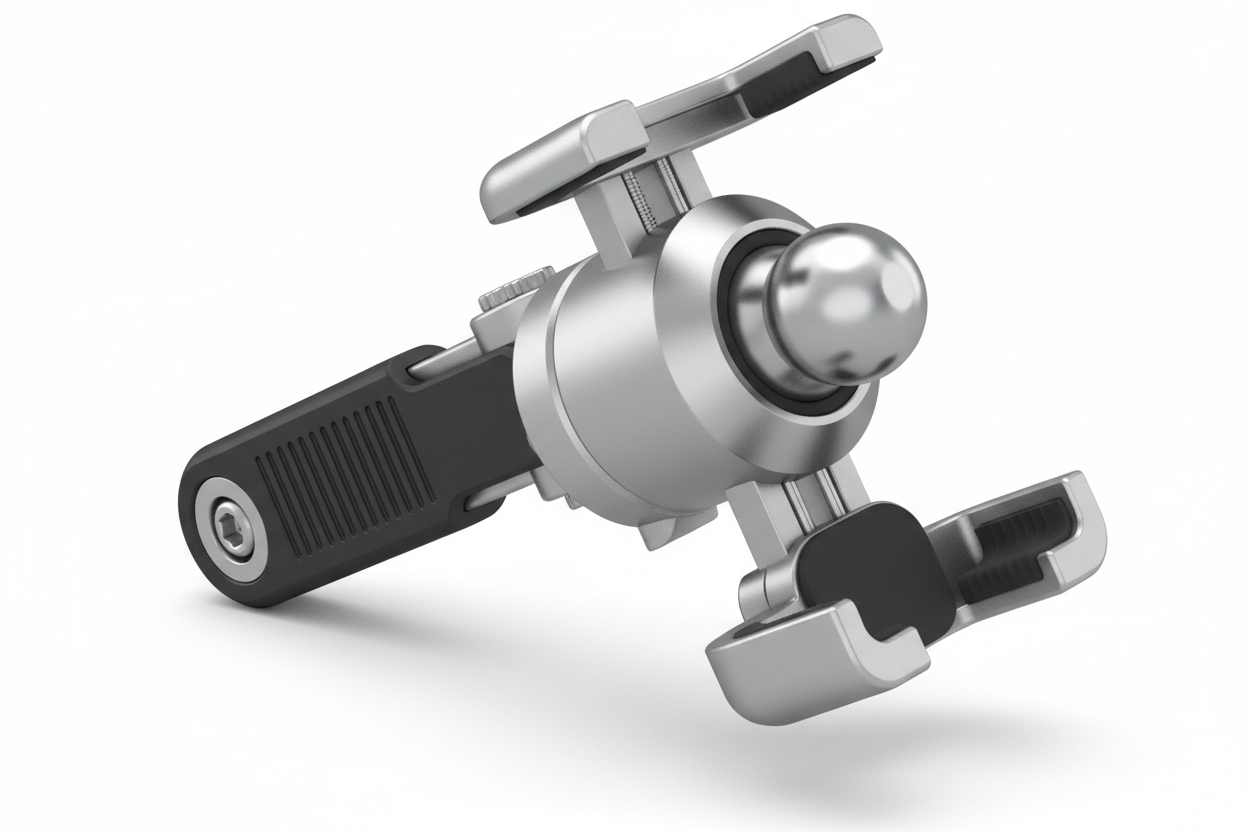
Mounting systems show up everywhere devices need a stable, adjustable home: delivery vans, warehouse forklifts, restaurant POS stations, boat helms, and content creator desks. The part doing most of the work in all of these setups is often a simple mechanical joint: a ball that pivots inside a socket. Understanding how a ball joint mount actually works, and what to check before buying one, helps you avoid mismatched hardware and mounts that loosen under vibration.
What a Ball Joint Mount Actually Does
A ball and socket mount uses a spherical ball connected to a device platform, and a socket or clamp that closes around it. Loosen the socket and the ball rotates freely, letting you tilt, rotate, and angle a device. Tighten the socket and friction locks the ball in place, holding that position until someone deliberately adjusts it again.
This two-part design is why the system is used so widely. It gives you full multi-directional adjustment without needing a separate hinge for tilt, a separate joint for rotation, and a separate arm for reach. One ball joint handles all three.
Ball joint mounts are typically chosen when a job requires:
- Frequent angle changes between users or tasks
- A compact mounting footprint (dash, wall, pole, or console space is limited)
- Quick, tool-free repositioning
- The ability to swap devices on the same base over time
Ball vs. Socket: What Each Component Is Responsible For
It helps to separate the two halves when you are shopping, because they fail or perform differently under load.
The Ball
The ball is the pivot point. Its size and material determine how much load it can carry before flexing or slipping under vibration. Larger balls generally support heavier devices with less wobble.
The Socket
The socket clamps around the ball and creates the friction that holds your chosen angle. A worn socket, a stripped locking knob, or a socket sized for a different ball diameter is the most common cause of a mount that "won't stay tight." If a mount is drooping under a tablet's weight, the socket tension (or the ball size) is almost always the reason, not the whole mount design.
Where Ball and Socket Mounts Are Actually Used
Vehicle and Fleet Mounting
Delivery vehicles, service trucks, and passenger cars use ball joint systems to position GPS units, phones, and rugged tablets where a driver can see them without blocking sightlines. In this environment, vibration resistance and socket tightness matter more than in a static office, since road vibration is constant and cumulative.
Warehouse and Industrial Settings
Handheld computers, barcode scanners, and monitors mounted to forklifts, workstations, or pick carts benefit from quick repositioning between shifts and operators. Here, load capacity and long-term durability under repeated adjustment are the priority.
Marine Applications
Helm space is limited and moisture exposure is constant, so ball and socket mounts for chartplotters and VHF displays need corrosion-resistant hardware and a locking mechanism that holds through pitching and rolling, not just casual bumps.
Office and Workstation Setups
Monitor arms and tablet stands use the same mechanism for ergonomic adjustment, though load and vibration demands are much lower than vehicle or marine use.
Photography and Content Creation
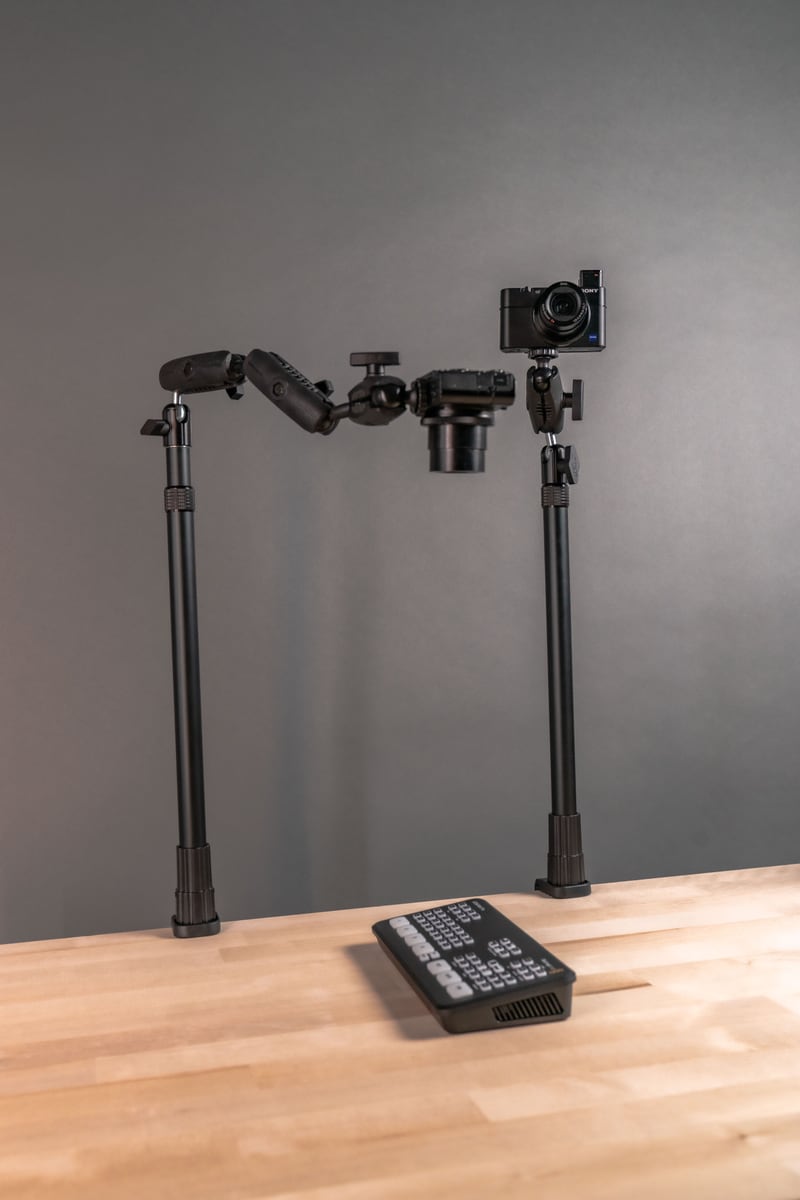
Cameras, ring lights, and microphones mounted on ball heads rely on the same principle: quick angle changes during setup, then a firm lock during a shoot.
Common Ball Sizes and Why Standardization Matters
Most mounting ecosystems settle on a handful of standardized ball diameters, most commonly 17 mm, 20 mm, 22 mm, and 25 mm (1-inch). Standardization means you can mix a mounting base from one product line with an arm or device cradle from another, as long as the ball size matches.
This matters practically because it lets you upgrade a device (say, moving from a phone to a larger rugged tablet) without replacing the entire mounting base, as long as the new cradle uses the same ball size and the base can handle the added weight.
What to Verify Before Buying
A ball joint mount looks simple, but a few details determine whether it holds up in your actual environment:
- Device weight and size: heavier tablets and larger monitors need a larger ball diameter and a stronger socket clamp. Check the mount's rated weight capacity against your device, not just its screen size.
- Vibration exposure: vehicle, forklift, and marine mounts see continuous low-level vibration that can loosen a socket over time. Look for locking mechanisms designed for that use case, not just office-grade friction joints.
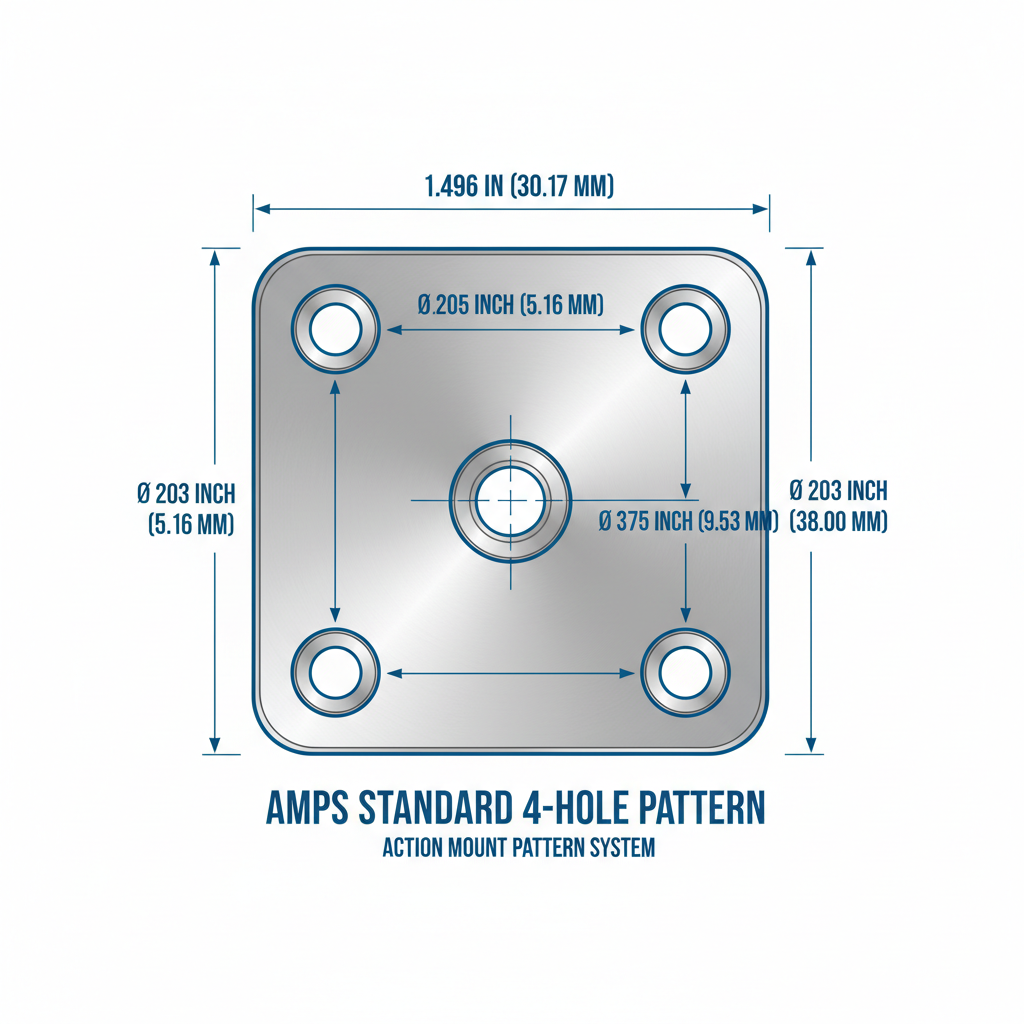
- Mounting surface: confirm whether you need a flat surface, VESA pattern, pole clamp, or AMPS hole pattern on the base side, and match that to where you are actually installing it.
- Charging and cable routing: if the device needs continuous power, check that the cradle or arm has a cutout or routing channel so cables aren't pinched when the ball is adjusted.
- Removal frequency: if a device comes on and off the mount daily (a handheld scanner, a phone taken by the driver at the end of a shift), a quick-release cradle matters more than adjustability.
- Security: shared vehicles or public-facing installs may need a locking cradle or tamper-resistant hardware in addition to the ball joint itself.
- Ball size compatibility: if you are combining a base from one product line with a cradle from another, confirm both use the same ball diameter before buying either piece separately.
Fitment for a specific vehicle, tablet, or GPS unit should always be verified against the product's listed specifications rather than assumed from a similar-looking mount.
Choosing the Right Setup
There is no single best ball joint mount. A delivery van dashboard, a warehouse pick cart, and a boat helm all put different demands on the same basic mechanism. Start with device weight and mounting surface, then factor in how often the angle needs to change and how much vibration the mount will absorb day to day. Getting those decisions right up front avoids the most common complaint with ball and socket mounts: a joint that loosens or a cradle that doesn't fit the device it was bought for.
Related iBOLT Mounting Options

iBOLT™ xProDock™ Bizmount™ Amps
A related iBOLT option that matches the mounting needs covered in this article.

iBOLT™ 38mm / 1.5 inch Metal Diamond 2-Hole AMPS Adapter Plate
A related iBOLT option that matches the mounting needs covered in this article.

iBOLT™ LockPro™ Metal Locking Tablet Drill Base Mount
A related iBOLT option that matches the mounting needs covered in this article.

iBOLT™ 38mm / 1.5 inch Metal AMPS Round Adapter Plate
A related iBOLT option that matches the mounting needs covered in this article.
FAQ
What is a ball joint mount?
It is a mounting system using a spherical ball connected to a socket or clamp. Loosening the socket lets the ball rotate for positioning; tightening it locks the device in place.
What is the difference between a ball mount and a ball and socket mount?
They describe the same mechanism. "Ball mount" often refers to the whole assembly, while "ball and socket" specifically describes the two interacting parts (the pivot and the clamp) that make adjustment possible.
What ball sizes are most common?
17 mm, 20 mm, 22 mm, and 25 mm (1-inch) are the most widely used standardized sizes, allowing bases and cradles from different product lines to be combined when the ball diameter matches.
Will a ball joint mount hold up in a vehicle with constant vibration?
Quality mounts built for vehicle use are designed to resist loosening under normal road vibration, but socket tension should still be checked periodically, especially with heavier tablets or on rougher routes.
Can I use the same base if I upgrade my device?
Often yes, if the new cradle uses the same ball size and the base is rated for the new device's weight. Always check the rated capacity before assuming compatibility.
What should I check before buying a ball joint mount for a tablet or GPS?
Confirm device weight against the mount's rated capacity, check the mounting surface and hole pattern, verify ball size if combining components, and consider cable routing if the device needs continuous charging.

Leave a comment
This site is protected by hCaptcha and the hCaptcha Privacy Policy and Terms of Service apply.