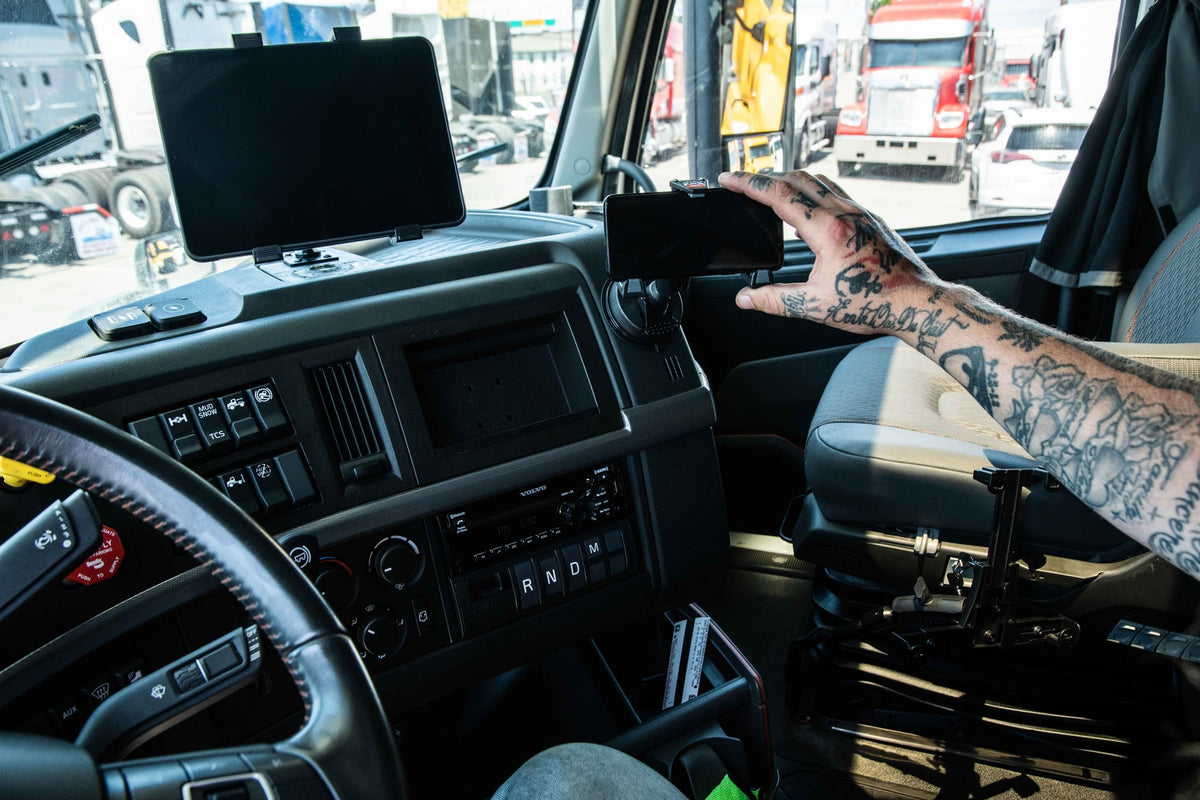
Electronic Logging Devices are now standard equipment in commercial trucking, and for good reason. They automate hours-of-service tracking, reduce paperwork, and give fleets a defensible record of driving time and vehicle activity. But an ELD is only useful if the driver can see it, reach it, and trust that it will still be in place at the end of a long haul over rough pavement.

That's where mounting comes in. An ELD Mount keeps the device stable, visible, and within easy reach, whether it's a dedicated hardware unit, a tablet, or a smartphone running fleet software. Get the mount wrong and you end up with a device sliding off the dash, a driver squinting at a bad viewing angle, or a cracked screen from a drop. Get it right and the ELD becomes a fixed, predictable part of the cab that nobody has to think about.
What an Electronic Logging Device Actually Requires From a Mount
An Electronic Logging Device records driving hours, duty status changes, vehicle movement, engine data, mileage, and location. Drivers interact with it constantly throughout a shift to log status changes, check dispatch instructions, and confirm compliance records before rolling.
Because of that frequency of use, the mount has to do more than hold the device in place. It needs to keep the screen at a usable angle without blocking sightlines, survive continuous engine and road vibration, and allow the driver to glance at or tap the screen without taking their eyes off the road for long. A mount that fails at any one of these creates a real workflow problem, not just an inconvenience.
Common ELD Mounting Types and Where Each One Fits
Dashboard Mounts
Dashboard mounts attach directly to existing dash surfaces and put the device in the driver's direct line of sight. They work well in cabs where dash space is available and where the driver wants quick glance-and-tap access without reaching far.
Windshield Mounts
Windshield mounts use suction or adhesive-backed bases to secure the device above or beside the dash. These are a common choice when dash real estate is limited or already occupied by factory controls, but they depend on windshield angle and glass cleanliness for a reliable hold, so check state and carrier rules on windshield-mounted devices before installing one.
Seat Rail Mounts
Seat rail systems bolt to existing seat mounting hardware and give a very stable base, which makes them a good fit for heavy-duty trucks running large tablets. Because they use structural mounting points rather than adhesive or suction, they hold up well under continuous vibration.
Floor and Console Mounts
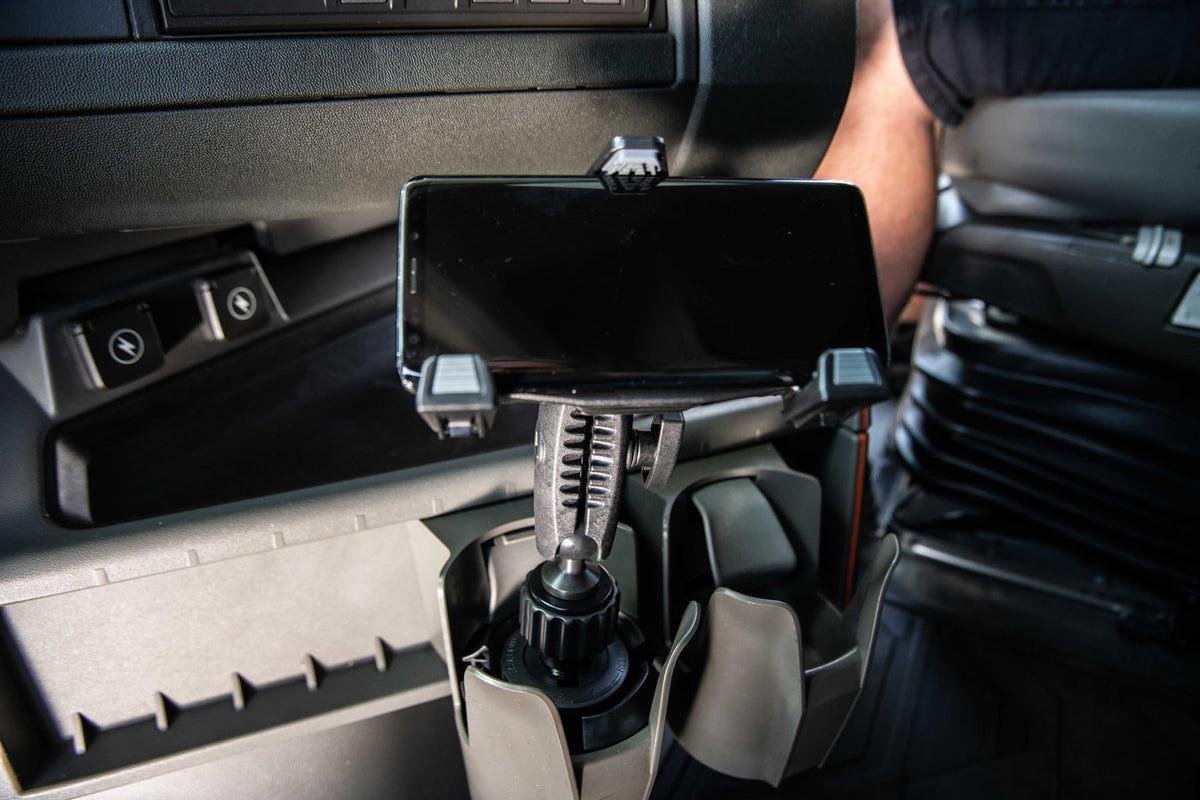
Floor-mounted arms provide extra support for bigger tablets and often include adjustable joints so the screen can be repositioned between drivers or driving conditions. These take a bit more installation effort but offer the most positioning flexibility.
What to Verify Before You Buy an ELD Mount
Fleet managers standardizing mounts across multiple vehicles should confirm the following before ordering in volume:
- Device dimensions and weight. A mount rated for a phone will not reliably hold a 10-inch tablet, and the reverse setup wastes stability on a small device.
- Mounting surface condition. Suction and adhesive mounts need a smooth, clean, temperature-stable surface. Textured dash plastics or curved windshields can reduce hold strength.
- Vibration exposure. Long-haul trucks, off-road service vehicles, and older cabs with more road feedback need a mount rated for continuous vibration, not just occasional bumps.
- Mount pattern compatibility. If you're using a case, cradle, or existing AMPS or ball-pattern accessory, confirm the new mount uses a matching pattern so you're not replacing hardware you already own.
- Charging and cable routing. If the ELD or tablet needs continuous power, check that the mount design leaves room for a charging cable to run cleanly without pulling on the port or blocking driver movement.
- Removal frequency. Drivers who take the device with them at the end of a shift need a mount with a fast, one-hand release. Devices that stay installed permanently can use a more rigid, screw-down connection.
- Fleet-wide consistency. If you're outfitting multiple trucks, pick one mounting standard so training, replacement parts, and troubleshooting stay simple across the fleet.
If you're unsure whether a specific ELD hardware unit or tablet model fits a given mount, check the device's dimensions and mounting interface against the mount's listed compatibility before purchasing, especially for rugged or ruggedized tablets that may not follow standard case profiles.
Features That Matter Once the Mount Is Installed
Stability under vibration is the baseline requirement, but the mounts that hold up best in daily fleet use also offer tilt and rotation adjustment so different drivers can set their own viewing angle, a secure locking mechanism that doesn't loosen over months of engine vibration, and enough clearance around the device for a case or charging cable. Durability matters just as much as adjustability. Cab temperatures swing widely between summer and winter, and mounts installed in service or utility vehicles get adjusted multiple times a day, so hinge and clamp quality shows up quickly in day-to-day reliability.
Where ELD Mounts Get Used Across Fleets
Long-haul trucking remains the most common use case, since drivers rely on the ELD for hours-of-service compliance across long shifts. Local delivery fleets typically run the ELD alongside navigation and dispatch apps, which means mount placement needs to account for more than one screen. Utility and field service vehicles often use tablets for both compliance logging and work order management, and construction and municipal fleets are increasingly standardizing on ELD platforms for oversight and reporting across mixed vehicle types.
Choosing a Mount for Your Fleet
There's no single correct mount for every truck. A day-cab delivery van with light dash clutter can usually run a simple dashboard or windshield mount. A long-haul sleeper cab running a large tablet benefits from a seat rail or floor-mounted arm for added stability. What matters most is matching the mount to the device size, the vehicle's vibration profile, and how often the driver needs to remove the device, then keeping that choice consistent across the fleet so installation and troubleshooting stay simple.
Related iBOLT Mounting Options

iBOLT LockPro FlexPro Heavy Duty Locking Tablet Seat Rail Mount
A practical option for cab, fleet, and mobile work setups where visibility and reach matter.

iBOLT™ xProDock™ Bizmount™ Amps
A practical option for cab, fleet, and mobile work setups where visibility and reach matter.

iBOLT™ LockPro™ Metal Locking Tablet Drill Base Mount
A practical option for cab, fleet, and mobile work setups where visibility and reach matter.

iBOLT TabDock™ IncrediBOLT™ 360 Suction- Heavy Duty Metal 6 inch Multi-Angle Mount for All 7" - 10" Tablets for Commercial Vehicles, Trucks, and ELD Devices
A practical option for cab, fleet, and mobile work setups where visibility and reach matter.
FAQ
What is an ELD Mount?
An ELD Mount is a mounting solution built to hold an electronic logging device, tablet, or smartphone securely inside a commercial vehicle, keeping it visible and accessible during driving.
What does ELD stand for?
ELD stands for Electronic Logging Device, a system used to electronically record driving hours, duty status, and vehicle operation data for hours-of-service compliance.
Do I need a different mount for a tablet versus a dedicated ELD unit?
Often yes. Dedicated ELD hardware and tablets differ in size, weight, and mounting interface, so check the device dimensions and mount pattern before assuming one mount fits both.
Will vibration from the road affect ELD mount reliability?
It can, especially over long-haul mileage. Mounts built with vibration resistance in mind and installed on stable surfaces like seat rails or reinforced dash points hold up better than lightweight suction mounts in heavy-duty use.
Can I use a windshield mount for an ELD?
Windshield mounts work in many cabs, but confirm your carrier's policy and any state regulations on windshield-mounted devices before installing one, since some jurisdictions restrict placement in the driver's direct sightline.
What should fleet managers prioritize when standardizing mounts across vehicles?
Consistency in device compatibility, mounting pattern, and installation location across vehicles, so replacement parts, training, and troubleshooting stay simple fleet-wide.

Leave a comment
This site is protected by hCaptcha and the hCaptcha Privacy Policy and Terms of Service apply.