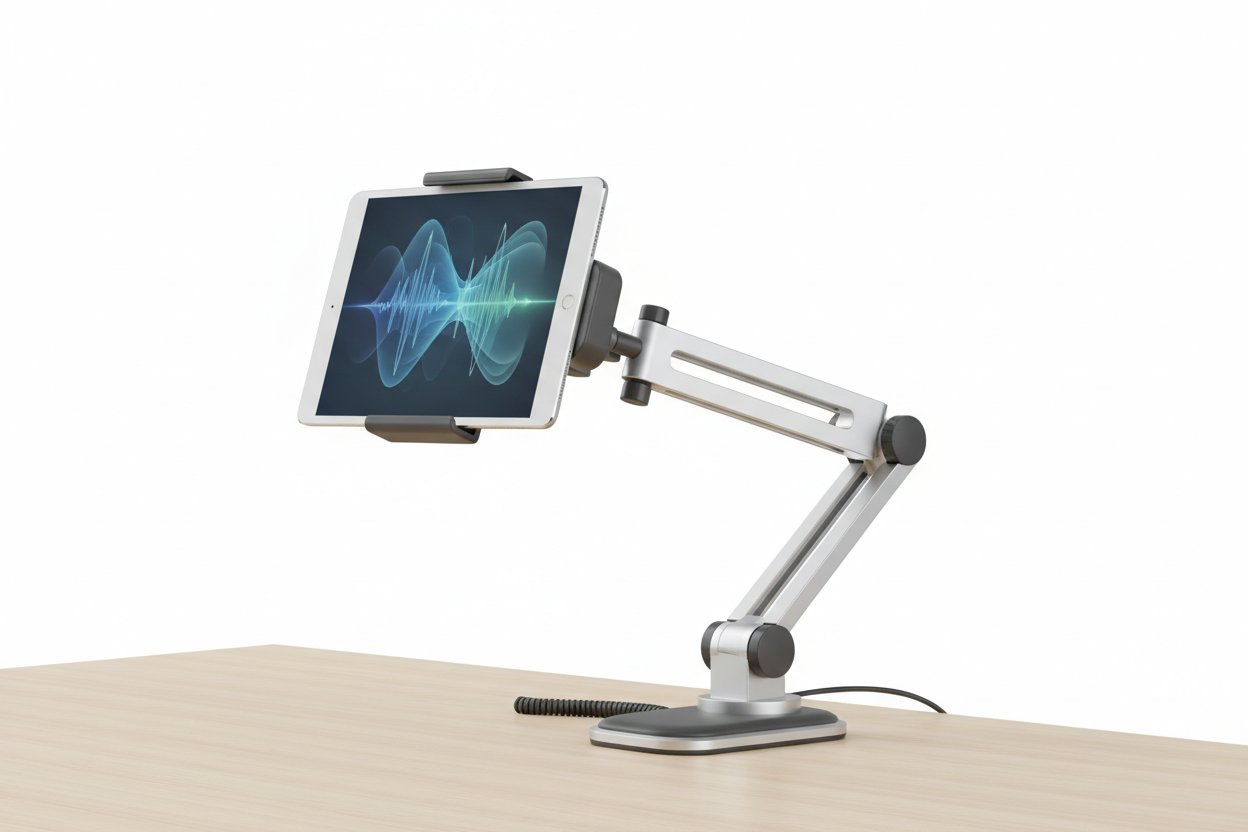
Tablets have become core operating equipment in restaurants, retail counters, warehouses, delivery vehicles, and field service work. Point-of-sale ordering, tableside payment, kitchen display screens, inventory scanning, and route navigation all depend on a tablet staying exactly where staff need it, not sliding across a counter or getting handed back and forth all shift.
A properly chosen Tablet Mount solves that problem by giving the device a fixed, stable position that matches how the space is actually used. Whether that is a host stand, a drive-through window, a delivery van dashboard, or a warehouse cart, the mounting hardware needs to match the surface, the traffic level, and how often the tablet gets removed for charging or handoff.
This guide breaks down what to look for across restaurant POS setups, vehicle installs, and workstation environments, including an ibolt tablet mount or a tablet dash mount, so you can match hardware to the job instead of guessing.
What a Tablet Mount Actually Needs to Do
A tablet mount holds the device securely while keeping the screen visible and reachable without constant repositioning. That sounds simple, but the requirements shift a lot depending on where it lives:
- A counter or host stand mount needs to survive constant bumping and reaching from customers and staff.
- A kitchen or expo mount needs to tolerate grease, steam, and cleaning chemicals.
- A vehicle dash mount needs to hold steady through vibration, hard braking, and temperature swings.
- A warehouse cart mount needs to handle rolling motion and occasional impacts.
The mounting arm, base, and tablet holder all need to be rated for the environment they're going into, not just generically "sturdy."
Restaurant and POS Mounting: What to Check First
Restaurant and retail deployments have their own set of practical questions that get skipped too often during purchasing:
Mounting Surface
Check whether the mount attaches to a countertop, wall, POS stand, or table edge. Clamp mounts, adhesive-backed bases, and drilled bases all behave differently, and not every surface tolerates drilling or heavy adhesive.
Removal Frequency
If staff need to pull the tablet for tableside ordering or curbside checkout, a locking quick-release holder saves time over a mount that requires two hands to detach. If the tablet stays fixed all day for a kitchen display or ordering kiosk, a simpler fixed holder is fine and reduces the chance of accidental drops.
Charging and Cable Routing
Tablets running POS software all day need power. Confirm the holder allows the charging port to stay accessible while mounted, and plan the cable path so it is not a trip hazard or something customers can yank on. Mounts with rear cable channels keep counters looking clean and reduce wear on charging cables.
Security
In customer-facing positions, a locking mechanism or keyed release matters more than it does in a back-office setup. If the tablet processes payments, theft resistance is a real consideration, not an afterthought.
Case and Size Compatibility
POS tablets are frequently used inside protective cases. Confirm the holder's adjustable width and depth actually accommodate the case, not just the bare tablet, before ordering.
Vehicle Dash Mounting for Delivery and Field Teams
A tablet dash mount is built for vehicle interiors and needs to hold up to conditions a countertop mount never sees. Delivery drivers, field technicians, and fleet operators typically use tablets for navigation, dispatch, signature capture, and electronic logging, so the mount has to keep the screen in view without blocking mirrors or airbags.
Before installing a vehicle mount, verify:
- The dash, console, or windshield surface is compatible with the mount's attachment method (suction, adhesive, or bolt-through).
- The arm length and ball joint allow the tablet to sit in the driver's line of sight without interfering with controls.
- The holder is rated for vibration, since engine and road vibration will loosen an undersized mount over time.
- Local regulations around dashboard-mounted devices are followed, since placement rules vary by vehicle type and jurisdiction.
Fleet vehicles, delivery vans, and utility trucks each have different dash geometry, so it is worth confirming fitment against the actual vehicle interior rather than assuming a universal mount fits every dash layout.
Workstation and Warehouse Mounting
Away from vehicles and counters, tablets also get mounted at fixed desks, standing workstations, and rolling warehouse carts. These setups usually have more room for adjustability, so look for:
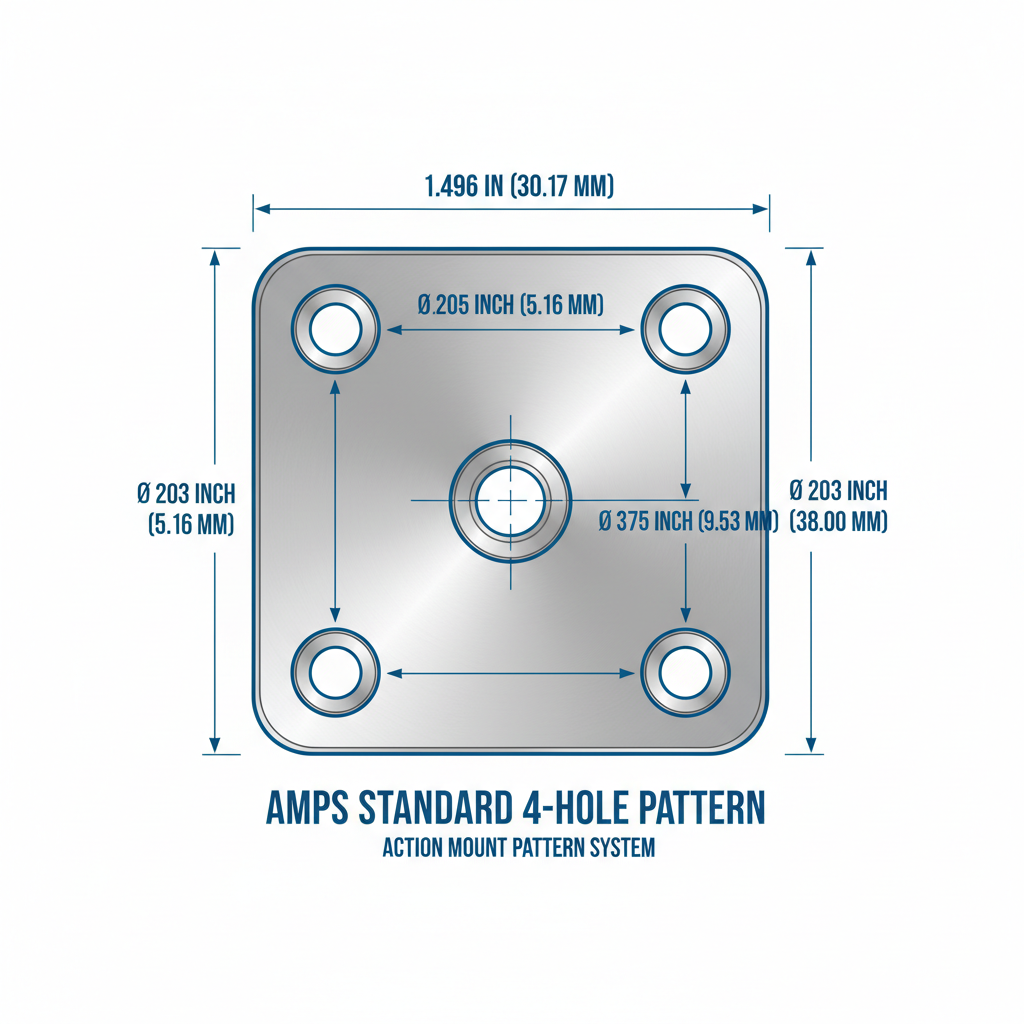
- VESA or AMPS compatibility if you're pairing the tablet holder with an existing monitor arm or desk mount system.
- Modular arm and base components that let you swap a desk clamp for a wall plate or pole mount without buying an entirely new system.
- Rotation and tilt range that supports both portrait and landscape use, useful when the same tablet handles inventory scanning in one position and customer-facing display in another.
Modular systems are worth the extra thought if the tablet fleet or workstation layout is likely to change. Being able to replace a base or arm instead of the entire mount keeps replacement costs and downtime lower.
What to Verify Before You Buy
Before ordering any tablet mount, confirm these details against the actual hardware and environment:
- Exact tablet model and case dimensions, including thickness with the case on
- Mounting surface type and whether drilling, clamping, or adhesive is allowed
- Vibration exposure if the mount is going into a vehicle or moving cart
- Charging port access and cable routing path
- How often the tablet needs to be removed, and by whom
- Whether a locking or keyed mechanism is needed for security
- Ball size, VESA pattern, or AMPS hole spacing if integrating with existing arms or bases
Manufacturers update tablet dimensions and case designs often, so checking current measurements against the mount's holder range before purchase avoids a return.
Choosing the Right Setup
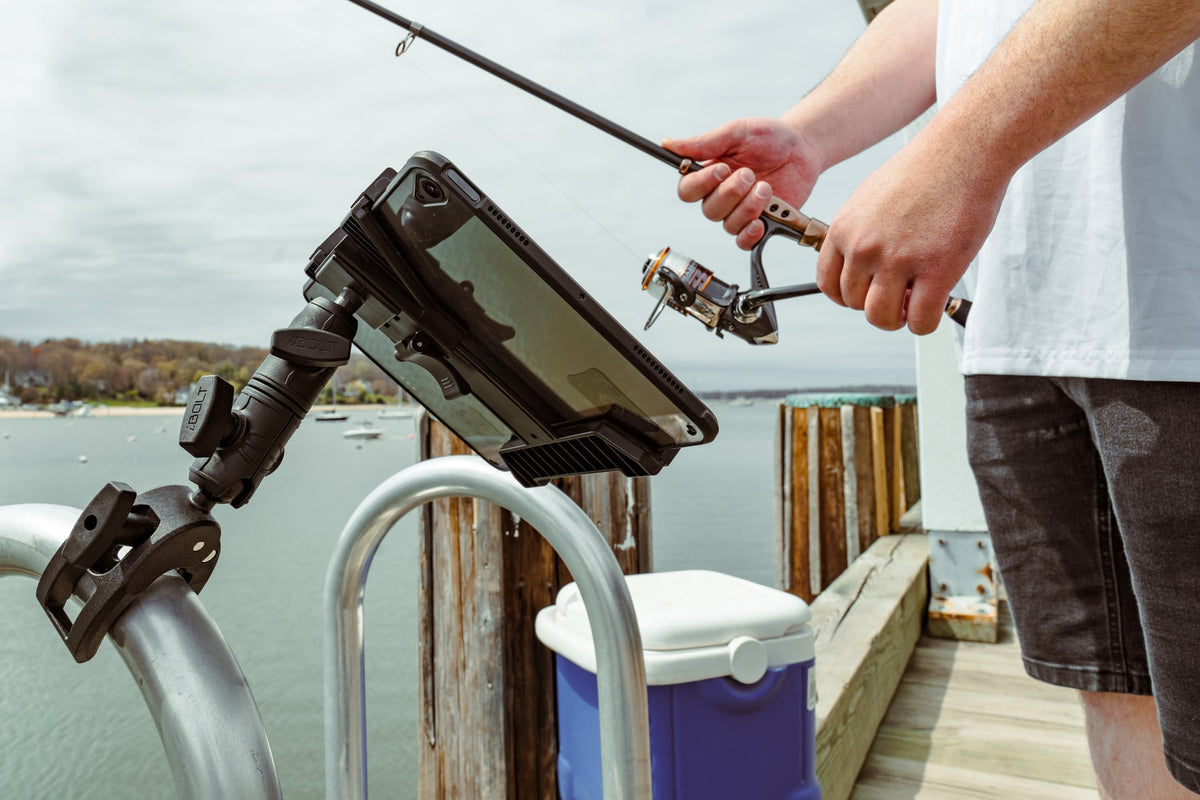
An ibolt tablet mount works well across these use cases because the modular design lets a business standardize on one mounting platform while swapping components for counters, vehicles, or carts as needed. That reduces the number of different systems staff need to learn and the number of spare parts a location has to stock.
The right choice comes down to matching the base and arm to the surface, confirming the holder fits the tablet and case, and making sure charging and cable routing are handled cleanly from day one rather than patched together later.
Related iBOLT Mounting Options

iBOLT™ LockPro™ Metal Locking Tablet Drill Base Mount
A practical option for cab, fleet, and mobile work setups where visibility and reach matter.

iBOLT™ xProDock™ Bizmount™ Amps
A practical option for cab, fleet, and mobile work setups where visibility and reach matter.

iBOLT LockPro FlexPro Heavy Duty Locking Tablet Seat Rail Mount
A practical option for cab, fleet, and mobile work setups where visibility and reach matter.

TabDock™ 2 Drive
A practical option for cab, fleet, and mobile work setups where visibility and reach matter.
FAQ
What is the difference between a tablet mount and a tablet dash mount?
A tablet mount is the general category covering counter, wall, desk, and vehicle solutions. A tablet dash mount specifically attaches to a vehicle's dashboard, console, or windshield area and is built to handle vibration and driver sightlines.
Can one mount work for both a restaurant counter and a delivery vehicle?
Not usually as a single fixed unit, but modular systems let you use the same tablet holder with different bases, so you can move a tablet between a counter stand and a vehicle mount without buying a new holder each time.
Do tablet mounts fit tablets inside protective cases?
Many do, but the holder's adjustable width and depth range needs to be checked against the tablet plus case dimensions, not just the bare tablet, since cases add meaningful thickness.
How important is a locking mechanism for restaurant or retail mounts?
It matters most for customer-facing or payment-processing tablets, where theft risk and accidental removal are real concerns. Back-office or kitchen display tablets generally need less security hardware.
What should I check before mounting a tablet in a vehicle?
Confirm the dash or console surface is compatible with the mount's attachment method, the arm keeps the screen in the driver's line of sight without blocking controls, and the mount is rated for vibration.
Are iBOLT tablet mounts modular?
Yes, iBOLT mounting systems are generally built around modular bases, arms, and holders, which allows components to be swapped or reconfigured as tablet models or mounting locations change.

Leave a comment
This site is protected by hCaptcha and the hCaptcha Privacy Policy and Terms of Service apply.