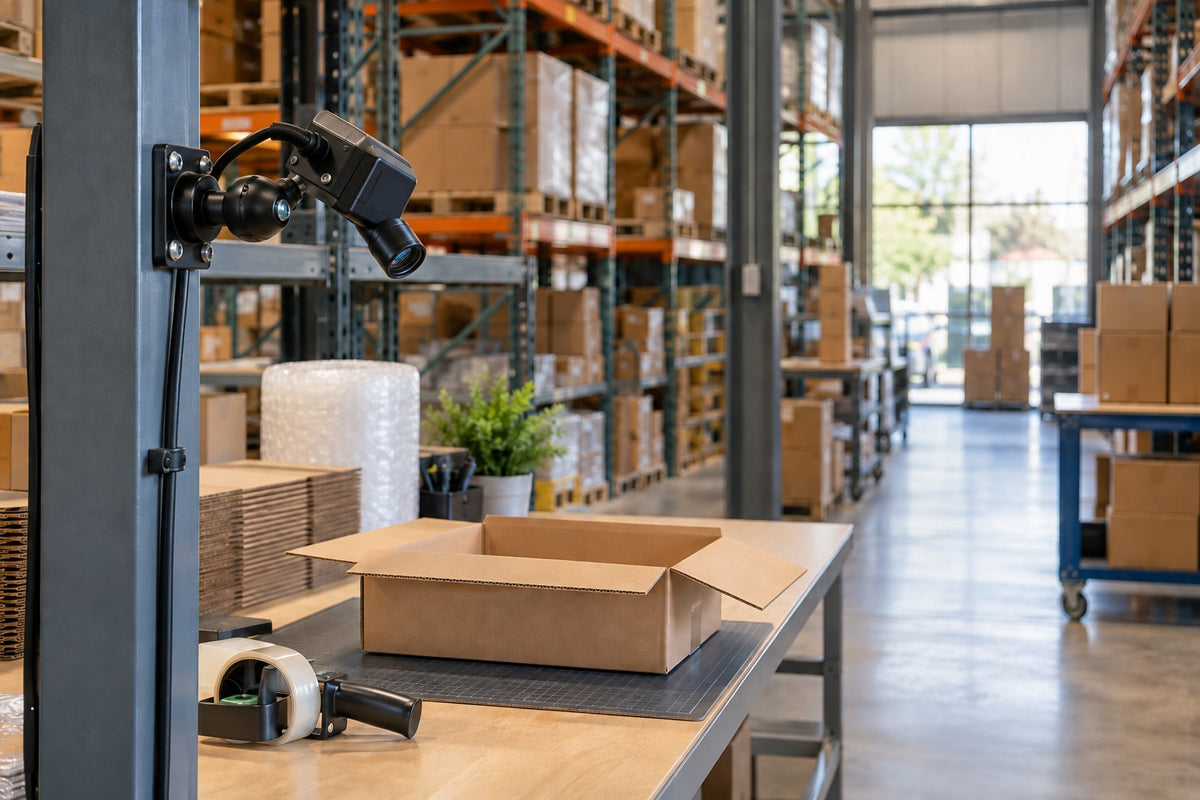

Your packing station camera covers the whole bench, yet the carton label disappears behind a packer's hand at the exact moment it needs to be read. That gap is the real starting point for choosing warehouse camera mounts. Define the event and the detail that must stay visible, and the mount decision follows.
This guide is for operations teams and system integrators collecting footage at fixed packing stations, not on forklifts. It covers occlusion, glare, shift lighting, and reference framing. It also compares a fixed 38mm iBOLT kit with clamp, magnetic, and suction pilots. The products featured here are mounting hardware; cameras, compute, and AI software are selected separately.
Start With the One Event the Camera Must Capture
At a packing bench, an item enters the carton, a packing check happens, and the closed parcel leaves. Does the camera need to confirm item presence, capture a readable label, or show enough context for a human reviewer to follow the process?
The workflow matters too:
- Dataset collection: authorized footage is selected, labeled, and split for development and evaluation.
- Operational analysis: a deployed model examines new frames.
- Video auditing: people review clips, and AI may help select events.
In an AI-assisted auditing workflow, computer vision can flag events and human auditors can evaluate additional criteria. Either way, the required detail sets distance and angle, and those decide where the mount attaches.
Test the View During a Real Packing Cycle
An empty bench looks perfect on the monitor. The real test comes when a packer reaches across with a tape gun. Record both an empty and a busy station through an actual shift before committing to a long capture run.
- Occlusion. Hands, neighboring cartons, and tape guns can hide the item or label at the wrong moment. NVIDIA's Warehouse Blueprint known limitations note that bounding-box location estimates can be less accurate when objects are partly hidden or cut off by the frame edge.
- Region of interest. Keep the required event and parcel path fully in frame, with margin for off-center parcels.
- Glare. Stretch wrap, poly mailers, and glossy labels can reflect overhead lights or daylight from open dock doors.
- Shift lighting. Review day and evening footage separately.
- Motion blur. Step through fast movements frame by frame. Blur on fast-moving items comes down to camera settings and lighting, and a steady mount won't correct it.
Choosing Warehouse Camera Mounts: Fixed 38mm Kit vs. Pilot Options
The right choice depends on which surface you may use and how long the camera stays.
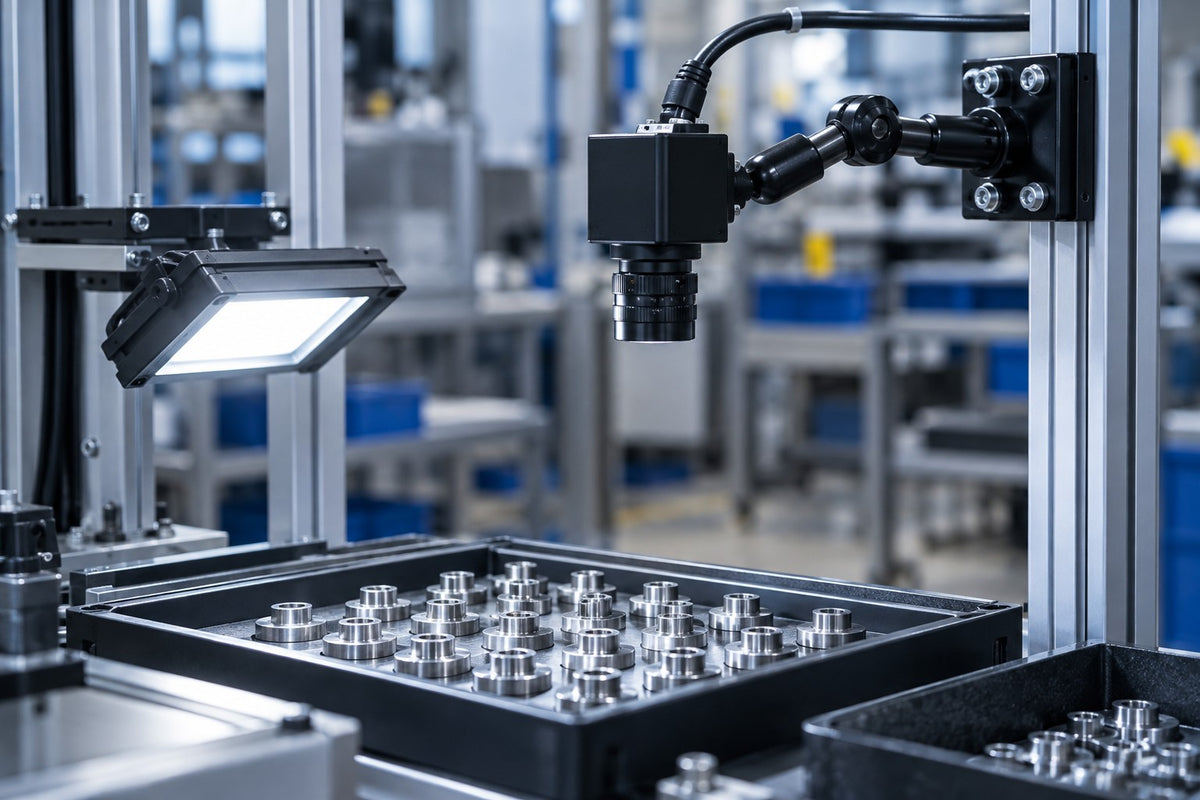
Fixed station. Where facility engineering approves a structural surface at a repeatable viewpoint, consider the iBOLT 38mm / 1.5 inch Metal AMPS to 1/4-20 Camera Screw Mount (IBAMPS-34207). This C-size kit pairs a rectangular metal four-hole AMPS base (30 x 38 mm pattern) with a 3.5-inch composite 38mm Bizmount arm and a 1/4-20 camera adapter. Arm length isn't total stand-off, so measure camera clearance on the assembled mount.
Clamp pilot. The iBOLT GoPro / Action Camera IncrediBOLT Clamp / Handlebar / Rail Mount (IBWS-34757) is a no-drill 25mm B-size option. It fits posts, rails, poles, or flat edges 0.75 to 2 inches wide. It includes a 4.25-inch arm, a 25mm ball-to-1/4-20 adapter, and a GoPro adapter, with a 1.5 lb listed payload.
Magnetic pilot. The iBOLT 88mm Diameter Magnetic Mount Base (IBCM-34610) uses six magnets and offers a 1/4-20 camera screw plus a standard GoPro adapter. Use it for static pilots on an approved ferromagnetic surface; aluminum and some stainless steels won't work. The listed 2 lb payload does not establish an overhead, impact, moving-vehicle, or dynamic rating.
Suction pilot. The iBOLT 1/4-20 Camera Screw Bizmount Suction Cup Mount (IBCM-34608) has an 80mm reusable base and a 3.75-inch dual-ball arm on 25mm B-size balls for 360-degree adjustment. Use it for supervised pilots on smooth, clean, nonporous surfaces, and verify retention in your real environment.
Components on 25mm B and 38mm C balls aren't interchangeable, and AMPS hole spacing doesn't change that. Not every camera has a 1/4-20 socket, so check its mounting documentation. Treat the camera, accessories, cable load, and actual interface as one fit question. Cameras are not included.
If the application uses a separate edge computer, use the manufacturer's approved mounting for the exact finished enclosure. Account for full load, heat, ports, and service access. These mounts cover the camera side only.
Save a Reference Frame and Document Every Change
Repeatable camera positioning makes one capture session comparable to the next. After tightening the mount, save a reference frame. Then log the camera identifier, date, lens and settings, station, and mount configuration. Recheck framing after moves, bumps, or impacts. If you change the view on purpose, record it as a new setup rather than quietly mixing it into the same dataset.
Larger deployments treat physical layout as part of the system. NVIDIA's 3D warehouse workflow relies on camera information and calibration files, and it asks teams to visually check camera grouping. A single station may not need that stack, but the documentation habit still applies. A consistent position also doesn't make a dataset representative; you still need varied parcels, shifts, and staffing levels.
Plan Cables, Clearances, and Data Permissions Before You Scale
Scaling a single-bench pilot raises new questions. Route cables away from the packing motion so hands, cartons, and tape never catch them. Keep mounts clear of walkways, access panels, and machine guarding, and let facility engineering decide acceptable attachment points. An ordinary camera and mount kit is not a safety-rated system.
Data governance matters just as much:
- Confirm authorization and any required notice.
- Restrict access to recordings.
- Set retention and deletion rules.
- Document whether clips may be used for model training.
- Keep unrelated people out of frame where possible.
- Name who resolves uncertain labels or model flags.
NIST's AI Risk Management Framework treats reliability, privacy, security, and accountability as lifecycle concerns. That makes it a useful planning lens rather than a compliance guarantee.
Compare the iBOLT Mounts
Original catalog photographs. Cameras are not included. Select a product for current specifications and pricing.
 38mm AMPS camera mount · 3.5-inch arm
 25mm clamp camera mount
 88mm magnetic camera base
 25mm Bizmount suction camera mount
Frequently Asked Questions
Is a wider camera view always better?
Not necessarily. A wider view adds context, like the whole bench and parcel path. It also makes the detail you need, such as label text, smaller in the frame. Validate it against the actual task.
Why does a camera miss parcels that are clearly there?
Overlapping parcels, a passing hand, glare on wrap, shifting lighting, motion blur, and the model itself can all contribute. Review recorded misses before changing hardware. The pattern usually shows whether framing or lighting needs attention first.
Can I move the mount after collecting training footage?
Yes, as an intentional setup change. Retighten the joints, save a fresh reference frame, and update your setup notes. Then evaluate again on footage from the new view instead of assuming the old calibration still holds.
Which iBOLT base works best for a temporary pilot?
Match the actual surface, camera interface, and environment to an approved plan. The IncrediBOLT clamp (IBWS-34757) fits rails or edges 0.75 to 2 inches wide. The magnetic base (IBCM-34610) needs approved ferromagnetic steel. The suction mount (IBCM-34608) suits supervised use on smooth nonporous surfaces.
Find the Right Setup for Your Packing Station
Good warehouse camera mounts follow a simple sequence. Define the event, test the view during real packing cycles, and choose an attachment for the approved surface and camera interface. Then save a reference frame. Explore the fixed 38mm AMPS camera mount (IBAMPS-34207) alongside the clamp, magnetic, and suction pilots. See which camera mount works best for your station.

Leave a comment
This site is protected by hCaptcha and the hCaptcha Privacy Policy and Terms of Service apply.