A scanner gets used, set on the seat, moved to the dash, and handed to the next operator. By the middle of a shift, its “home” is wherever someone last put it. That small inconsistency becomes especially noticeable when the same operator also needs a tablet or vehicle monitor for inventory, picking, receiving, or put-away work.
A forklift barcode scanner mount creates a defined return position. The useful question is not simply whether a holster fits. It is whether the scanner, screen, and mounting base match the sequence of work inside the vehicle.
Give the Scanner a Consistent Return Position
Start with the scanner itself. Measure the body, handle, and any protective boot. The XL scanner holster used in several iBOLT kits measures 6.75 by 5.5 by 4.25 inches. iBOLT lists compatibility with scanner families and brands including Honeywell Voyager, Symbol, Wasp, Eyoyo, Nadamoo, Netum, and Inateck, but the dimensions of the exact scanner should still be checked.
Next, watch how the operator uses it. Is the scanner picked up with the right or left hand? Does it need to clear the steering wheel? Is the return motion easy while wearing gloves? The best location is one the operator can reach without searching, leaning across the cab, or placing the scanner on another surface first.
For a scanner-only pillar installation, the iBOLT XL Barcode Scanner Forklift Pillar Mount uses a steel pillar bracket, a 25mm mounting system, and the XL holster. Its product page lists the holster at 13 ounces and includes bolts and plates for the bracket. It is a focused choice when the vehicle already has a separate screen or does not need one.
Watch: iBOLT XL Barcode Scanner Forklift Pillar Mount (IBFL-34542)
See the XL scanner holder and mounting arm assembled, followed by installation of the pillar bracket on a forklift.
View iBOLT XL Barcode Scanner Forklift Pillar Mount (IBFL-34542)
Pair a Scanner With the Right Screen
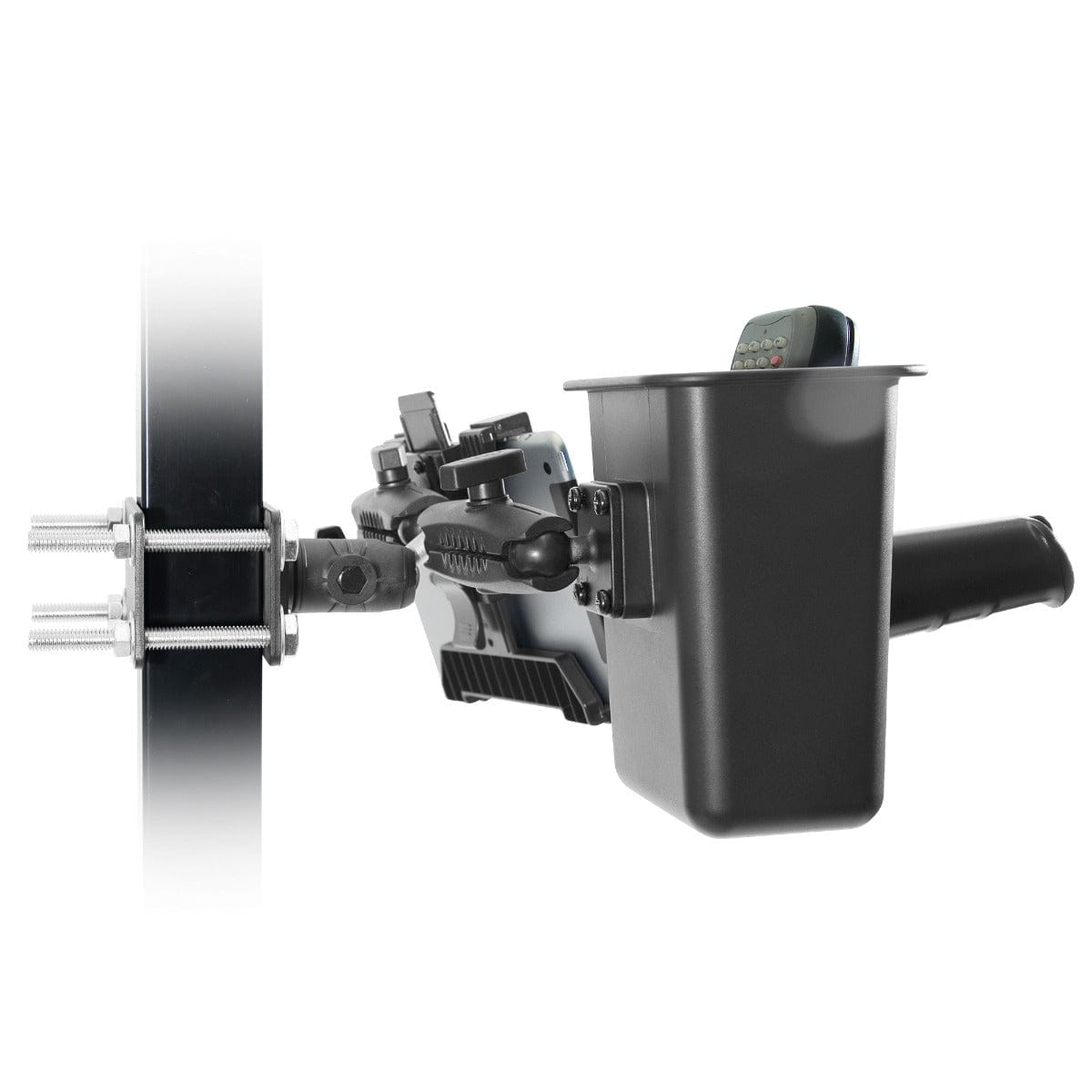
Some workflows need a scanner and tablet in the same station. The iBOLT TabDock Dual XL Barcode Scanner Forklift Pillar Mount combines the XL holster with a TabDock holder for 7 to 10 inch tablets. The $119.95 kit uses a steel pillar bracket, two 3.75 inch arms, a 25mm triple ball joint, and separate AMPS plates for the two holders.
This layout gives each device its own adjustment point. During installation, position the tablet for quick reading and the scanner for repeated pickup and return. Neither arm should block the other device, the operator’s controls, or the route out of the cab.

iBOLT TabDock Dual XL Scanner Pillar Mount - $119.95
When the workflow uses a monitor instead of a tablet, the iBOLT VESA 75/100 Dual XL Barcode Scanner Forklift Pillar Mount replaces the tablet holder with a VESA plate. The $139.95 kit includes two 6 inch metal arms and lists support for VESA 75 by 75mm and 100 by 100mm patterns. Its page specifies a monitor limit of 2 pounds, which should be verified against the exact screen and any attached cables.

iBOLT VESA 75/100 Dual XL Scanner Mount - $139.95
Choose Between a Pillar Bracket and Magnetic Base
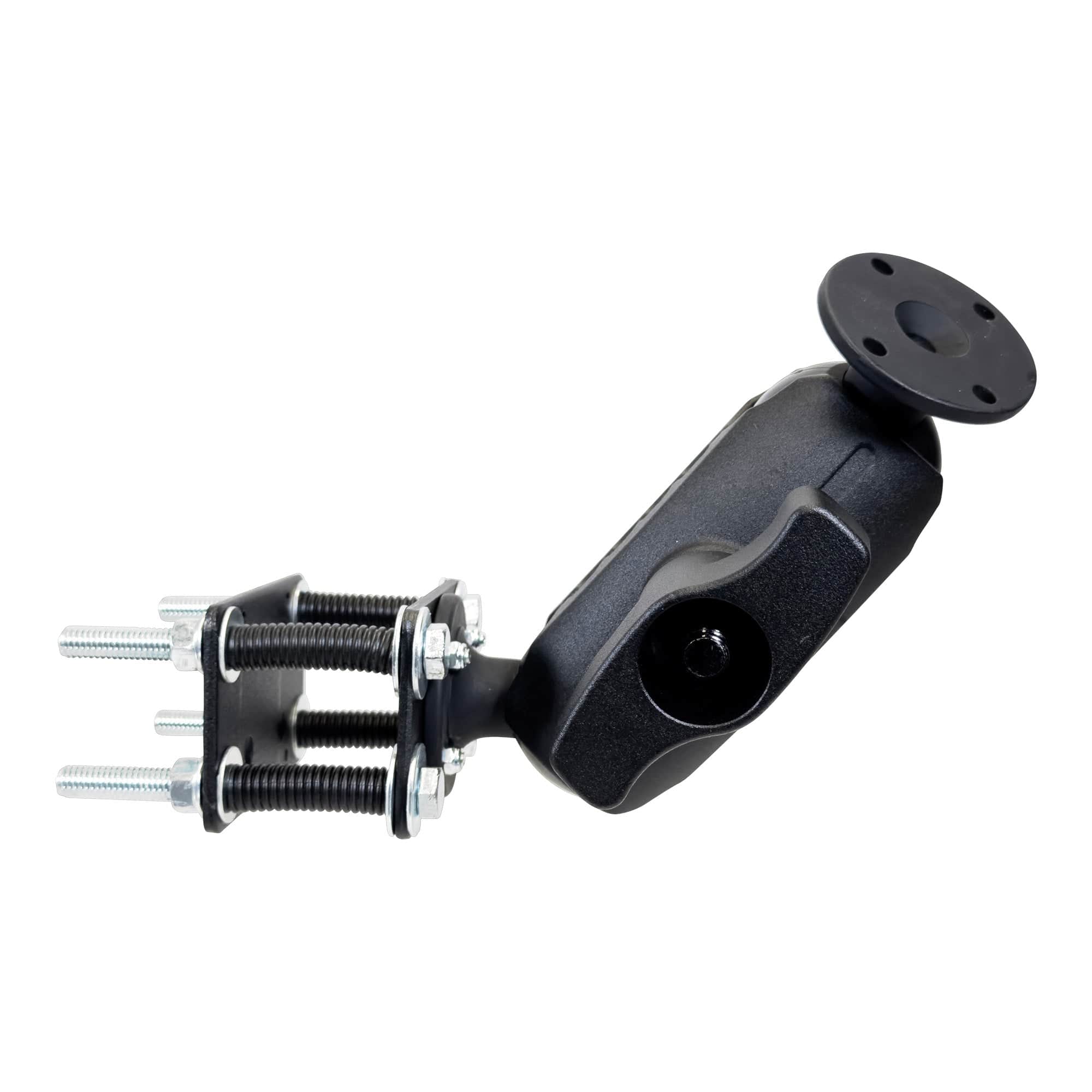
A pillar bracket is useful when the vehicle has a suitable cage pillar and the installation can remain in place. Measure the pillar and confirm that the supplied plate and bolt arrangement fit without interfering with vehicle components.
A magnetic base offers another option on an appropriate steel surface. The iBOLT XL Barcode Scanner Magnetic Forklift Mount uses four magnets and a 6 by 6 inch steel plate. The complete product is listed at 3.8 pounds and costs $139.95. It places the holster on the side of the vehicle rather than requiring a pillar bracket.

iBOLT XL Barcode Scanner Magnetic Forklift Mount - $139.95
The product page does not publish magnetic pull-force or vibration test results. Treat the base as an installation option that must be matched to the surface, scanner, and working environment, not as a universal substitute for a bracket. Contact iBOLT when the load or operating conditions require a documented limit.
Standardize the Setup Across the Fleet
Once a configuration works on one vehicle, document it. Record the forklift model, attachment point, arm position, scanner model, screen model, and cable route. Take a photo from the operator seat. That record makes it easier to reproduce the setup and identify exceptions across a mixed fleet.
iBOLT uses AMPS plates and industry-standard ball sizes across many warehouse components. That allows compatible holders, arms, and bases to be changed without treating every setup as a completely separate product. Review the forklift mount engineering selection guide for the vehicle, joint-size, sightline, and interface checks behind the installation. The iBOLT barcode scanner collection provides scanner-only, tablet-and-scanner, monitor-and-scanner, pillar, and magnetic configurations.
Frequently Asked Questions
What scanners fit the iBOLT XL scanner holster?
The holster measures 6.75 by 5.5 by 4.25 inches. iBOLT lists several Honeywell, Symbol, Wasp, Eyoyo, Nadamoo, Netum, and Inateck scanners, but users should compare the exact scanner dimensions before ordering.
Can a tablet and scanner mount on the same forklift pillar?
Yes. The TabDock Dual XL kit provides separate holders and arms for a 7 to 10 inch tablet and an XL scanner holster on one pillar bracket.
Can I use a VESA monitor instead of a tablet?
Yes. The VESA Dual XL kit supports VESA 75 by 75mm and 100 by 100mm patterns. Its current product page lists a 2 pound monitor limit.
Is a magnetic scanner mount better than a pillar mount?
It depends on the vehicle and installation requirements. A magnetic base needs a suitable steel surface, while a pillar bracket needs compatible pillar dimensions and hardware access.
How should a warehouse standardize scanner mounts?
Document the vehicle, scanner, screen, base, arm position, and cable route after testing the setup with an operator. Use the same configuration where vehicles match and record exceptions where they do not.
A scanner mount earns its place by making the device location predictable. Review the operator’s actual scan sequence, confirm every dimension, and explore the iBOLT scanner configurations that fit the vehicle rather than forcing one layout onto the entire fleet.

Leave a comment
This site is protected by hCaptcha and the hCaptcha Privacy Policy and Terms of Service apply.