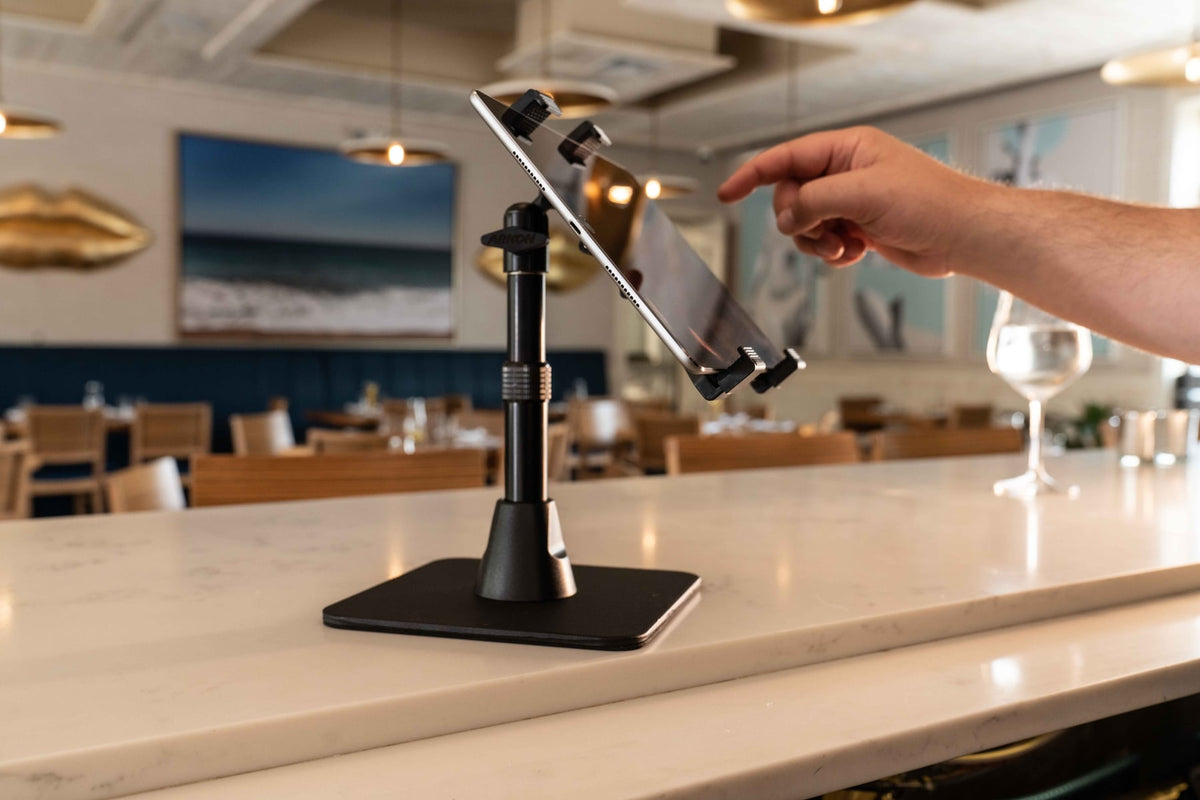
Most restaurants and retail counters didn't start with three tablets running side by side. It happened gradually: one for point-of-sale, one for a delivery app, then another for a second delivery platform, then a fourth for reservations or loyalty check-ins. Before long, staff are juggling devices propped against napkin holders, leaning on the register, or sliding off the counter during a rush.

A multiple tablet mount solves this by giving every device a fixed, adjustable position on one base. Instead of loose tablets competing for counter space, staff get a single organized station where each screen is visible, reachable, and secured. This guide covers what these systems actually do, where they work best, and what to check before you buy one.
What a Multiple Tablet Mount Actually Does
A multiple tablet mount holds two, three, or more tablets on a shared base or pole, with each device positioned independently. This is different from a single tablet stand or a wall-mounted kiosk arm meant for one screen. The point of a multi-tablet system is consolidation: one footprint on the counter, multiple devices, each adjustable without disturbing the others.
These systems show up most often in:
- Restaurant order-taking stations running two or more delivery apps
- Retail point-of-sale counters separating checkout, inventory, and loyalty tablets
- Hospitality front desks handling check-in, scheduling, and messaging on separate devices
- Trade show booths and reception areas
- Warehouse and back-office workstations tracking multiple systems at once
Why Restaurants and POS Counters End Up Needing One
Third-party delivery integration is the main driver here. Most restaurants don't run one ordering platform, they run several, and each one typically wants its own dedicated tablet rather than a shared app on a single device. That means staff are watching multiple screens during peak hours, often while also running the register.
A dedicated mount addresses three recurring problems:
Counter Space
Loose tablets propped against condiment caddies or stacked on stands eat up prep and checkout space. A single mounting base reclaims that counter real estate while keeping every screen in the same field of view.
Order Visibility During Rushes
When tablets are fixed at consistent angles, staff can scan all of them in one glance instead of turning devices toward themselves one at a time. That matters most during dinner rush or lunch peak, when a missed alert on one delivery app costs real time.
Fewer Dropped or Damaged Devices
Tablets balanced on stands or leaned against equipment get knocked over. A locking multi-tablet stand keeps devices anchored, which reduces cracked screens and the operational disruption of a tablet going down mid-shift.
What to Check Before You Buy
Not every multi-tablet system fits every counter, and fitment problems are the most common regret with these purchases. Verify these points before ordering:
- Device size range: Most universal holders accommodate tablets roughly 7 to 11 inches, but confirm your specific tablet's width, thickness, and whether it will be used with or without a case. A case adds bulk that can push a device outside a holder's clamp range.
- Mounting surface: Check whether the base is designed for countertop clamping, a drilled through-hole mount, or a weighted freestanding plate. A counter that can't be drilled needs a clamp or weighted base, not a bolt-through design.
- Number of tablets now versus later: If you're likely to add a fourth delivery platform next year, look at whether the system supports expansion or if you're locked into the arm count you buy today.
- Security needs: Public-facing counters where customers can reach the devices benefit from locking tablet holders. Back-of-house stations where only staff have access may not need that hardware.
- Cable routing: Tablets that stay plugged in all shift need a mount that lets charging cables run cleanly to each device without tangling between arms or blocking rotation.
- Rotation and viewing angle: Confirm whether each holder rotates independently, since a shared or linked rotation mechanism means adjusting one tablet can shift another.
Fitment for your exact tablet model and counter setup should always be confirmed against the manufacturer's listed compatibility before purchase, since case thickness and edge bezels vary enough to matter.
Where These Mounts Get Used Beyond the Counter
Retail Point-of-Sale
Retail counters often split tasks across devices: one tablet for checkout, one for inventory lookups, one for loyalty enrollment. A shared mount keeps all three organized in a single footprint instead of scattered across the counter.
Hospitality Front Desks
Check-in, reservations, and internal messaging frequently run on separate tablets in hotels and event venues. A multi-tablet stand keeps the front desk presentation clean while keeping every screen within reach of staff.
Trade Shows and Demo Stations
Exhibitors running product demos, lead capture, and registration on separate tablets benefit from a single stand that looks organized to booth visitors instead of a table cluttered with loose devices.
Matching the Mount to Your Operation
The right choice depends less on brand preference and more on how the station is actually used day to day. A counter running three delivery apps needs different hardware than a hotel desk running two internal systems. Before choosing, walk through:
- How many tablets need to sit on the same base right now
- Whether the counter surface allows drilling or requires a clamp/weighted base
- Whether devices need to stay charging throughout the shift
- Whether the public can physically reach the tablets, which affects whether locking hardware is worth the added cost
- How often staff need to remove a tablet from the stand versus leave it fixed all shift
Answering these before shopping narrows the field quickly and avoids buying a stand that fits three tablets when you actually need four, or a clamp-based mount for a counter that can't support the clamp depth.
Conclusion
Digital ordering, delivery platforms, and POS software have made multi-device counters the norm rather than the exception. A multiple tablet holder gives those devices a fixed, organized home instead of leaving them stacked and loose across the counter. The right system comes down to matching tablet size, mounting surface, security needs, and cable routing to how your team actually works the station.
Related iBOLT Mounting Options

iBOLT Tablet Tower- Dock’n Lock POS Locking Drill Base Mount - with 3 Tablet Holders
Helpful for organizing tablets used for orders, delivery apps, and point-of-sale workflows.

iBOLT™ Tablet Tower- TabDock™ POS Clamp Mount - with 3 Tablet Holders
Helpful for organizing tablets used for orders, delivery apps, and point-of-sale workflows.

iBOLT Tablet Tower- TabDock™ POS Clamp Mount - with 4 Tablet Holders
Helpful for organizing tablets used for orders, delivery apps, and point-of-sale workflows.

iBOLT Tablet Tower- TabDock™ POS Wall Mount - with 3 Tablet Holders
Helpful for organizing tablets used for orders, delivery apps, and point-of-sale workflows.
Watch: iBOLT TabDock POS Clamp Mount with 3 Tablet Holders (IBRT-34700)
Watch the standard three-holder TabDock station being assembled, including the pole connections and adjustable tablet holders.
View iBOLT TabDock POS Clamp Mount with 3 Tablet Holders (IBRT-34700)
Watch: iBOLT TabDock POS Clamp Mount with 4 Tablet Holders (IBRT-34707)
Watch the standard four-holder TabDock station being assembled and adjusted for a multi-tablet workstation.
View iBOLT TabDock POS Clamp Mount with 4 Tablet Holders (IBRT-34707)
FAQ
What is a multiple tablet mount?
It's a mounting system that holds two or more tablets on a single base or pole, with each device positioned and adjusted independently rather than sharing a single stand designed for one tablet.
How many tablets can one of these systems hold?
It depends on the model. Some hold two tablets, others hold three or more on the same base. Confirm the arm count matches your current device count plus any near-term expansion.
Will a multi-tablet mount fit my specific tablet?
Most universal holders accommodate tablets in the 7 to 11 inch range, but always check width and thickness against the listed compatibility, especially if the tablet will be used inside a protective case.
Do these mounts include security features?
Some models include locking tablet holders and security hardware designed to prevent unauthorized removal, which matters most on public-facing counters where customers can physically reach the devices.
Can each tablet be adjusted separately?
On most quality systems, yes. Each holder rotates and angles independently so staff can position one screen without disturbing the others. Confirm this specifically if your station needs frequent angle changes throughout a shift.
What mounting surface do these systems need?
That varies by model. Some clamp to a counter edge, some require a drilled through-hole installation, and some use a weighted freestanding base. Check your counter material and whether drilling is allowed before choosing a mounting method.

Leave a comment
This site is protected by hCaptcha and the hCaptcha Privacy Policy and Terms of Service apply.