Restaurant Tablet Mounts by Station: Counter, Expo, Kitchen, Pickup, and Food Truck
Friday at 6:45 PM. Your front counter tablet is handling Square POS, your expo shelf has a DoorDash tablet propped against a bus tub, and your kitchen line has a phone taped to the hood. Every station has a different problem: splash, heat, cable reach, customer access, staff sightlines. A mount that solves one station often creates a new problem at the next.


Quick answer: Match the mount type to the station's physical constraints. Counter stations need stability and customer-facing flexibility. Expo and pickup need multi-tablet organization. Kitchen needs heat tolerance and hands-free visibility. Food trucks need compact, secure, vibration-resistant setups. The sections below walk through each one.
Why One Mount Does Not Cover Every Station
Third-party delivery platforms each require their own tablet. The DoorDash Merchant Tablet Learning Center and the Uber Eats Orders app both run on dedicated devices, and Grubhub tablet setup adds a third. Stack those with your POS and a kitchen display and you can easily have four or five tablets across two or three stations.
Square and Toast-style stands are well-built for their own POS terminals. They handle tilt, swivel, and customer-facing rotation cleanly. Where they fall short is flexibility across multiple third-party tablets at different stations. Bouncepad and Compulocks-style enclosures are strong for public-facing kiosks where theft is the primary concern, but the locked enclosure slows staff access when orders are moving fast. iBOLT fits the gap when a restaurant needs flexible placement, multiple tablets at one station, and the option to mount on a counter, clamp to a shelf edge, or fix to a wall without buying a separate system for each location.
Station-by-Station Mount Decision Guide
| Station | Primary Need | Mount Type | Key Consideration |
|---|---|---|---|
| Front Counter | POS plus customer view | Drill-base dual stand | Staff side and customer side access |
| Expo Shelf | Multiple delivery tablets | Clamp or drill-base tower | Four tablets in one footprint |
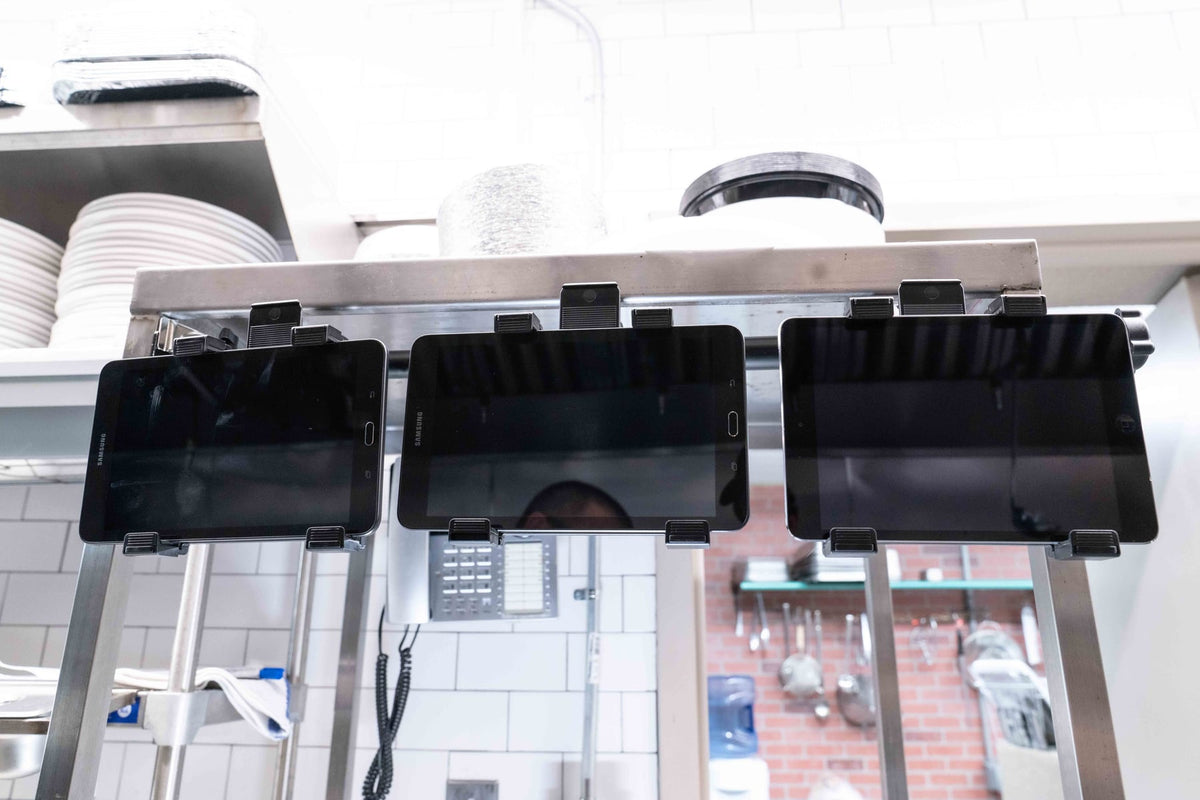
| Kitchen Line | Hands-free ticket visibility | Wall mount tower | Heat, splash, cable routing |
| Pickup Window | Order confirmation, speed | Clamp tower or freestanding | Quick staff access, no counter loss |
| Food Truck | Compact, vibration-resistant | Drill-base or clamp, single tablet | Limited surface, movement during transit |
Counter and Pickup: Stability, Security, and Two-Sided Access
At the front counter, staff need to see the POS screen and customers need to sign or enter a PIN. A freestanding dual stand handles both without asking anyone to spin a single tablet back and forth during a rush. The iBOLT Phone Dock'n Lock Dual POS Stand ($115.00) drills into the counter for a permanent, tamper-resistant base and holds two devices on a 9-inch pole, one facing the cashier and one facing the customer. The locking holders accommodate phones and small devices between 4.8 and 7.25 inches tall, which covers most modern POS handsets.

iBOLT Phone Dock'n Lock Dual POS Stand - Secure Dual-Device Mount for Point of Sale Systems - $115.00
At a pickup window, the same drill-base logic applies. You want the tablet anchored so it does not shift when staff reach past it, and you want it positioned so the order confirmation screen is readable without leaning over the counter.
Expo and Delivery Pickup: Managing Four Tablets in One Spot
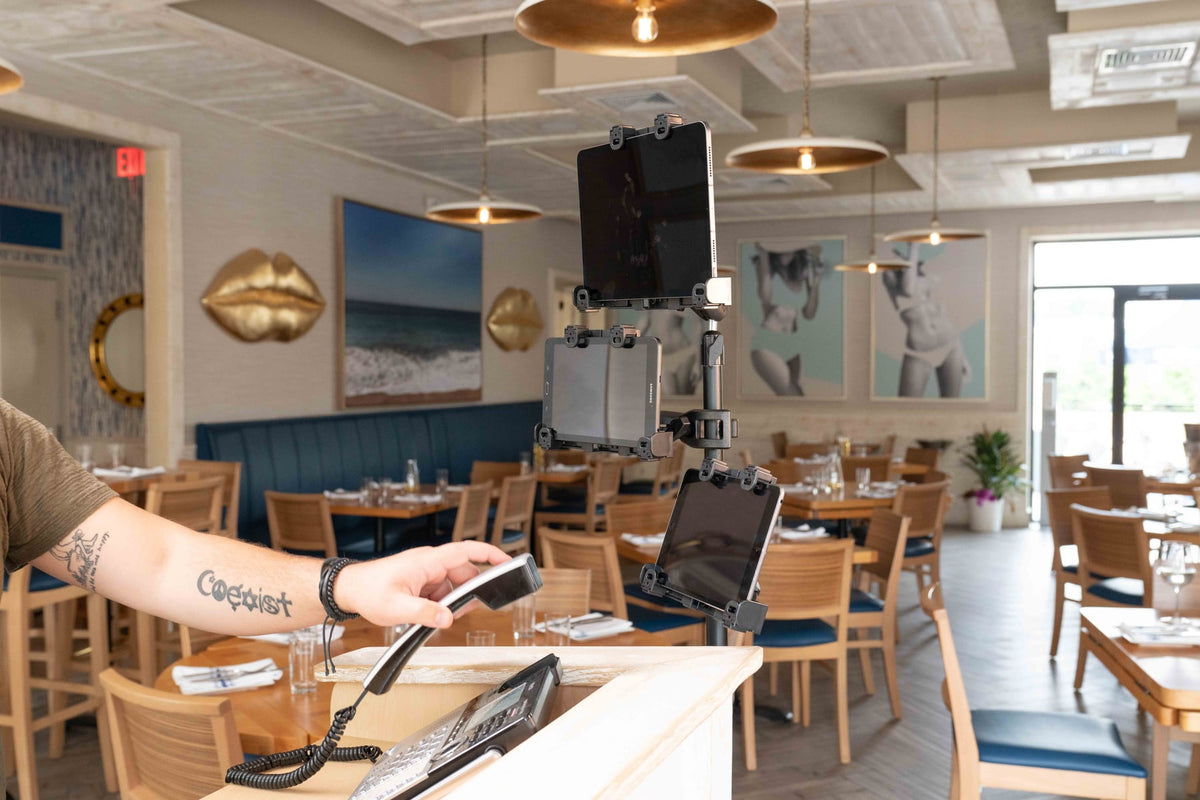
The expo shelf is where multi-tablet chaos is most visible. DoorDash, Uber Eats, and Grubhub each want their own device, and your in-house POS or KDS may add a fourth. Two iBOLT options solve this without consuming the entire shelf.
The iBOLT Tablet Tower TabDock POS Clamp Mount with 4 Tablet Holders ($89.95) clamps to a flat surface up to 2.5 inches wide or drills in for the long term. Each of the four holders rotates 360 degrees and accepts tablets from 7 to 11 inches. If your expo shelf has no good clamp edge, the iBOLT Tablet Tower TabDock POS Wall Mount with 4 Tablet Holders ($134.95) mounts directly to the wall with a pole that extends from 17.5 to 28.5 inches, keeping all four tablets off the counter entirely.
Watch: iBOLT TabDock POS Clamp Mount with 4 Tablet Holders (IBRT-34707)
Watch the standard four-holder TabDock station being assembled and adjusted for a multi-tablet workstation.
View iBOLT TabDock POS Clamp Mount with 4 Tablet Holders (IBRT-34707)


For a freestanding option that does not require any surface attachment, the iBOLT Quad Tablet Tower TabDock Stand ($149.95) holds four tablets on a floor-standing tower. It is particularly useful at a dedicated delivery pickup station where counter space is limited and the setup needs to move occasionally for cleaning or reconfiguration.

iBOLT Quad Tablet Tower TabDock™ Stand - $149.95
Kitchen Line and Food Truck: Heat, Splash, and Small Footprints
The kitchen line has constraints that no other station shares. Heat from the line, steam from the pass, and the need for completely hands-free visibility make wall mounting the practical choice. Toast's Kitchen Display System is purpose-built for back-of-house ticket management, and if you are running Toast KDS hardware, that system handles the kitchen screen well. Where iBOLT adds value is when you need a secondary tablet on the line for a delivery platform or a prep station that is not covered by the main KDS.
The wall mount tower keeps tablets above the splash zone, routes cables cleanly along the pole, and frees every inch of prep surface. For food trucks, the clamp mount version of the four-tablet tower works on a narrow counter edge, and the drill-base option anchors for the long term to the truck's built-in counter so the setup does not shift during transit.
Frequently Asked Questions
Can I use one iBOLT tower for both POS and delivery tablets?
Yes. The four-holder towers accept any tablet from 7 to 11 inches, so you can mix POS, DoorDash, Uber Eats, and Grubhub tablets on the same pole.
Do I need to drill to install the clamp mount tower?
No. The clamp version grips flat surfaces up to 2.5 inches wide without drilling. The drill-base option is available when you want a permanent installation.
Is the Quad Tablet Tower freestanding or does it need wall support?
The iBOLT Quad Tablet Tower TabDock Stand is a floor-standing unit that does not require wall or counter attachment, making it easy to reposition.
Are Square or Toast stands compatible with third-party delivery tablets?
Square and Toast stands are designed for their own POS hardware. They work well for that purpose but are not built to hold multiple third-party tablets at one station.
Every station in a restaurant has a different set of physical constraints, and the mount that fits one rarely fits all. See which setup fits your station at iboltmounts.com and explore the full TabDock lineup for counter, wall, and freestanding configurations.


Leave a comment
This site is protected by hCaptcha and the hCaptcha Privacy Policy and Terms of Service apply.