
A delivery fleet replaces its phones. A restaurant adds another ordering tablet. A warehouse moves a scanner from one forklift model to another. In each case, the device changes before the job does. With a one-piece holder, that small change can force the team to remove the base, arm, holder, and hardware together. A modular mounting system takes a different approach: keep the parts that still fit the job and replace only the part that no longer does.
That idea sits at the center of how iBOLT builds mounts. The catalog is not a shelf of isolated holders. It is a system of bases, arms, adapters, and device holders that can be combined around a vehicle, workstation, or workflow.
A Holder Supports a Device, a System Supports the Work
A generic holder is usually designed around one immediate question: will this phone or tablet fit? Commercial installations raise several more questions. Where can the mount attach? How far must the screen reach? Will the operator need to reposition it? Does the device need to lock? What happens when the company changes devices next year?
A system lets each part answer one of those questions:
- The base matches the mounting surface, such as a counter, forklift pillar, rail, windshield, or dashboard.
- The arm sets reach and viewing angle.
- The ball joint or adapter connects components and allows adjustment.
- The holder matches the phone, tablet, scanner, camera, or display.
Consider a fleet with a fixed AMPS drill base already installed in every vehicle. If a new phone is wider, the base may still be exactly where it needs to be. The team can change the holder instead of drilling another set of holes. If the screen needs to move farther from the dashboard, the arm can change while the holder and base remain in service.
The iBOLT 25mm Metal AMPS Adapter Plate is a simple example. It connects an industry-standard 25mm ball to a four-hole AMPS component, giving installers a defined interface between parts rather than tying the whole assembly to one device.

iBOLT 25mm / 1 inch Metal AMPS Adapter Plate - $12.95
Replace the Part That Changed
One-piece mounts can look simpler in the box, but they often make later changes harder. A damaged suction base may mean discarding a perfectly usable holder. A new tablet may make the old cradle obsolete even though the arm and drill base still work. A longer reach may require an entirely different kit.
Modularity changes the maintenance decision. First identify what changed, then replace that component.
If a phone changes, start with the holder. If the installation moves from a windshield to a fixed work surface, reconsider the base. If vibration or device weight changes, check the ball size and arm. If two otherwise compatible components use different connections, look for a purpose-built adapter rather than forcing them together.
For example, the iBOLT 25mm to Dual 17mm Composite Ball Adapter lets one 25mm connection support two 17mm components. That can be useful when a larger commercial mounting structure needs to support two compact accessories.

iBOLT 25mm / 1 inch to Dual 17mm Composite Ball Adapter - $29.95
This is also why replacement parts matter. A mount that can be serviced one component at a time has a longer useful life than a closed assembly with no practical repair path.
Industry Standards Keep Options Open
Modularity only helps when the connections are clear. iBOLT uses familiar mounting interfaces including 17mm, 20mm, 22mm, 25mm, 38mm, and 57mm ball systems, plus four-hole AMPS and VESA patterns on applicable components. These standards give installers a common language for checking fit.
The ball diameter still has to match the socket, and a hole pattern is not the same thing as a ball size. A 25mm ball cannot be tightened correctly in a 20mm socket. An AMPS plate connects through its hole pattern, but another component is still needed to provide the correct ball or holder connection. The ball mount size and compatibility guide explains those distinctions in detail.
Standard interfaces also make phased upgrades possible. A company can retain compatible installed hardware while introducing a different iBOLT holder, arm, or adapter. That is especially useful across mixed fleets and facilities where replacing every mount in one project would disrupt operations.
The iBOLT Aluminum 2.75-inch Double Socket Arm works with industry-standard 25mm, or 1-inch B-size, ball adapters. It is one arm option within a larger set of lengths and materials, not a permanently attached piece of a single holder.

iBOLT Aluminum 2.75 inch Double Socket Arm - $14.95
When a Modular Mount Makes Sense
A one-piece mount may be adequate for a light-duty personal setup that will not change. A modular system earns its place when the device is part of daily work, the mounting surface is specialized, or the installation needs to remain serviceable.
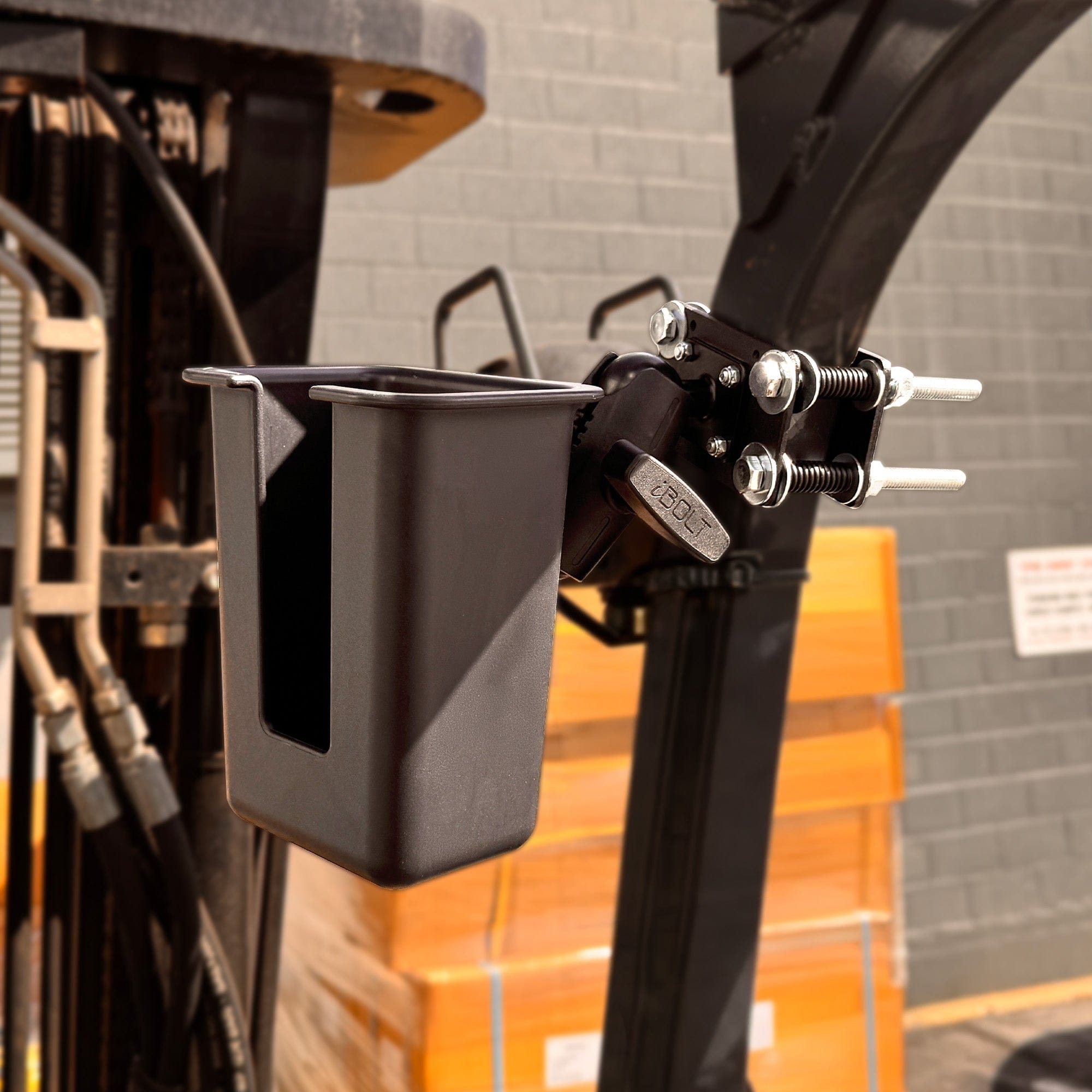
Look closely at modular options when you are outfitting multiple vehicles, securing devices in public areas, mounting equipment on warehouse machinery, or planning for device refreshes. The same applies when the setup needs a specific combination, such as a pillar bracket, short metal arm, locking tablet holder, and scanner holder.
The iBOLT modular mounting system guide breaks the system into bases, arms, adapters, and holders. The practical guide to replacing one mount part instead of the whole system shows how that model works during an upgrade. If you already know the device and attachment surface, the Mount Configurator can help turn those requirements into a parts list.
Frequently Asked Questions
What is a modular mounting system?
A modular mounting system uses separate bases, arms, adapters, and holders that connect through defined interfaces. The parts can be selected or replaced independently as the device, mounting surface, or positioning requirement changes.
Can I replace only the holder on an existing mount?
Often, yes, provided the new holder uses the same connection or a suitable adapter exists. Confirm both the ball diameter and any AMPS or VESA pattern before ordering.
Are all ball mount sizes interchangeable?
No. A ball must match the socket diameter unless a specific adapter is used. Similar-looking 20mm, 22mm, and 25mm components are not automatically compatible.
Why do commercial fleets benefit from modular mounts?
Vehicles and devices are replaced on different schedules. Modular hardware can let a fleet retain compatible bases or arms while changing holders, which reduces installation work during a device refresh.
How do I choose the right components?
Start with four facts: the device, attachment surface, required reach, and security level. Then match the connection standards across the base, arm, adapter, and holder, or use the iBOLT Mount Configurator to assemble the system.
A mount should be able to evolve with the work around it. Explore the iBOLT Mount Configurator to see which modular combination fits your installation.


Leave a comment
This site is protected by hCaptcha and the hCaptcha Privacy Policy and Terms of Service apply.